> ## Documentation Index
> Fetch the complete documentation index at: https://ai-development-environment.mintlify.site/llms.txt
> Use this file to discover all available pages before exploring further.
# Drafts
> Saved prompts you can start as a Plan or Session later.
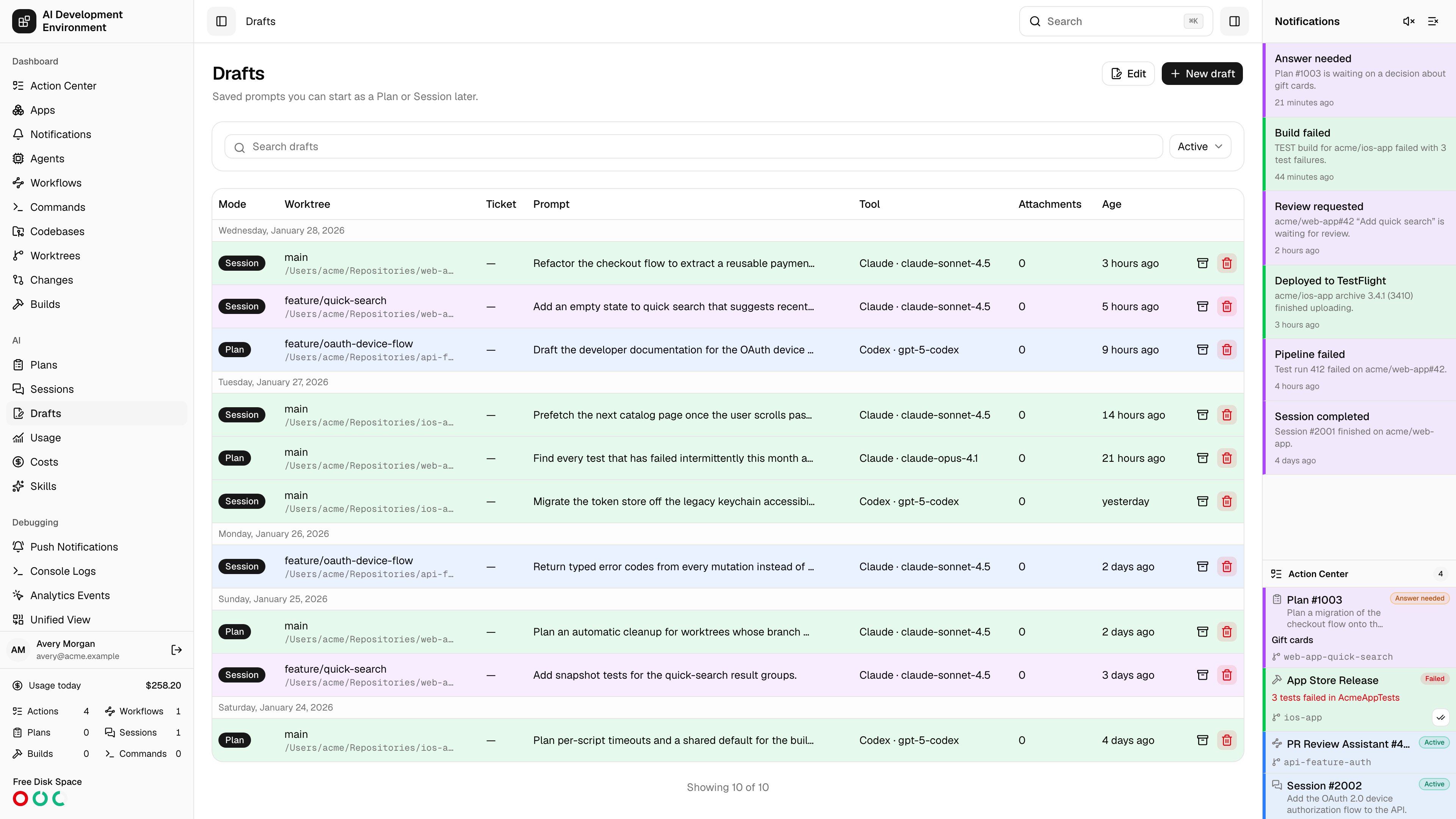
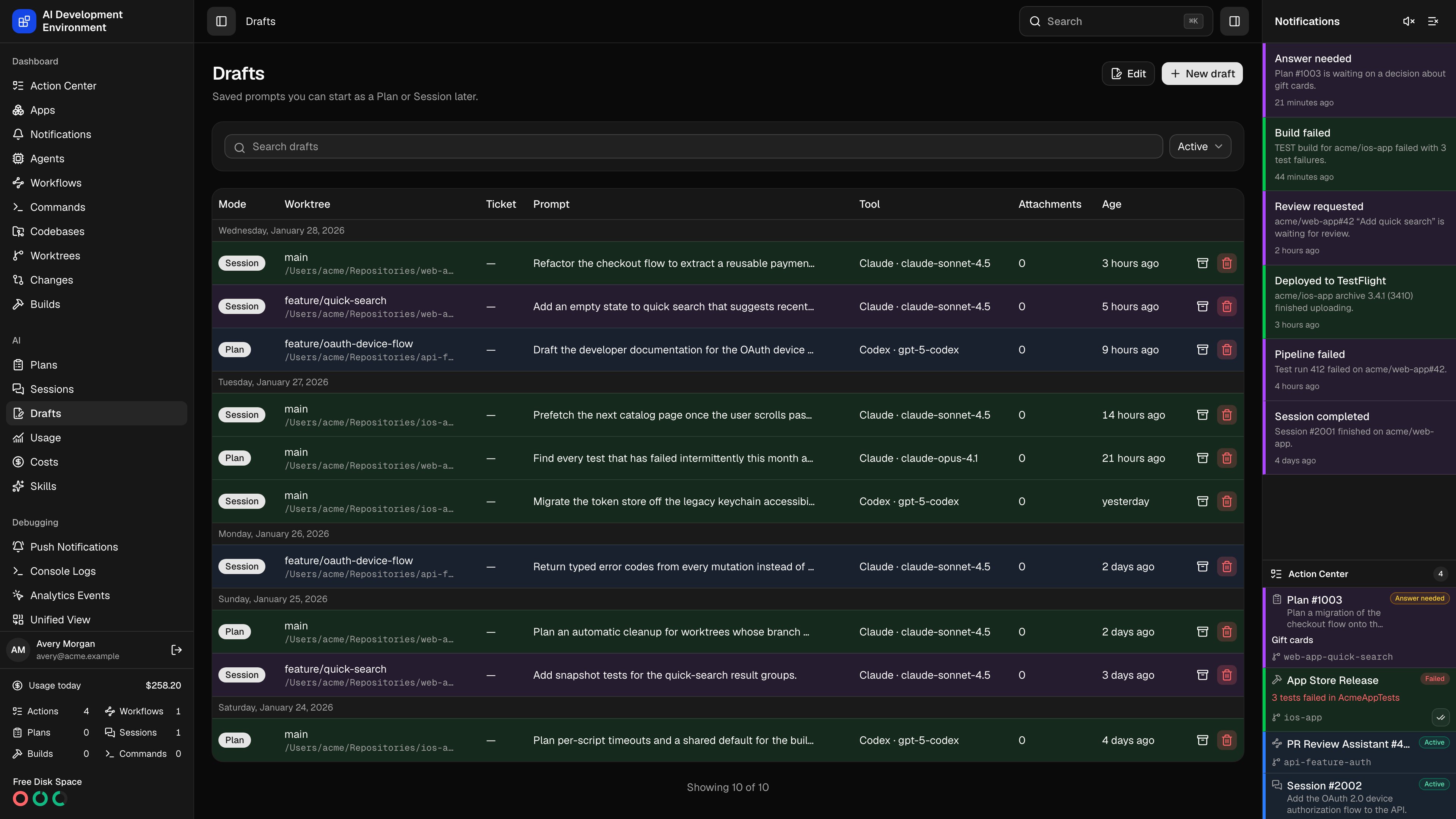 The **Drafts** page at `/drafts` holds run configurations you have written but not started. A draft is not just a prompt — it stores the whole form from the [new run](/ai/run-new) page: the mode, the worktree, the Jira ticket, the tool, model and effort, the web-search and MCP tool choices, and any attachments. Opening one reopens that form exactly as you left it.
## The draft list
Rows are grouped by the day they were last updated, newest first.
| Column | What it shows |
| ----------- | ---------------------------------------------------- |
| Mode | **Plan** or **Session** |
| Worktree | Branch and folder, linking to the worktree |
| Ticket | The Jira issue key, if one was set |
| Prompt | The saved prompt, truncated |
| Tool | Tool and model, for example *Claude · claude-opus-4* |
| Attachments | How many files are attached |
| Age | Relative time since the draft was last updated |
Clicking a row opens `/runs/new?draft={id}`, which is the same editor prefilled from the draft. **New draft** opens the editor empty.
## Filtering and bulk edits
Search matches across drafts, and the archive selector switches between **Active**, **Archived**, and **All**. The list loads 100 drafts at a time and extends as you scroll, with a **Showing *n* of *N*** count underneath.
**Edit** turns on checkboxes, a header select-all, and a per-day select-all so you can archive, restore, or delete a batch at once. Each row also carries its own archive and delete buttons.
Deleting a draft is permanent and is not undoable. Archiving keeps it out of the way and reversible.
## Notes
* Starting a run from a draft consumes it: the draft is removed once the run is created, so it will not linger as a stale copy of work already underway.
* Attachments belong to the draft until it is started, at which point they transfer to the run's first input.
* A draft only references a worktree. If that worktree is gone when you start, the [new run](/ai/run-new) page reports the problem. If its run lane is busy, the new run is created in **Queued** state instead.
## Related pages
The editor a draft opens into.
Where a draft started in Plan mode ends up.
Where a draft started in Session mode ends up.
The checkouts a draft points at.
The **Drafts** page at `/drafts` holds run configurations you have written but not started. A draft is not just a prompt — it stores the whole form from the [new run](/ai/run-new) page: the mode, the worktree, the Jira ticket, the tool, model and effort, the web-search and MCP tool choices, and any attachments. Opening one reopens that form exactly as you left it.
## The draft list
Rows are grouped by the day they were last updated, newest first.
| Column | What it shows |
| ----------- | ---------------------------------------------------- |
| Mode | **Plan** or **Session** |
| Worktree | Branch and folder, linking to the worktree |
| Ticket | The Jira issue key, if one was set |
| Prompt | The saved prompt, truncated |
| Tool | Tool and model, for example *Claude · claude-opus-4* |
| Attachments | How many files are attached |
| Age | Relative time since the draft was last updated |
Clicking a row opens `/runs/new?draft={id}`, which is the same editor prefilled from the draft. **New draft** opens the editor empty.
## Filtering and bulk edits
Search matches across drafts, and the archive selector switches between **Active**, **Archived**, and **All**. The list loads 100 drafts at a time and extends as you scroll, with a **Showing *n* of *N*** count underneath.
**Edit** turns on checkboxes, a header select-all, and a per-day select-all so you can archive, restore, or delete a batch at once. Each row also carries its own archive and delete buttons.
Deleting a draft is permanent and is not undoable. Archiving keeps it out of the way and reversible.
## Notes
* Starting a run from a draft consumes it: the draft is removed once the run is created, so it will not linger as a stale copy of work already underway.
* Attachments belong to the draft until it is started, at which point they transfer to the run's first input.
* A draft only references a worktree. If that worktree is gone when you start, the [new run](/ai/run-new) page reports the problem. If its run lane is busy, the new run is created in **Queued** state instead.
## Related pages
The editor a draft opens into.
Where a draft started in Plan mode ends up.
Where a draft started in Session mode ends up.
The checkouts a draft points at.