> ## Documentation Index
> Fetch the complete documentation index at: https://ai-development-environment.mintlify.site/llms.txt
> Use this file to discover all available pages before exploring further.
# Build details
> Inspect a build's logs, artifacts, tests, and export or install it.
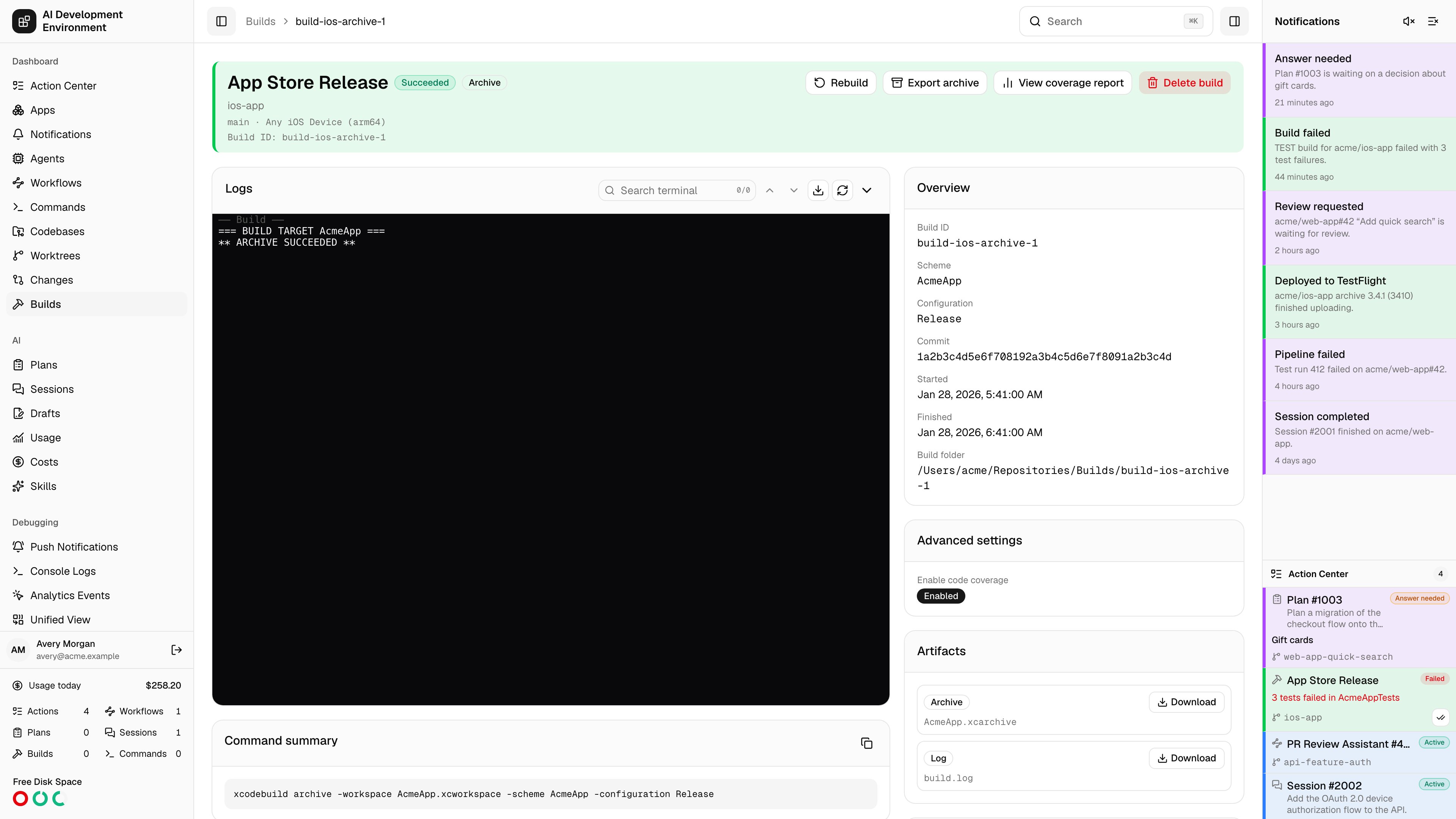
 The build details page at `/builds/{id}` covers one immutable build from end to end: what was run, what it printed, what it produced, whether the tests passed, and how to get it onto a device.
## Header actions
| Action | Available when |
| --------------------- | --------------------------------------------------------------------------- |
| **Cancel build** | The build is queued, preparing, or running |
| **Rebuild** | Always — starts a fresh build from the same configuration |
| **Run** | The build produced a runnable app and a compatible destination is connected |
| **Install on device** | An archive has been exported for over-the-air installation |
| **Export archive** | The build captured an `.xcarchive` |
| **Delete build** | Always |
An **Out of date** marker appears when the worktree has moved on since this build was made.
## Overview
The scheme, action, destination, commit, build ID, start and finish times, duration, and the build folder path on the agent.
The **Command summary** shows the exact `xcodebuild` invocation, with **Copy command summary** to reproduce it by hand. Advanced settings captured at build time are listed too; older builds may report that advanced settings were not captured.
## Logs
Live streaming output with the same terminal controls used elsewhere in the app:
* **Follow output** pins the view to the newest line.
* **Search terminal** with previous and next match navigation.
* **Fit terminal**, **View raw output**, and scroll to top or bottom.
* **Expand logs** / **Collapse logs** for a full-height view.
Selected build scripts appear in the log flow; if none were chosen the page says so.
## Artifacts
Everything the build captured — the archive, the runnable app, test products, the `xctestrun`, and the result bundle — each with a **Download**.
## Test results
**Parse test results** reads the result bundle and produces a test report. If parsing fails, **Retry test parsing** runs it again.
Once parsed you get totals — tests, passed, failed, skipped — and a browsable tree grouped by suite and file, with per-suite pass rates. Filter to **All**, **Passed**, **Failed**, or **Skipped**. Tests without a suite or without a file are grouped separately.
## Coverage
**Generate coverage report** builds the coverage report for this build; **View coverage report** opens it. See [Build coverage report](/builds/build-coverage).
## Exporting an archive
**Export archive** writes the captured `.xcarchive` out locally as an IPA.
**Debugging**, **Release Testing**, **Enterprise**, or **App Store Connect**.
Pick a development team from those installed on the build agent, then a signing certificate — chosen automatically or named explicitly. **Parse project** reads the scheme's signable targets and matches installed provisioning profiles, giving you one profile selector per app and extension.
Toggle between **Show matching** and **Show all** profiles, and add a bundle identifier by hand if parsing missed one. Expired profiles and profiles that may not match a bundle are flagged.
Upload symbols, manage app version and build number, internal TestFlight only, strip Swift symbols, app thinning, iCloud container environment, and a distribution bundle identifier — as applicable to the chosen method.
Exports are written locally as an IPA. These settings never upload to App Store Connect.
When a signing identity is installed on only some of your signing-capable agents, the page warns you — builds assigned to a machine without it will fail to export.
## Installing over the air
**Install on device** serves the exported IPA for direct installation, with **Copy install link** to send it elsewhere. The page reports the bundle identifier and version being installed.
Requirements and limits:
| Condition | Result |
| ------------------------- | ------------------------------------------------------------------------------------------------ |
| No public HTTPS address | Installation is blocked — open the page over HTTPS or set `PUBLIC_BASE_URL` |
| Opened on a Mac | You are told to open the page on an iPhone or iPad |
| App Store Connect export | Cannot be installed over the air — export with Debugging, Release Testing, or Enterprise instead |
| Missing bundle identifier | Export the archive again to enable installation |
## Runs and exports
A record of every time this build has been run on a device or exported, so a single build's distribution history stays in one place.
## Related pages
Build history and the reusable build script library.
Enrolled iPhones and iPads that builds can be installed on.
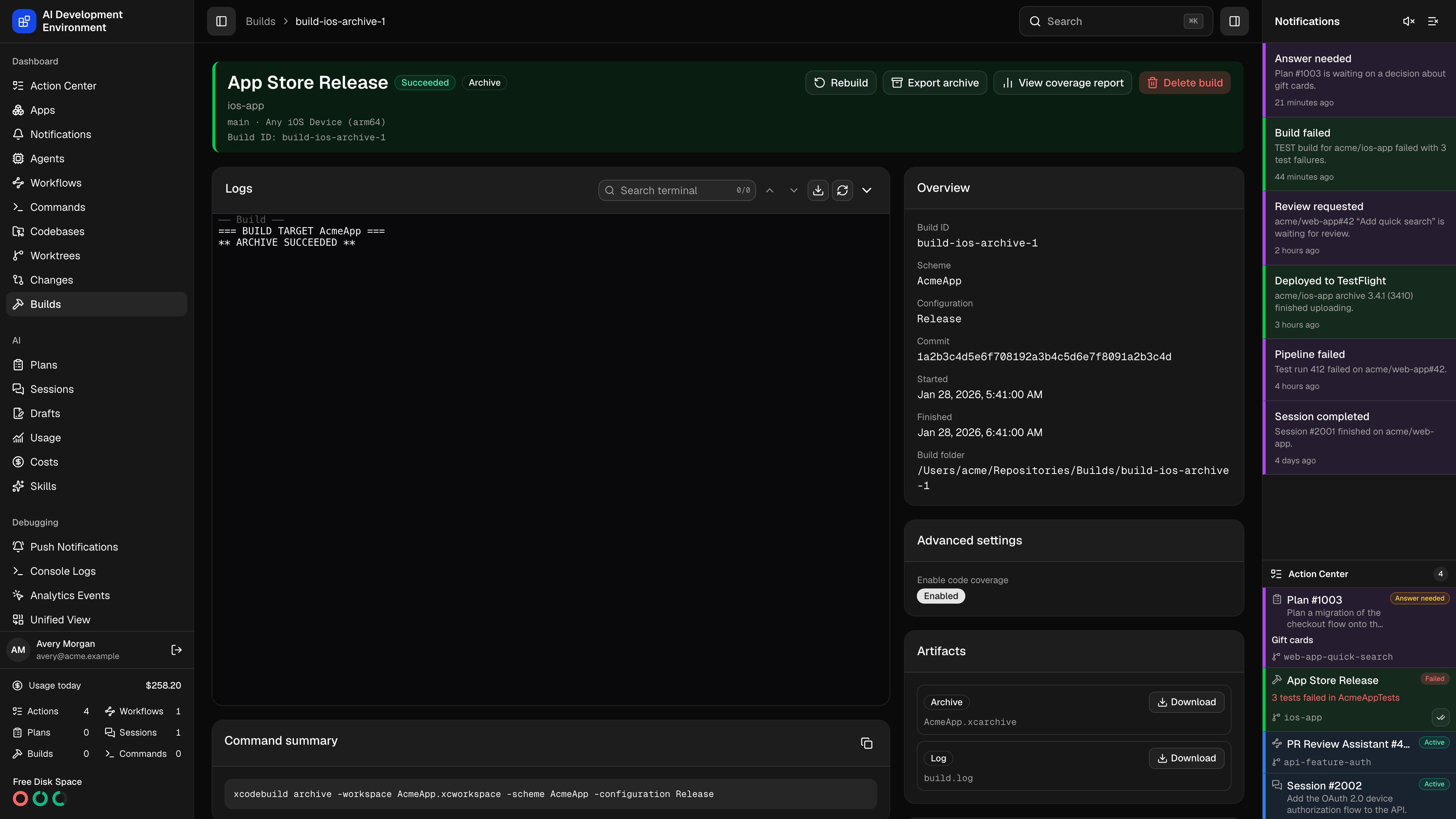
The build details page at `/builds/{id}` covers one immutable build from end to end: what was run, what it printed, what it produced, whether the tests passed, and how to get it onto a device.
## Header actions
| Action | Available when |
| --------------------- | --------------------------------------------------------------------------- |
| **Cancel build** | The build is queued, preparing, or running |
| **Rebuild** | Always — starts a fresh build from the same configuration |
| **Run** | The build produced a runnable app and a compatible destination is connected |
| **Install on device** | An archive has been exported for over-the-air installation |
| **Export archive** | The build captured an `.xcarchive` |
| **Delete build** | Always |
An **Out of date** marker appears when the worktree has moved on since this build was made.
## Overview
The scheme, action, destination, commit, build ID, start and finish times, duration, and the build folder path on the agent.
The **Command summary** shows the exact `xcodebuild` invocation, with **Copy command summary** to reproduce it by hand. Advanced settings captured at build time are listed too; older builds may report that advanced settings were not captured.
## Logs
Live streaming output with the same terminal controls used elsewhere in the app:
* **Follow output** pins the view to the newest line.
* **Search terminal** with previous and next match navigation.
* **Fit terminal**, **View raw output**, and scroll to top or bottom.
* **Expand logs** / **Collapse logs** for a full-height view.
Selected build scripts appear in the log flow; if none were chosen the page says so.
## Artifacts
Everything the build captured — the archive, the runnable app, test products, the `xctestrun`, and the result bundle — each with a **Download**.
## Test results
**Parse test results** reads the result bundle and produces a test report. If parsing fails, **Retry test parsing** runs it again.
Once parsed you get totals — tests, passed, failed, skipped — and a browsable tree grouped by suite and file, with per-suite pass rates. Filter to **All**, **Passed**, **Failed**, or **Skipped**. Tests without a suite or without a file are grouped separately.
## Coverage
**Generate coverage report** builds the coverage report for this build; **View coverage report** opens it. See [Build coverage report](/builds/build-coverage).
## Exporting an archive
**Export archive** writes the captured `.xcarchive` out locally as an IPA.
**Debugging**, **Release Testing**, **Enterprise**, or **App Store Connect**.
Pick a development team from those installed on the build agent, then a signing certificate — chosen automatically or named explicitly. **Parse project** reads the scheme's signable targets and matches installed provisioning profiles, giving you one profile selector per app and extension.
Toggle between **Show matching** and **Show all** profiles, and add a bundle identifier by hand if parsing missed one. Expired profiles and profiles that may not match a bundle are flagged.
Upload symbols, manage app version and build number, internal TestFlight only, strip Swift symbols, app thinning, iCloud container environment, and a distribution bundle identifier — as applicable to the chosen method.
Exports are written locally as an IPA. These settings never upload to App Store Connect.
When a signing identity is installed on only some of your signing-capable agents, the page warns you — builds assigned to a machine without it will fail to export.
## Installing over the air
**Install on device** serves the exported IPA for direct installation, with **Copy install link** to send it elsewhere. The page reports the bundle identifier and version being installed.
Requirements and limits:
| Condition | Result |
| ------------------------- | ------------------------------------------------------------------------------------------------ |
| No public HTTPS address | Installation is blocked — open the page over HTTPS or set `PUBLIC_BASE_URL` |
| Opened on a Mac | You are told to open the page on an iPhone or iPad |
| App Store Connect export | Cannot be installed over the air — export with Debugging, Release Testing, or Enterprise instead |
| Missing bundle identifier | Export the archive again to enable installation |
## Runs and exports
A record of every time this build has been run on a device or exported, so a single build's distribution history stays in one place.
## Related pages
Build history and the reusable build script library.
Enrolled iPhones and iPads that builds can be installed on.