> ## Documentation Index
> Fetch the complete documentation index at: https://ai-development-environment.mintlify.site/llms.txt
> Use this file to discover all available pages before exploring further.
# Repository details
> Manage settings shared by every registered checkout of a repository.
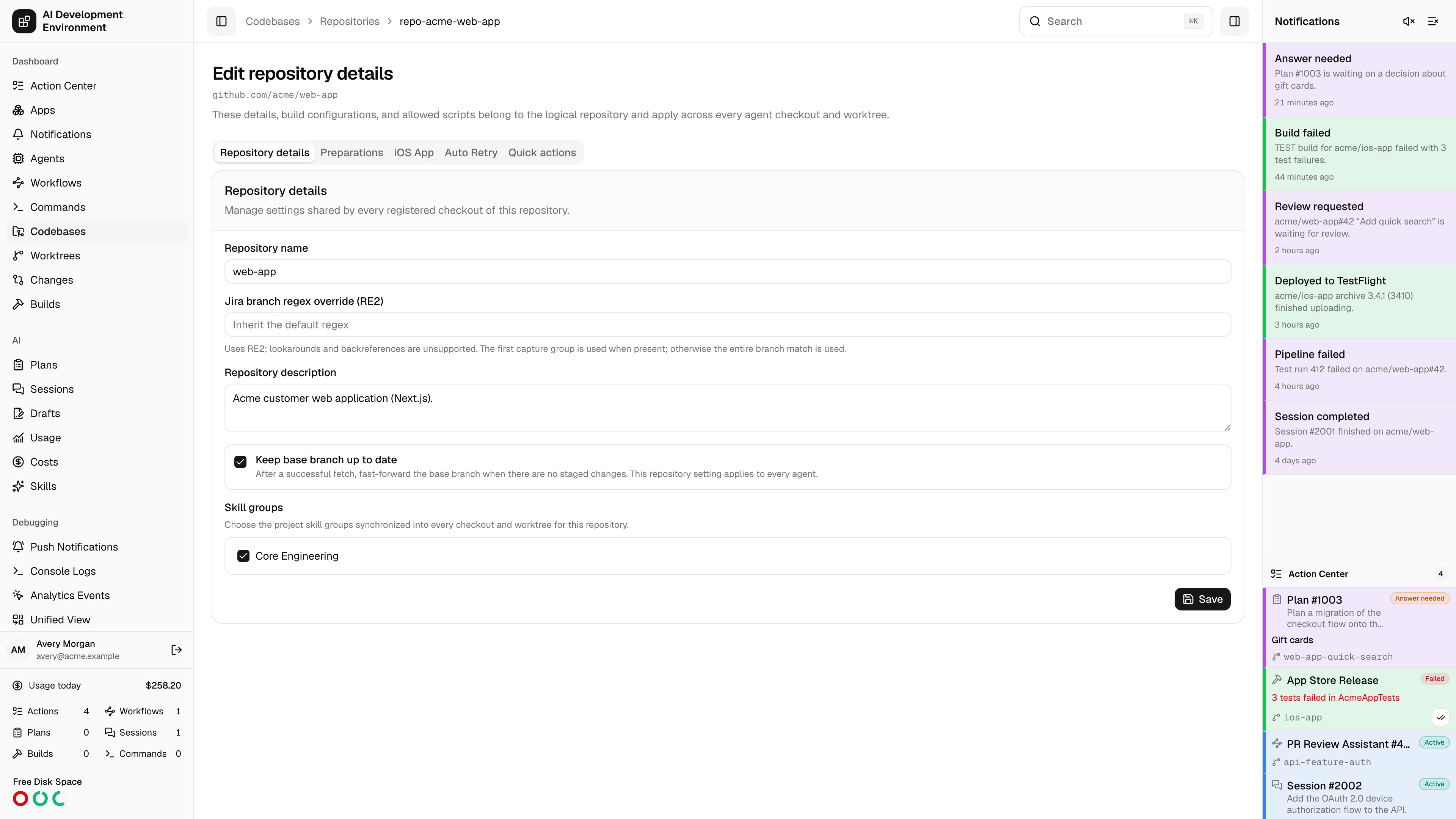
 The repository details page at `/codebases/repositories/{id}` manages settings that belong to the *logical* repository rather than to any one checkout. Everything here applies across every agent checkout and every worktree that shares the origin.
The page has five tabs.
| Setting | Notes |
| ------------------------------- | -------------------------------------------------------------------------------------------------------------------------------------------------------------------------------------------------------------------------- |
| **Repository name** | The shared name used everywhere this repository appears |
| **Repository description** | Optional context |
| **Jira branch regex override** | Extracts a ticket key from a branch name for this repository. Leave empty to inherit the default from [Codebases settings](/codebases/codebases). The first capture group is used when present, otherwise the whole match. |
| **Keep base branch up to date** | After a successful fetch, fast-forward the base branch when there are no staged changes. Applies on every agent. |
| **Skill groups** | The project skill groups synchronized into every checkout and worktree of this repository. |
Skill groups are how a repository gets a consistent set of agent skills on every machine. Define them under [Skills](/skills/skill-groups), then assign them here once instead of per checkout.
Upload files to write or override, list exact paths to delete, and select tracked paths that should always be assume-unchanged. Saving updates the repository definition without modifying existing worktrees.
See [Repository preparations](/codebases/repository-preparations) for path rules, upload limits, Git behavior, and force-aware Sync and Rebase handling.
Enables reusable Xcode build configurations for every checkout and worktree of this repository.
**Add iOS App project** registers the repository as having an Xcode project.
A configuration selects a repository-relative Xcode source and saves its scheme, configuration, action, and optional advanced settings. Configurations are repository-wide and available from every worktree.
Reusable pre-build and post-build hooks are authored on the [Builds](/builds/builds) page. Come back here to allow specific scripts for this repository — a script cannot run against a repository that has not allowed it.
Project definitions and allowed scripts are shared by the repository, but source discovery, validation, and parse status are computed from the agent checkout you have selected. A configuration can be valid on one Mac and unavailable on another if the checkout differs.
Durable rules that automatically rerun GitHub Actions workflows or jobs.
| Setting | Options |
| ------------------------- | ------------------------------------------------------------------------ |
| **Applies to** | Current runs, future runs, or both |
| **Pipelines and jobs** | Specific workflows and jobs, or all workflows including ones added later |
| **Retry mode** | Retry failures, or retry successful runs by count |
| **When a failure occurs** | Retry failed jobs only, or retry all jobs |
| **Retry limit** | 1 to 100, or unlimited |
Saved rules show their progress as automatic retries across runs, and can be paused, resumed, edited, or deleted. Rule statuses are **Active**, **Paused**, **Completed**, **Exhausted**, and **Error**.
Auto Retry is available only for repositories hosted on GitHub, and requires a personal access token plus a verified GitHub App with Actions write access. See [Credentials](/system/credentials).
The workflows this repository inherits as quick actions, each showing its action type — **Standard**, **Merge conflict**, or **GitHub Actions** — and its scope, either **All repositories** or limited to a specific count.
Configured workflows stay listed while paused, marked **Paused**. The action itself only appears when the workflow is published, enabled, and matched to the current resource.
This tab is a read-out of what applies here. To change a workflow's action type or repository scope, open the workflow on its own [details page](/workflows/workflow-detail).
## Why these settings are repository-wide
A repository is usually checked out on more than one Mac, and each checkout can carry several worktrees. Putting preparations, build configurations, skill groups, and retry rules on the repository means every checkout uses one definition instead of maintaining per-machine copies.
## Related pages
Branch and stash management for a single checkout.
Build history and the reusable build scripts you allow here.
Configure managed files for every worktree.
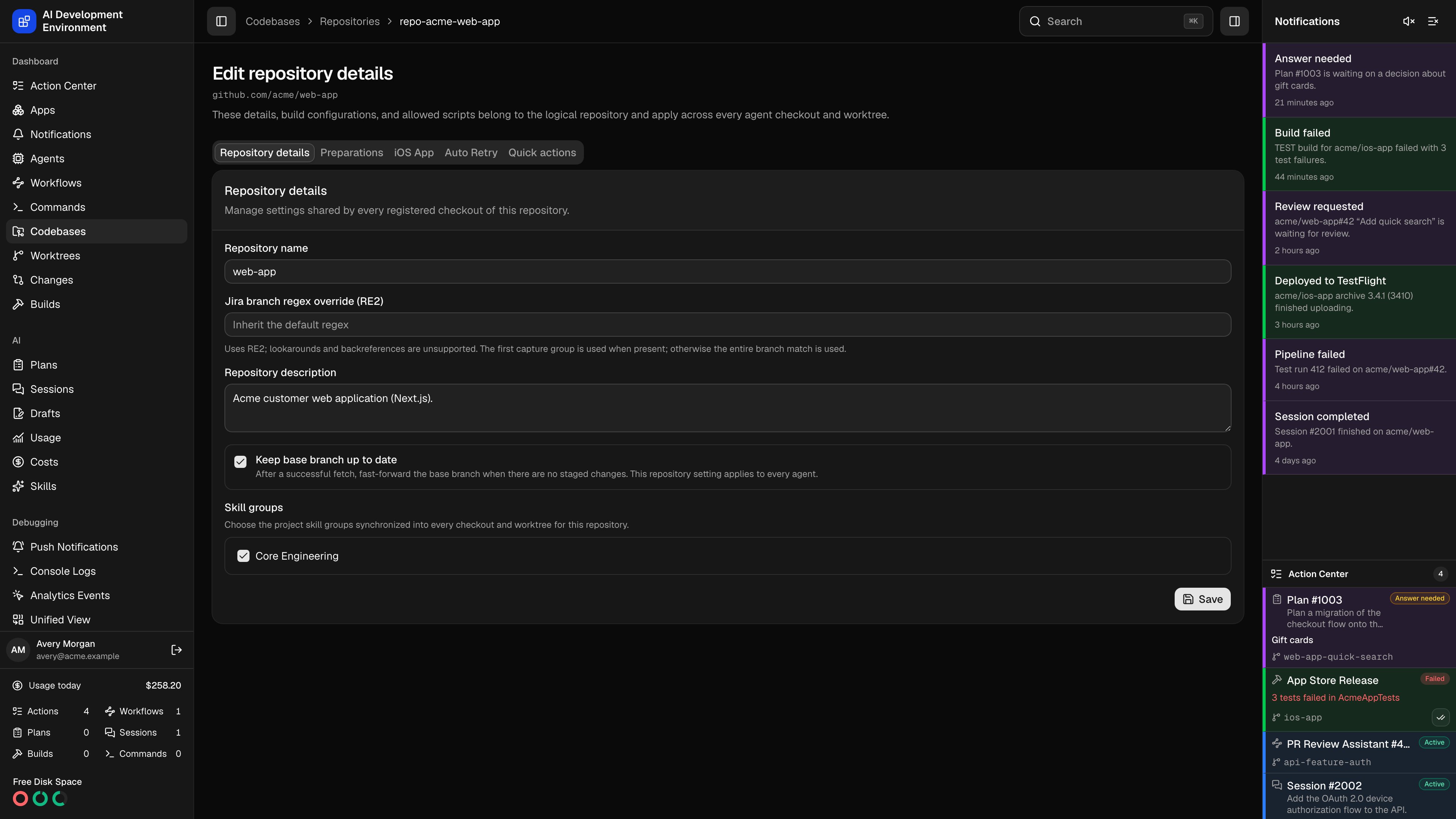
The repository details page at `/codebases/repositories/{id}` manages settings that belong to the *logical* repository rather than to any one checkout. Everything here applies across every agent checkout and every worktree that shares the origin.
The page has five tabs.
| Setting | Notes |
| ------------------------------- | -------------------------------------------------------------------------------------------------------------------------------------------------------------------------------------------------------------------------- |
| **Repository name** | The shared name used everywhere this repository appears |
| **Repository description** | Optional context |
| **Jira branch regex override** | Extracts a ticket key from a branch name for this repository. Leave empty to inherit the default from [Codebases settings](/codebases/codebases). The first capture group is used when present, otherwise the whole match. |
| **Keep base branch up to date** | After a successful fetch, fast-forward the base branch when there are no staged changes. Applies on every agent. |
| **Skill groups** | The project skill groups synchronized into every checkout and worktree of this repository. |
Skill groups are how a repository gets a consistent set of agent skills on every machine. Define them under [Skills](/skills/skill-groups), then assign them here once instead of per checkout.
Upload files to write or override, list exact paths to delete, and select tracked paths that should always be assume-unchanged. Saving updates the repository definition without modifying existing worktrees.
See [Repository preparations](/codebases/repository-preparations) for path rules, upload limits, Git behavior, and force-aware Sync and Rebase handling.
Enables reusable Xcode build configurations for every checkout and worktree of this repository.
**Add iOS App project** registers the repository as having an Xcode project.
A configuration selects a repository-relative Xcode source and saves its scheme, configuration, action, and optional advanced settings. Configurations are repository-wide and available from every worktree.
Reusable pre-build and post-build hooks are authored on the [Builds](/builds/builds) page. Come back here to allow specific scripts for this repository — a script cannot run against a repository that has not allowed it.
Project definitions and allowed scripts are shared by the repository, but source discovery, validation, and parse status are computed from the agent checkout you have selected. A configuration can be valid on one Mac and unavailable on another if the checkout differs.
Durable rules that automatically rerun GitHub Actions workflows or jobs.
| Setting | Options |
| ------------------------- | ------------------------------------------------------------------------ |
| **Applies to** | Current runs, future runs, or both |
| **Pipelines and jobs** | Specific workflows and jobs, or all workflows including ones added later |
| **Retry mode** | Retry failures, or retry successful runs by count |
| **When a failure occurs** | Retry failed jobs only, or retry all jobs |
| **Retry limit** | 1 to 100, or unlimited |
Saved rules show their progress as automatic retries across runs, and can be paused, resumed, edited, or deleted. Rule statuses are **Active**, **Paused**, **Completed**, **Exhausted**, and **Error**.
Auto Retry is available only for repositories hosted on GitHub, and requires a personal access token plus a verified GitHub App with Actions write access. See [Credentials](/system/credentials).
The workflows this repository inherits as quick actions, each showing its action type — **Standard**, **Merge conflict**, or **GitHub Actions** — and its scope, either **All repositories** or limited to a specific count.
Configured workflows stay listed while paused, marked **Paused**. The action itself only appears when the workflow is published, enabled, and matched to the current resource.
This tab is a read-out of what applies here. To change a workflow's action type or repository scope, open the workflow on its own [details page](/workflows/workflow-detail).
## Why these settings are repository-wide
A repository is usually checked out on more than one Mac, and each checkout can carry several worktrees. Putting preparations, build configurations, skill groups, and retry rules on the repository means every checkout uses one definition instead of maintaining per-machine copies.
## Related pages
Branch and stash management for a single checkout.
Build history and the reusable build scripts you allow here.
Configure managed files for every worktree.