> ## Documentation Index
> Fetch the complete documentation index at: https://ai-development-environment.mintlify.site/llms.txt
> Use this file to discover all available pages before exploring further.
# Comments
> Review and respond to GitHub review threads on your open pull requests.
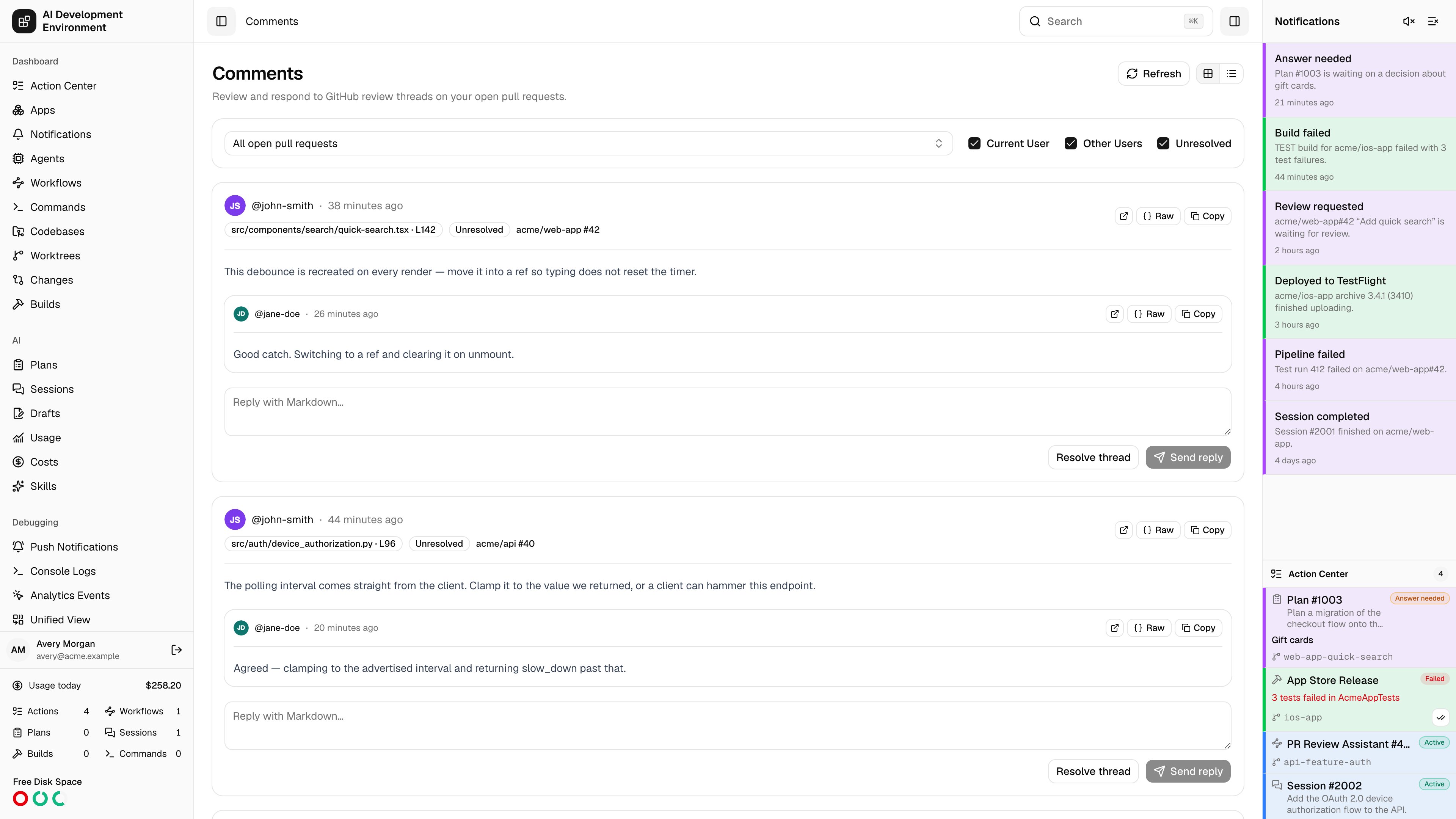
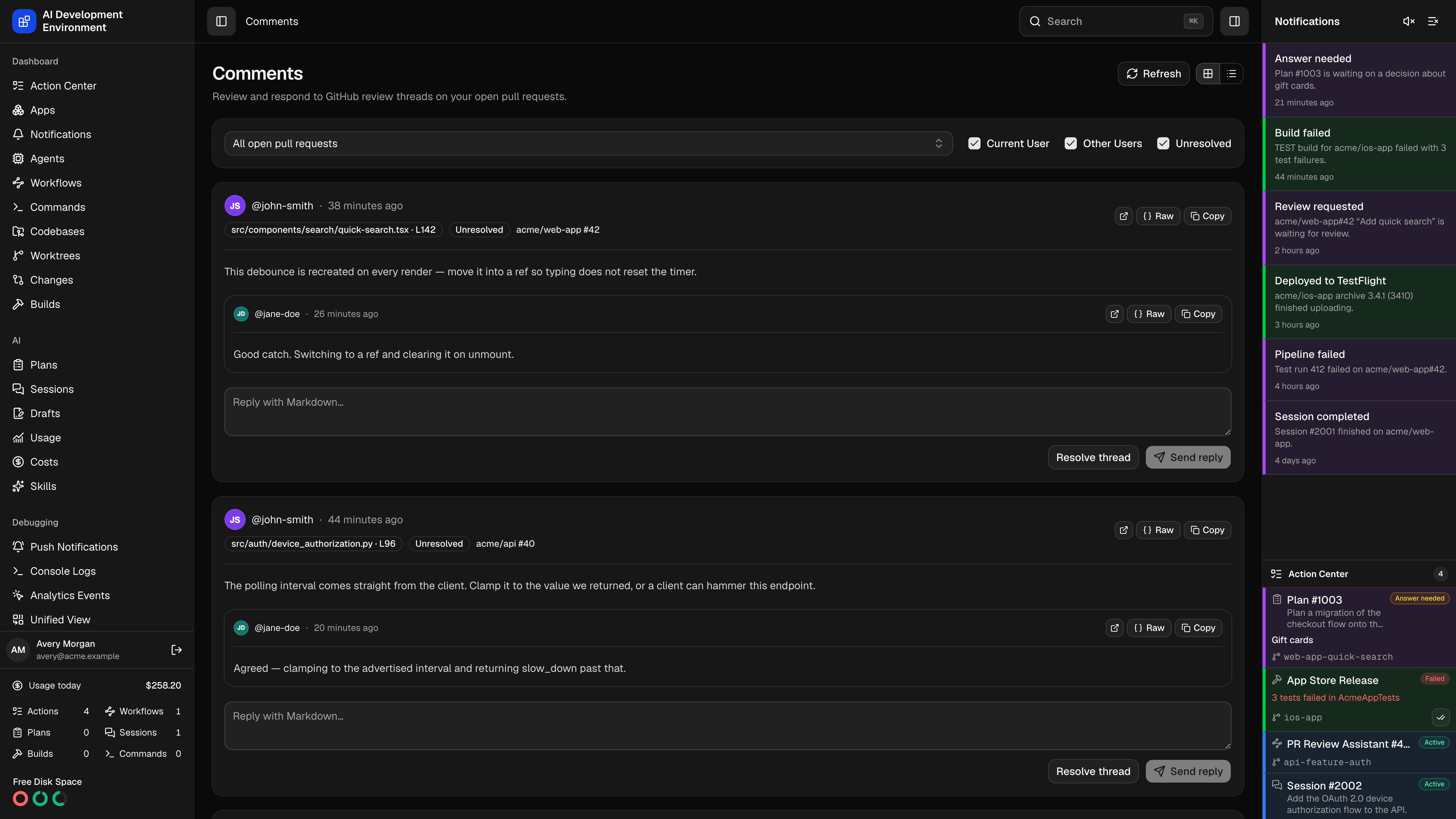 The **Comments** page at `/comments` collects the review threads from every open pull request that concerns you and lets you answer them without leaving the app. It is the page to work through after a review lands: read the thread, reply in Markdown, resolve it, and move on.
## What it loads
Threads are gathered from the open pull requests you authored, the ones assigned to you, the ones where your review was requested, and every pull request open in a [managed repository](/github/pull-requests). Each thread keeps its file location, its full reply chain, and a link back to GitHub.
## Filtering
* The pull request selector switches between **All open pull requests** and one specific pull request. It is searchable by number, title, and repository, and the selection is kept in the page URL — the **Open comments** badge on the [Pull Requests](/github/pull-requests) page links straight to a filtered view.
* **Current User** and **Other Users** filter by who opened the thread. Clearing both hides everything.
* **Unresolved** hides threads that have already been resolved. It is on by default.
The heading always states how many threads match the current filters.
## Layouts
**Card layout** shows each thread in full — location, badges, every comment, and the reply box. **Table layout** condenses them to **Author**, **Pull request**, **Comment**, **Date**, **Replies**, and a link to **GitHub**. Your choice is remembered for next time.
Threads on a pull request whose branch has a worktree here are tinted with that worktree's highlight color.
## Working a thread
A thread shows the file and line it was left on, or **File comment** when it is not anchored to a line, plus an **Outdated** badge once the diff has moved past it and a **Resolved** or **Unresolved** badge.
Every comment renders as GitHub-flavored Markdown by default. **Raw** switches to the source, and **Copy** puts the Markdown on the clipboard — useful for handing a review comment to an AI run or a workflow.
**Reply** posts Markdown to the thread. The box is disabled with an explanation when GitHub does not allow your account to reply to that thread.
**Resolve thread** and **Reopen thread** follow GitHub's own permissions, so each button appears only when your account may perform it.
## Notes
* Requires a GitHub personal access token in [Settings](/system/settings) with pull-request read and write access.
* GitHub search returns at most 1,000 pull requests. When the discovery search hits that limit the page says so, and some threads may be missing.
* **Refresh** re-reads every thread. Replies and resolutions update the list in place.
## Related pages
The review queue, with unresolved counts per pull request.
The same threads, scoped to one pull request.
The **Comments** page at `/comments` collects the review threads from every open pull request that concerns you and lets you answer them without leaving the app. It is the page to work through after a review lands: read the thread, reply in Markdown, resolve it, and move on.
## What it loads
Threads are gathered from the open pull requests you authored, the ones assigned to you, the ones where your review was requested, and every pull request open in a [managed repository](/github/pull-requests). Each thread keeps its file location, its full reply chain, and a link back to GitHub.
## Filtering
* The pull request selector switches between **All open pull requests** and one specific pull request. It is searchable by number, title, and repository, and the selection is kept in the page URL — the **Open comments** badge on the [Pull Requests](/github/pull-requests) page links straight to a filtered view.
* **Current User** and **Other Users** filter by who opened the thread. Clearing both hides everything.
* **Unresolved** hides threads that have already been resolved. It is on by default.
The heading always states how many threads match the current filters.
## Layouts
**Card layout** shows each thread in full — location, badges, every comment, and the reply box. **Table layout** condenses them to **Author**, **Pull request**, **Comment**, **Date**, **Replies**, and a link to **GitHub**. Your choice is remembered for next time.
Threads on a pull request whose branch has a worktree here are tinted with that worktree's highlight color.
## Working a thread
A thread shows the file and line it was left on, or **File comment** when it is not anchored to a line, plus an **Outdated** badge once the diff has moved past it and a **Resolved** or **Unresolved** badge.
Every comment renders as GitHub-flavored Markdown by default. **Raw** switches to the source, and **Copy** puts the Markdown on the clipboard — useful for handing a review comment to an AI run or a workflow.
**Reply** posts Markdown to the thread. The box is disabled with an explanation when GitHub does not allow your account to reply to that thread.
**Resolve thread** and **Reopen thread** follow GitHub's own permissions, so each button appears only when your account may perform it.
## Notes
* Requires a GitHub personal access token in [Settings](/system/settings) with pull-request read and write access.
* GitHub search returns at most 1,000 pull requests. When the discovery search hits that limit the page says so, and some threads may be missing.
* **Refresh** re-reads every thread. Replies and resolutions update the list in place.
## Related pages
The review queue, with unresolved counts per pull request.
The same threads, scoped to one pull request.