> ## Documentation Index
> Fetch the complete documentation index at: https://ai-development-environment.mintlify.site/llms.txt
> Use this file to discover all available pages before exploring further.
# Pull request details
> Inspect a pull request's description, comments, pipelines, and metadata.
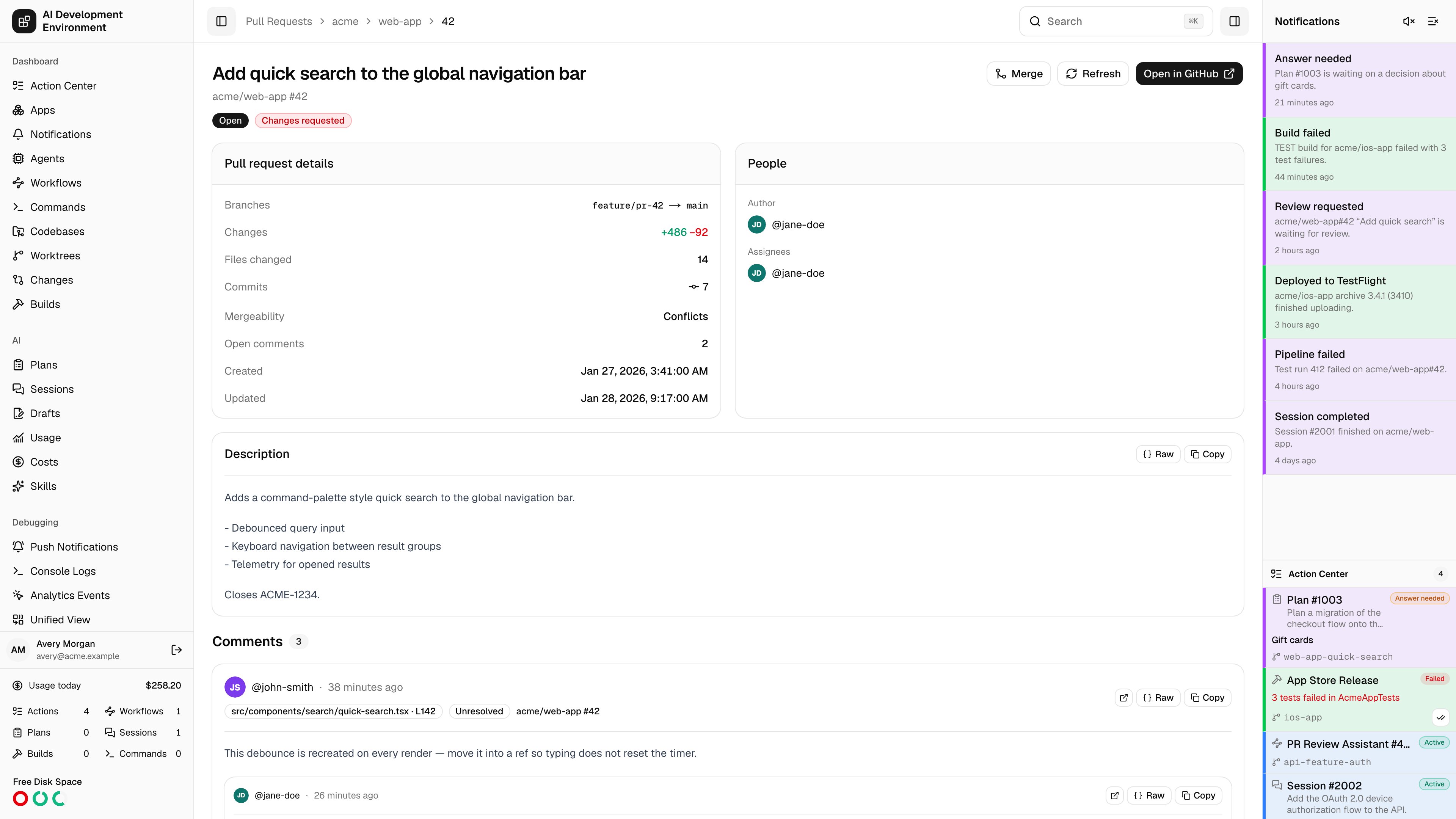
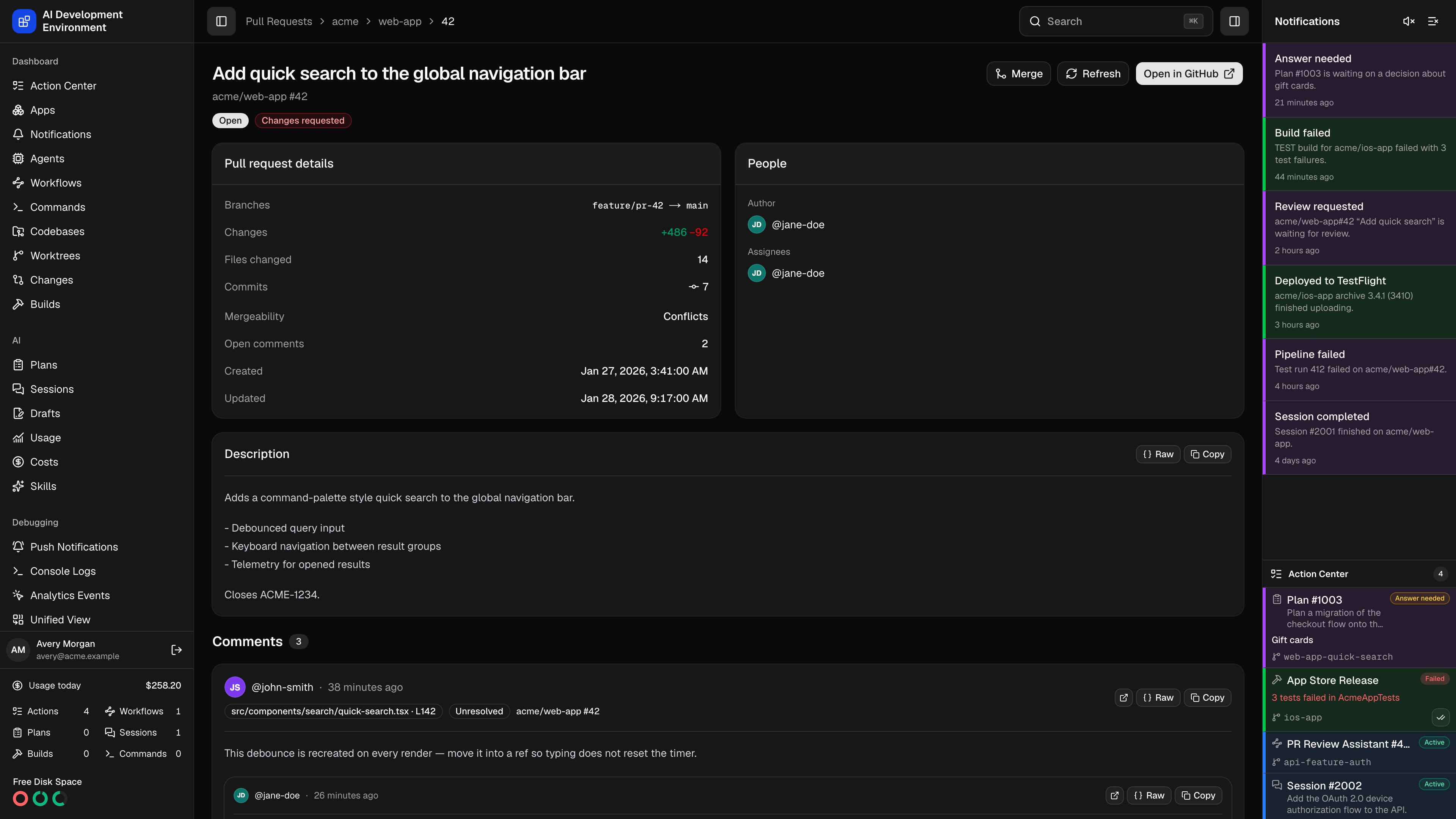 The pull request details page at `/pull-requests/{owner}/{repo}/{number}` is the single-pull-request view: description, review threads, every pipeline with its jobs and steps, and the metadata you would otherwise scroll GitHub for. Rows on the [Pull Requests](/github/pull-requests) page and pull request links elsewhere in the app all land here.
## Header
The header carries the title, `owner/name #number`, and badges for state, **Draft**, review decision, and the linked Jira key — clicking the key opens the ticket beside the page.
| Action | Effect |
| ------------------ | -------------------------------------------------------------------------------------------------------------------- |
| **View Worktree** | Opens the [worktree](/worktrees/worktree-detail) whose branch matches this pull request. Shown only when one exists. |
| **Merge** | Opens the merge dialog described on [Pull Requests](/github/pull-requests). Open pull requests only. |
| **Refresh** | Re-reads the pull request from GitHub. |
| **Open in GitHub** | Opens the pull request on github.com. |
When the linked worktree has a highlight color, the header is tinted with it — the same color that worktree carries everywhere else in the app.
## Description and comments
**Description** renders the pull request body as GitHub-flavored Markdown.
**Comments** lists this pull request's review threads as cards. Each thread shows its file location, an **Outdated** badge when the diff has moved on, its resolved state, and the full reply chain. You can reply in Markdown, resolve, or reopen a thread here exactly as on the [Comments](/github/comments) page — GitHub decides whether your account is allowed to, and the controls explain themselves when it is not.
## Pipelines
The **Pipelines** card lists every check suite and status context reported for the head commit, with a count in the subheading and the combined status badge beside it.
Expanding a pipeline lists its jobs; expanding a job lists its steps and their individual statuses. Jobs and steps GitHub has not reported yet say so rather than showing an empty table.
A rerun workflow keeps its history. The attempt selector switches between the latest attempt and earlier ones, showing who started each attempt and when. Historical attempts are read-only, so retry is unavailable on them.
**Retry** reruns a single failed job, or a whole check suite from the pipeline menu. Both need a verified GitHub App with Actions write access.
**Auto Retry** opens the rule editor already scoped to this pull request, so a rule can keep covering runs on this branch as new commits arrive. The options are documented on [GitHub Actions](/github/actions).
**View all** jumps to the [GitHub Actions](/github/actions) page filtered to this repository and branch.
## Details and people
| Field | Shows |
| ------------------------------------ | ----------------------------------------------- |
| **Branches** | `head → base` |
| **Changes** | Added and deleted lines |
| **Files changed** | File count |
| **Commits** | Commit count |
| **Mergeability** | Mergeable, Conflicts, or Calculating |
| **Open comments** | Unresolved review thread count |
| **Created**, **Updated**, **Merged** | Timestamps; **Merged** appears only once merged |
**People** lists the author and the assignees, each linking to their GitHub profile.
## Notes
* Availability depends on the configured GitHub token having access to the repository. When it does not, the page says the pull request is unavailable instead of assuming it was deleted.
* Pipeline rows, job statuses, and steps update live while the page is open when enhanced pipeline webhooks are enabled on the [GitHub App](/github/webhooks). Without them, use **Refresh**.
* **View all** and **Auto Retry** appear only when the repository is registered as a [codebase](/codebases/codebases) here — both work from that repository record, not from the pull request alone.
## Related pages
The review queue and repository tabs.
Workflow runs, retries, and Auto Retry rules.
The pull request details page at `/pull-requests/{owner}/{repo}/{number}` is the single-pull-request view: description, review threads, every pipeline with its jobs and steps, and the metadata you would otherwise scroll GitHub for. Rows on the [Pull Requests](/github/pull-requests) page and pull request links elsewhere in the app all land here.
## Header
The header carries the title, `owner/name #number`, and badges for state, **Draft**, review decision, and the linked Jira key — clicking the key opens the ticket beside the page.
| Action | Effect |
| ------------------ | -------------------------------------------------------------------------------------------------------------------- |
| **View Worktree** | Opens the [worktree](/worktrees/worktree-detail) whose branch matches this pull request. Shown only when one exists. |
| **Merge** | Opens the merge dialog described on [Pull Requests](/github/pull-requests). Open pull requests only. |
| **Refresh** | Re-reads the pull request from GitHub. |
| **Open in GitHub** | Opens the pull request on github.com. |
When the linked worktree has a highlight color, the header is tinted with it — the same color that worktree carries everywhere else in the app.
## Description and comments
**Description** renders the pull request body as GitHub-flavored Markdown.
**Comments** lists this pull request's review threads as cards. Each thread shows its file location, an **Outdated** badge when the diff has moved on, its resolved state, and the full reply chain. You can reply in Markdown, resolve, or reopen a thread here exactly as on the [Comments](/github/comments) page — GitHub decides whether your account is allowed to, and the controls explain themselves when it is not.
## Pipelines
The **Pipelines** card lists every check suite and status context reported for the head commit, with a count in the subheading and the combined status badge beside it.
Expanding a pipeline lists its jobs; expanding a job lists its steps and their individual statuses. Jobs and steps GitHub has not reported yet say so rather than showing an empty table.
A rerun workflow keeps its history. The attempt selector switches between the latest attempt and earlier ones, showing who started each attempt and when. Historical attempts are read-only, so retry is unavailable on them.
**Retry** reruns a single failed job, or a whole check suite from the pipeline menu. Both need a verified GitHub App with Actions write access.
**Auto Retry** opens the rule editor already scoped to this pull request, so a rule can keep covering runs on this branch as new commits arrive. The options are documented on [GitHub Actions](/github/actions).
**View all** jumps to the [GitHub Actions](/github/actions) page filtered to this repository and branch.
## Details and people
| Field | Shows |
| ------------------------------------ | ----------------------------------------------- |
| **Branches** | `head → base` |
| **Changes** | Added and deleted lines |
| **Files changed** | File count |
| **Commits** | Commit count |
| **Mergeability** | Mergeable, Conflicts, or Calculating |
| **Open comments** | Unresolved review thread count |
| **Created**, **Updated**, **Merged** | Timestamps; **Merged** appears only once merged |
**People** lists the author and the assignees, each linking to their GitHub profile.
## Notes
* Availability depends on the configured GitHub token having access to the repository. When it does not, the page says the pull request is unavailable instead of assuming it was deleted.
* Pipeline rows, job statuses, and steps update live while the page is open when enhanced pipeline webhooks are enabled on the [GitHub App](/github/webhooks). Without them, use **Refresh**.
* **View all** and **Auto Retry** appear only when the repository is registered as a [codebase](/codebases/codebases) here — both work from that repository record, not from the pull request alone.
## Related pages
The review queue and repository tabs.
Workflow runs, retries, and Auto Retry rules.