> ## Documentation Index
> Fetch the complete documentation index at: https://ai-development-environment.mintlify.site/llms.txt
> Use this file to discover all available pages before exploring further.
# API cache
> Inspect and manage GitLab REST cache entries, TTLs, API logs, and rate limits.
The **GitLab Cache** page at `/gitlab/cache` manages a cache separate from GitHub's cache.
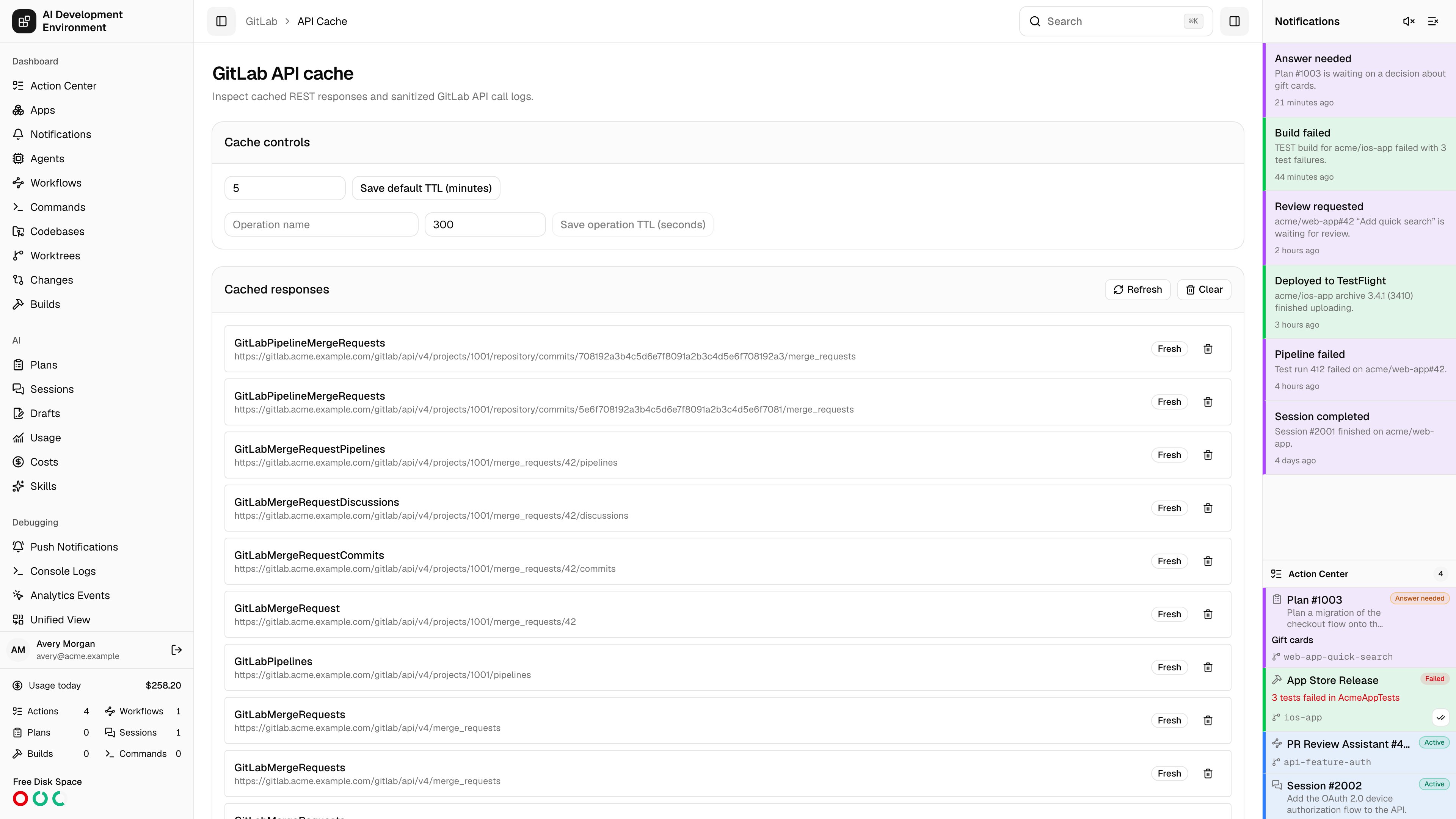
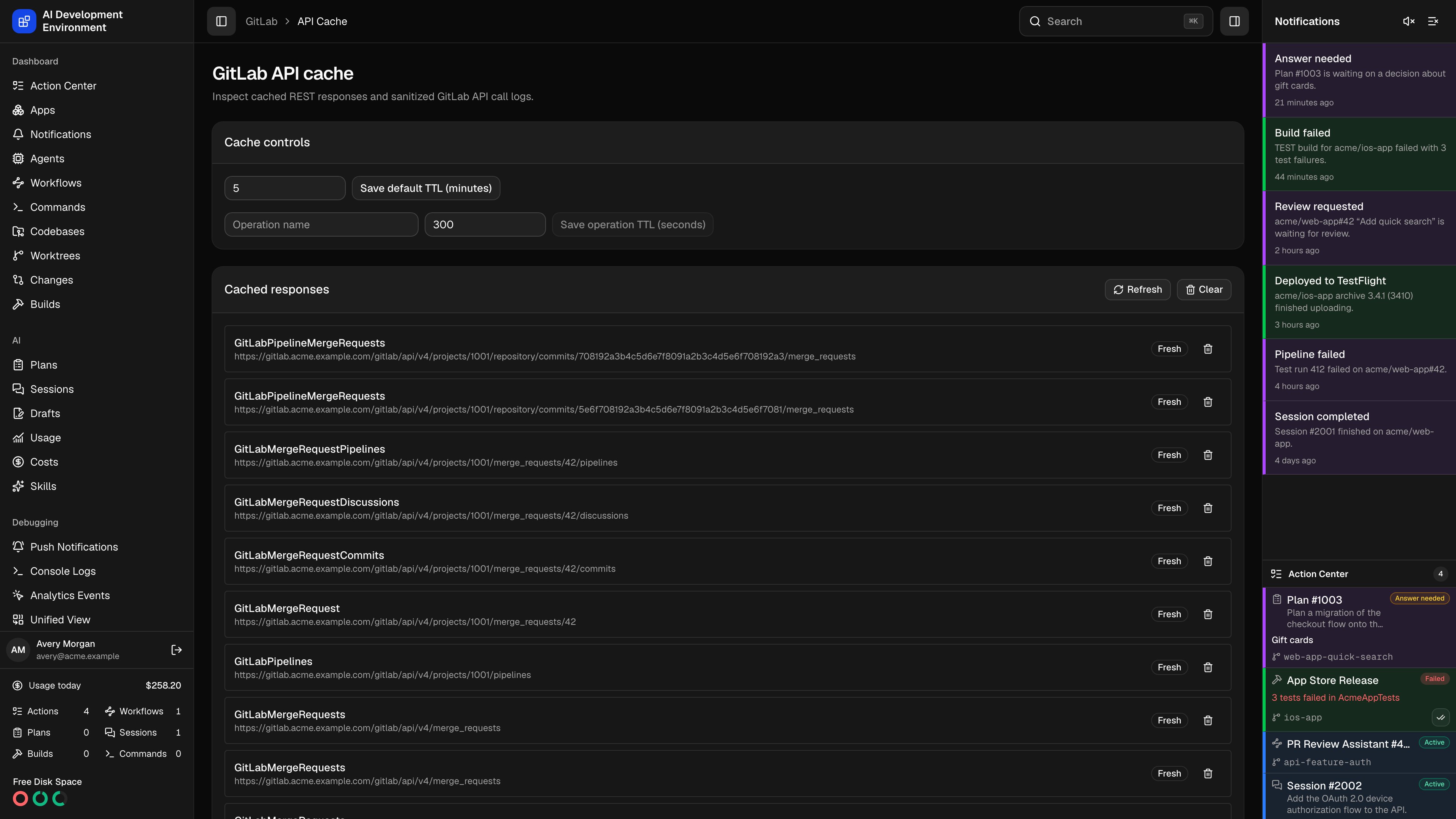 Each GET response is keyed by:
* A fingerprint of the configured GitLab instance
* Operation name
* Canonical API path
* Query parameters sorted by name and value
You can inspect or delete one entry, purge every GitLab entry, change the default TTL, and add per-operation TTL overrides. Requests may bypass or refresh the cache, and a stale response can be used when GitLab is temporarily unavailable.
Mutations invalidate only related project, merge-request, discussion, pipeline, or job scopes. They do not clear the entire provider cache.
The same page shows cache metrics, sanitized API-call logs, request IDs, response time, stale usage, and rate-limit snapshots. Tokens, signature material, and sensitive response fields are never written to those logs.
Each GET response is keyed by:
* A fingerprint of the configured GitLab instance
* Operation name
* Canonical API path
* Query parameters sorted by name and value
You can inspect or delete one entry, purge every GitLab entry, change the default TTL, and add per-operation TTL overrides. Requests may bypass or refresh the cache, and a stale response can be used when GitLab is temporarily unavailable.
Mutations invalidate only related project, merge-request, discussion, pipeline, or job scopes. They do not clear the entire provider cache.
The same page shows cache metrics, sanitized API-call logs, request IDs, response time, stale usage, and rate-limit snapshots. Tokens, signature material, and sensitive response fields are never written to those logs.