> ## Documentation Index
> Fetch the complete documentation index at: https://ai-development-environment.mintlify.site/llms.txt
> Use this file to discover all available pages before exploring further.
# Pipelines and retries
> Run, cancel, inspect, and retry GitLab pipelines and jobs.
The **Pipelines** page at `/gitlab/pipelines` shows project and merge-request pipelines, their jobs, retry history, and shared normalized status.
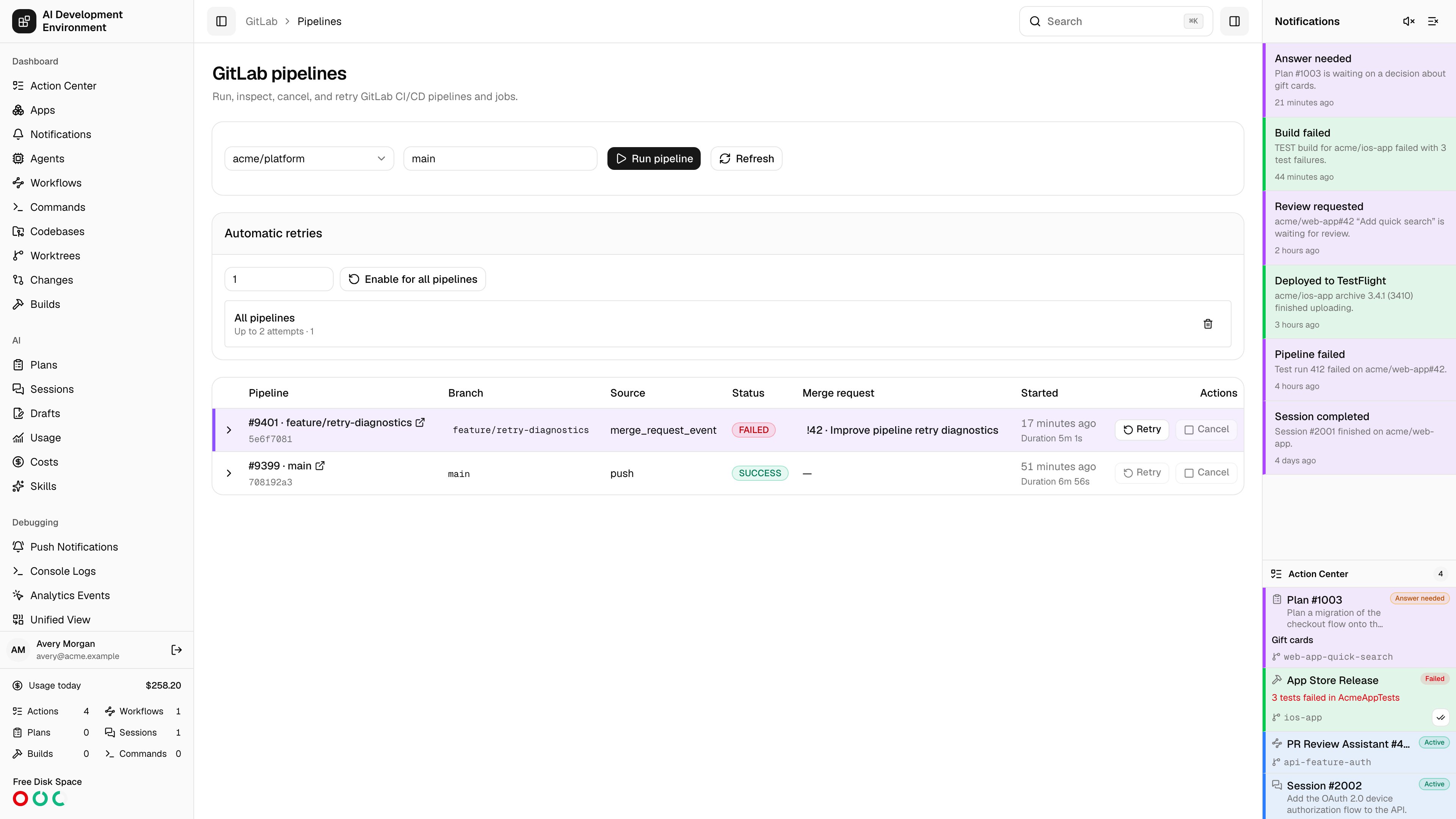
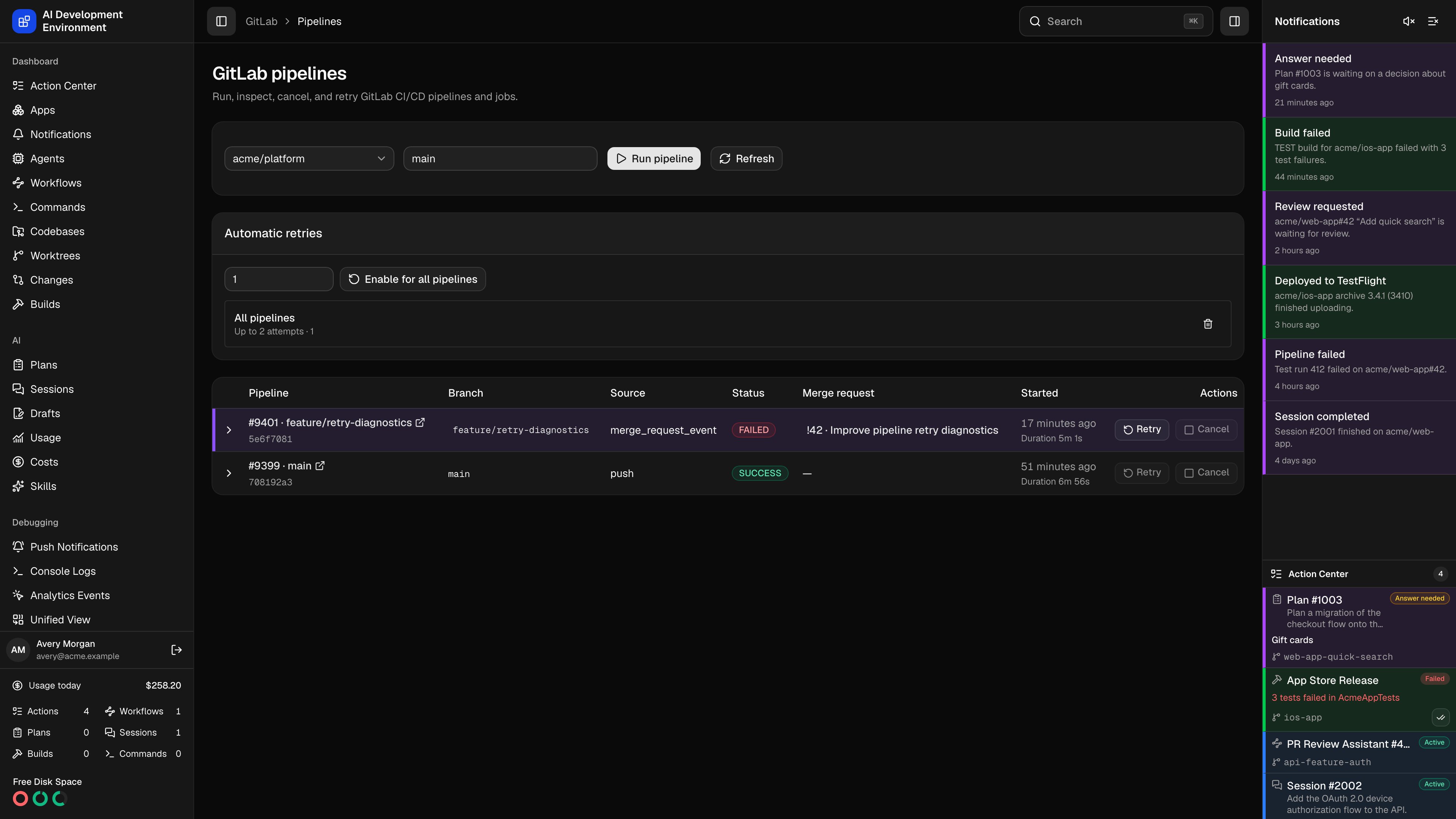 GitLab statuses map into the AIDE pipeline model, including created, preparing, pending, running, success, failed, canceled, skipped, manual, scheduled, and unknown states.
## Pipeline actions
* Create a pipeline for a ref with optional variables
* Cancel an active pipeline
* Retry a failed or canceled pipeline
* Retry an individual job
* Open the pipeline or job in the configured GitLab instance
## Auto retry
Auto retry rules are scoped by provider and project, with an optional pipeline target and a maximum attempt count. You can choose 1 to 100 attempts and delete a rule when you no longer need it. Executions, notifications, polling observations, and audit entries retain the GitLab provider discriminator.
Signed webhook events are the primary update source. Polling uses the configured pipeline interval as a fallback and is visible on [Polling](/system/polling). GitHub and GitLab retry rules can run at the same time without sharing counters or pipeline records.
GitLab statuses map into the AIDE pipeline model, including created, preparing, pending, running, success, failed, canceled, skipped, manual, scheduled, and unknown states.
## Pipeline actions
* Create a pipeline for a ref with optional variables
* Cancel an active pipeline
* Retry a failed or canceled pipeline
* Retry an individual job
* Open the pipeline or job in the configured GitLab instance
## Auto retry
Auto retry rules are scoped by provider and project, with an optional pipeline target and a maximum attempt count. You can choose 1 to 100 attempts and delete a rule when you no longer need it. Executions, notifications, polling observations, and audit entries retain the GitLab provider discriminator.
Signed webhook events are the primary update source. Polling uses the configured pipeline interval as a fallback and is visible on [Polling](/system/polling). GitHub and GitLab retry rules can run at the same time without sharing counters or pipeline records.