> ## Documentation Index
> Fetch the complete documentation index at: https://ai-development-environment.mintlify.site/llms.txt
> Use this file to discover all available pages before exploring further.
# Managed projects
> Select the GitLab projects AIDE can poll, link to worktrees, and configure with webhooks.
Open **Settings → Integrations → GitLab** to manage projects visible to the configured token.
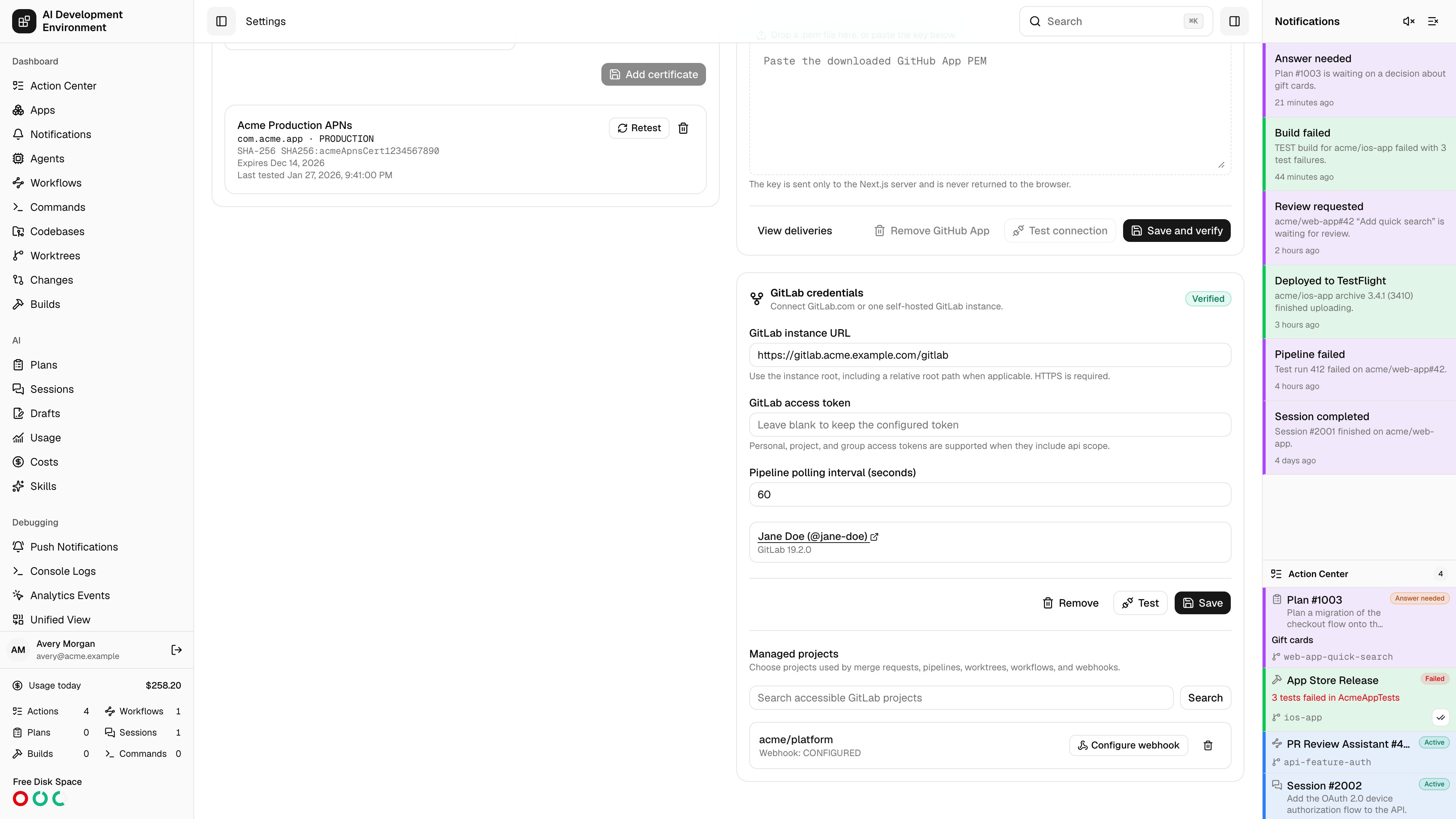
 AIDE stores GitLab's numeric project ID as the canonical remote identifier. A project's path and web URL are display and link metadata, so a namespace rename does not create a second project record.
## Add a project
Search or enter a visible project, then click **Add**. Personal, project, and group tokens can all be used. The candidate list reflects only resources the token may access.
For each project, AIDE shows:
* Namespace path and default branch
* Visibility and enabled state
* Webhook state and last delivery
* Any permission or cleanup error
## Permissions
AIDE can automatically create or update the project hook when the token has Maintainer or Owner access. With a lower role, the project remains usable and its hook state becomes **Manual required**. Follow the one-time instructions on the [Webhooks](/gitlab/webhooks) page.
Removing a project deletes only a hook whose ID AIDE recorded as its own. Existing hooks created by people or other applications are never removed.
AIDE stores GitLab's numeric project ID as the canonical remote identifier. A project's path and web URL are display and link metadata, so a namespace rename does not create a second project record.
## Add a project
Search or enter a visible project, then click **Add**. Personal, project, and group tokens can all be used. The candidate list reflects only resources the token may access.
For each project, AIDE shows:
* Namespace path and default branch
* Visibility and enabled state
* Webhook state and last delivery
* Any permission or cleanup error
## Permissions
AIDE can automatically create or update the project hook when the token has Maintainer or Owner access. With a lower role, the project remains usable and its hook state becomes **Manual required**. Follow the one-time instructions on the [Webhooks](/gitlab/webhooks) page.
Removing a project deletes only a hook whose ID AIDE recorded as its own. Existing hooks created by people or other applications are never removed.