> ## Documentation Index
> Fetch the complete documentation index at: https://ai-development-environment.mintlify.site/llms.txt
> Use this file to discover all available pages before exploring further.
# Cached Jira ticket
> Inspect a cached Jira ticket's summary, detail, and comment responses.
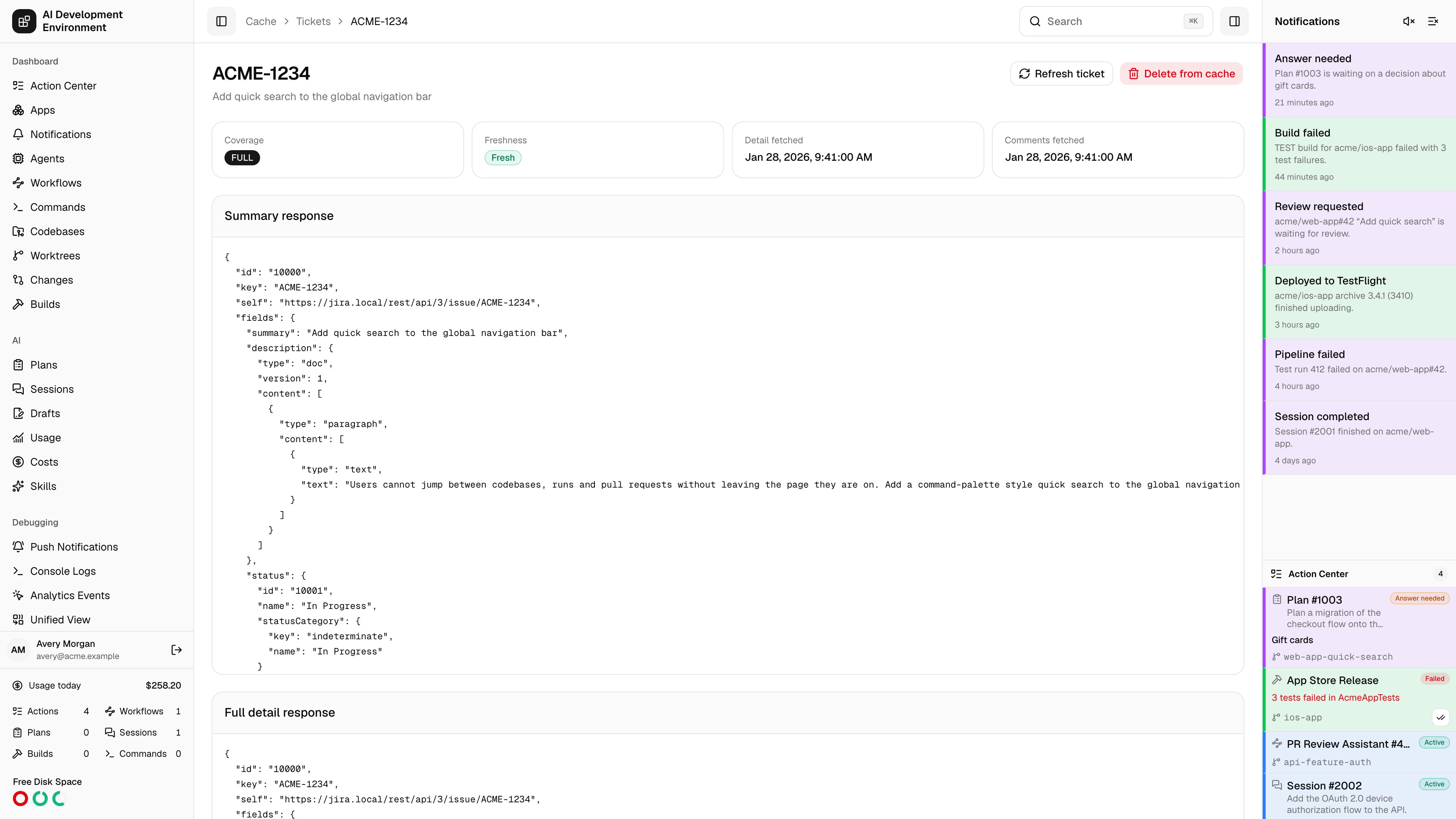
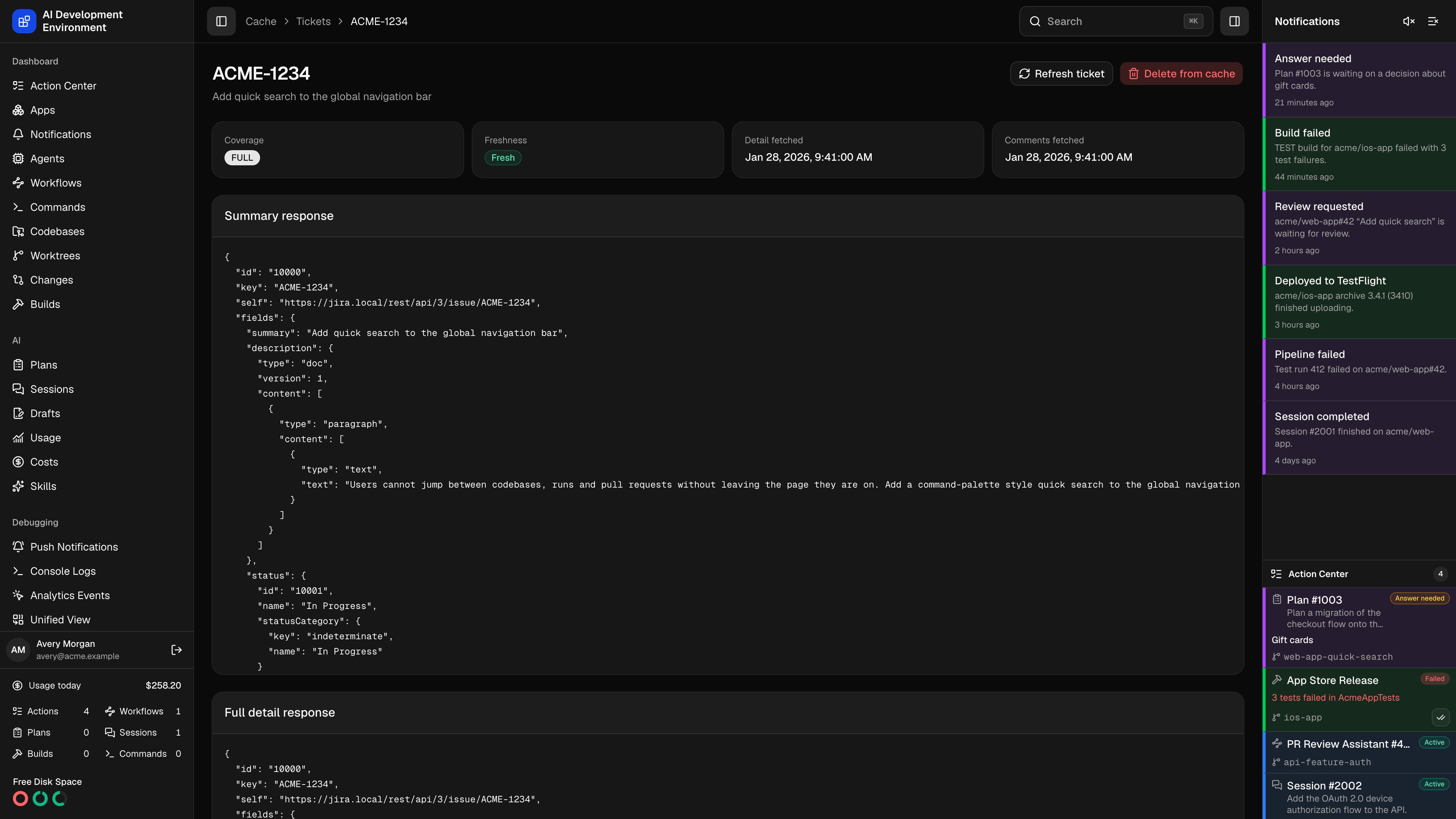 The cached Jira ticket page at `/jira-cache/tickets/{key}` shows exactly what is stored for one Jira issue: the raw JSON of each response level, when each was fetched, and which cache entries reference the issue.
Use it when a ticket is displaying something that does not match Jira, or when you need the literal shape of a field — a custom field ID, a sprint value, an ADF document — rather than the rendered version on the [ticket details page](/jira/jira-ticket-detail).
## Status tiles
| Tile | Shows |
| -------------------- | ------------------------------------------------------------------------------------- |
| **Coverage** | Summary, Detail, or Full |
| **Freshness** | Fresh, or Stale when any stored level is older than the [cache TTL](/jira/jira-cache) |
| **Detail fetched** | When the full issue was last read |
| **Comments fetched** | When the comments were last read |
| Coverage | Means |
| ----------- | -------------------------------------------------------------------------------- |
| **Summary** | Only the list-level fields, stored when a board or JQL source returned the issue |
| **Detail** | The full issue was read, but its comments were not |
| **Full** | Both the issue and its comments are stored |
## Stored responses
Three panels hold the raw JSON, exactly as Jira returned it.
| Panel | Comes from |
| ------------------------------ | -------------------------------------------------------- |
| **Summary response** | The issue's entry in a board or JQL search result |
| **Full detail response** | An issue read with all fields and their names and schema |
| **Complete comments response** | Every page of the issue's comments, combined |
A level that has never been fetched says so instead of showing an empty object — a ticket that only ever appeared in a list has a summary response and nothing else. Opening the ticket anywhere in the product fills in the other two.
## Related cache entries
**Related cache entries** lists the raw cache entries that reference this issue, each with the operation that produced it, when it was fetched, and its entry ID. One issue usually has several: the search that first returned it, the issue read, and each page of comments.
This is how deletion knows what to remove — dropping the ticket drops every entry in this list, so a stale search result cannot resurrect it.
## Actions
| Action | Effect |
| --------------------- | ------------------------------------------------------------------------------------------------ |
| **Refresh ticket** | Re-reads the issue and its comments from Jira now and updates every stored level |
| **Delete from cache** | Removes the ticket and its related cache entries, then returns to [Jira Cache](/jira/jira-cache) |
Deleting from the cache does not touch Jira. The next page that needs the issue reads it again from the API.
## Notes
* The summary and status shown in the header come from the most complete stored data — the detail response when there is one, otherwise the summary response.
* Freshness is measured against the global cache TTL, so lowering the TTL can flip a ticket to stale without anything changing in Jira.
* A ticket edited anywhere in the product has its entries dropped and re-read, so this page reflects the write immediately.
* **Clear cache** on the [Jira Cache](/jira/jira-cache) page removes every cached ticket, including this one.
## Related pages
TTL, API usage, latency, and every cached ticket.
The rendered view of the same issue.
The cached Jira ticket page at `/jira-cache/tickets/{key}` shows exactly what is stored for one Jira issue: the raw JSON of each response level, when each was fetched, and which cache entries reference the issue.
Use it when a ticket is displaying something that does not match Jira, or when you need the literal shape of a field — a custom field ID, a sprint value, an ADF document — rather than the rendered version on the [ticket details page](/jira/jira-ticket-detail).
## Status tiles
| Tile | Shows |
| -------------------- | ------------------------------------------------------------------------------------- |
| **Coverage** | Summary, Detail, or Full |
| **Freshness** | Fresh, or Stale when any stored level is older than the [cache TTL](/jira/jira-cache) |
| **Detail fetched** | When the full issue was last read |
| **Comments fetched** | When the comments were last read |
| Coverage | Means |
| ----------- | -------------------------------------------------------------------------------- |
| **Summary** | Only the list-level fields, stored when a board or JQL source returned the issue |
| **Detail** | The full issue was read, but its comments were not |
| **Full** | Both the issue and its comments are stored |
## Stored responses
Three panels hold the raw JSON, exactly as Jira returned it.
| Panel | Comes from |
| ------------------------------ | -------------------------------------------------------- |
| **Summary response** | The issue's entry in a board or JQL search result |
| **Full detail response** | An issue read with all fields and their names and schema |
| **Complete comments response** | Every page of the issue's comments, combined |
A level that has never been fetched says so instead of showing an empty object — a ticket that only ever appeared in a list has a summary response and nothing else. Opening the ticket anywhere in the product fills in the other two.
## Related cache entries
**Related cache entries** lists the raw cache entries that reference this issue, each with the operation that produced it, when it was fetched, and its entry ID. One issue usually has several: the search that first returned it, the issue read, and each page of comments.
This is how deletion knows what to remove — dropping the ticket drops every entry in this list, so a stale search result cannot resurrect it.
## Actions
| Action | Effect |
| --------------------- | ------------------------------------------------------------------------------------------------ |
| **Refresh ticket** | Re-reads the issue and its comments from Jira now and updates every stored level |
| **Delete from cache** | Removes the ticket and its related cache entries, then returns to [Jira Cache](/jira/jira-cache) |
Deleting from the cache does not touch Jira. The next page that needs the issue reads it again from the API.
## Notes
* The summary and status shown in the header come from the most complete stored data — the detail response when there is one, otherwise the summary response.
* Freshness is measured against the global cache TTL, so lowering the TTL can flip a ticket to stale without anything changing in Jira.
* A ticket edited anywhere in the product has its entries dropped and re-read, so this page reflects the write immediately.
* **Clear cache** on the [Jira Cache](/jira/jira-cache) page removes every cached ticket, including this one.
## Related pages
TTL, API usage, latency, and every cached ticket.
The rendered view of the same issue.