> ## Documentation Index
> Fetch the complete documentation index at: https://ai-development-environment.mintlify.site/llms.txt
> Use this file to discover all available pages before exploring further.
# Build Data
> Inspect and clean up Xcode DerivedData across enrolled agents.
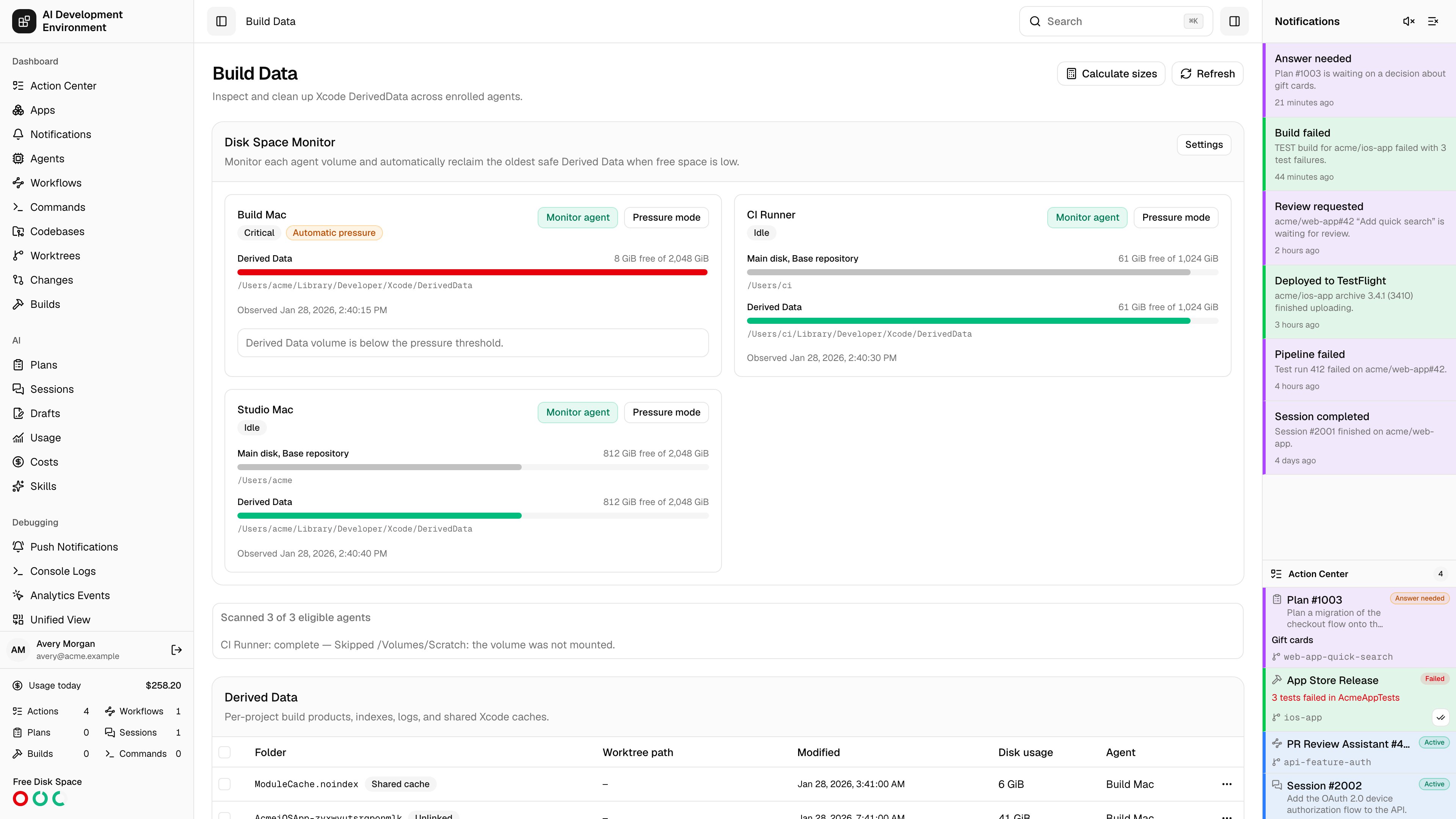
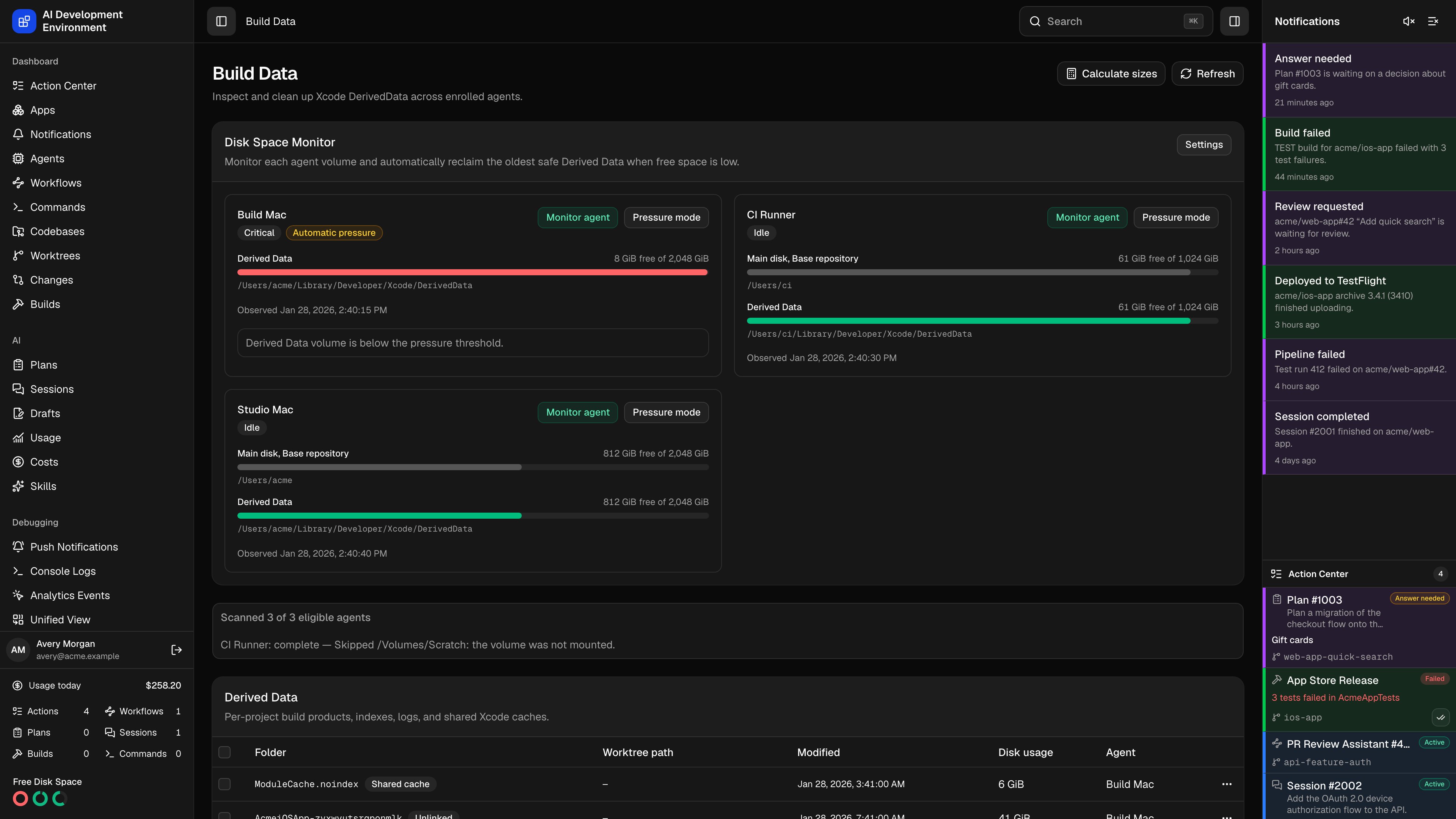 The **Build Data** page at `/build-data` is a fleet-wide view of the disk that Xcode consumes but never reclaims: per-project DerivedData folders, shared Xcode caches, and the iOS Device Support symbols kept for every iOS version that has ever been connected to one of your Macs.
Instead of visiting each machine and deleting folders by hand, you scan every enrolled agent at once, see which folders still belong to a live worktree and which are orphans, and delete across machines in a single action.
## How a scan works
Nothing is read from disk until you ask for it, and measuring sizes is far more expensive than listing folders.
**Refresh** dispatches a scan job to every eligible agent. Each agent walks its configured DerivedData directories and reports folder names, paths, modification times, and the volume each one lives on. The footer shows *Scanned N of M eligible agents* while this runs.
Each folder's recorded workspace path is matched against the [worktrees](/worktrees/worktrees) known for that agent, choosing the longest matching path. That match is what turns a nameless `MyApp-abc123` folder into a row you can act on confidently.
**Calculate sizes** sends a second job that measures disk usage for the selected entries. Until then the **Disk usage** column is empty — sizing a large DerivedData tree is slow, so it is never done automatically.
Select rows and use **Delete selected**, or delete a single row from its actions menu. Deletion is dispatched per agent and always requires an explicit confirmation.
Per-agent scan progress is reported individually, so a single unreachable Mac does not block the rest:
| Agent status | Meaning |
| ------------------------------------------ | ----------------------------------------------------------------- |
| **queuing** / **queued** / **scanning** | The scan job is on its way to the agent, or running |
| **complete** | Results were returned and merged into the table |
| **failed** / **timed out** / **cancelled** | The agent could not finish; the error is shown alongside |
| **offline** | The agent was not connected when the scan started |
| **agent update required** | That agent's control agent is too old to support build-data scans |
| **invalid response** | The agent replied with something the server could not parse |
## Derived Data
| Column | What it shows |
| ----------------- | -------------------------------------------------------------------------------------------- |
| **Folder** | The DerivedData folder name, plus a status badge when it is not a plain linked project |
| **Worktree path** | The worktree this folder belongs to, shown relative to the agent's base repository directory |
| **Modified** | Last modification time — the ordering that matters most when deciding what is safe to remove |
| **Disk usage** | Measured size, once you have run **Calculate sizes** |
| **Agent** | The Mac holding the folder |
| **Actions** | Lock, unlock, or delete this single entry |
### Entry statuses
| Status | Meaning |
| ------------------ | ----------------------------------------------------------------------------------------------------------------------------------------- |
| *(no badge)* | The folder maps to a worktree that still exists |
| **Unlinked** | No matching worktree — usually a branch that has been deleted. These are the safest deletions and often the largest win |
| **Build starting** | A build has just begun writing this folder; leave it alone |
| **Shared cache** | An Xcode cache shared across projects rather than belonging to one worktree. Deleting it is safe but slows the next build on that machine |
### Locking
**Lock from cleanup** marks an entry as protected. A locked entry is excluded from the automatic reclamation described below, and deleting it by hand requires a second confirmation that lists exactly which folders are protected.
The same protection covers entries with executing work — a build or run currently using that worktree — even when they are not locked.
Overriding the protection prompt deletes DerivedData out from under a running build. The build fails rather than corrupting anything, but it fails.
## iOS Device Support
Xcode keeps a folder of symbols and support files for every iOS version it has ever seen on a connected device. These accumulate for years and are commonly the largest single reclaim on a developer Mac.
The card lists them by **iOS version**, **Disk usage**, and **Agent**, and supports the same select-and-delete flow.
Deleting these is low-risk. Xcode recreates the folder for a given iOS version the next time a device running it is connected — you pay one slow reconnect, not a permanent loss.
## Automatic cleanup
The Disk Space monitor in the sidebar can reclaim DerivedData on its own when a monitored volume runs low. It is deliberately conservative:
* Only **project** entries linked to a known worktree are eligible. Unlinked folders, shared caches, and Device Support are never touched automatically.
* Locked entries and worktrees with executing work are excluded, and the check is repeated immediately before deletion in case work started in between.
* Exactly one entry — the **oldest by modification time** on the low volume — is removed per pass, then the monitor waits for the next disk report to decide whether more is needed.
Two thresholds govern it: a **cleanup threshold** below which reclamation begins, and a lower **pressure threshold** used once the volume is in pressure mode. Pressure mode engages automatically when a volume is below the cleanup threshold and nothing safe is left to delete, and can also be set manually per agent.
Everything the monitor removes is recorded in the deletion history with source **Automatic**, so a folder that vanished overnight is always accounted for.
## Deletion history
The **Deletion history** card lists what was removed from each agent over the last 90 days, with the folder, worktree path, agent, deletion time, and whether the source was **User** or **Automatic**. Long histories page with **Load more**.
**Clear history** empties the records only. It does not restore anything, and it does not touch files on any agent.
## Notes
* Which directories are scanned depends on each agent's DerivedData location setting, so an agent using a non-default location is scanned there.
* Deletion requires the target agent to be online at the moment the job is created — an offline agent's entries cannot be removed until it reconnects.
* Sizes are a point-in-time measurement. Rescan before acting on numbers from an earlier session.
* Removing DerivedData never affects source code, worktrees, or Git state. The cost is a slower next build.
## Related pages
The worktrees that Derived Data entries are matched against.
The builds that create these folders in the first place.
The **Build Data** page at `/build-data` is a fleet-wide view of the disk that Xcode consumes but never reclaims: per-project DerivedData folders, shared Xcode caches, and the iOS Device Support symbols kept for every iOS version that has ever been connected to one of your Macs.
Instead of visiting each machine and deleting folders by hand, you scan every enrolled agent at once, see which folders still belong to a live worktree and which are orphans, and delete across machines in a single action.
## How a scan works
Nothing is read from disk until you ask for it, and measuring sizes is far more expensive than listing folders.
**Refresh** dispatches a scan job to every eligible agent. Each agent walks its configured DerivedData directories and reports folder names, paths, modification times, and the volume each one lives on. The footer shows *Scanned N of M eligible agents* while this runs.
Each folder's recorded workspace path is matched against the [worktrees](/worktrees/worktrees) known for that agent, choosing the longest matching path. That match is what turns a nameless `MyApp-abc123` folder into a row you can act on confidently.
**Calculate sizes** sends a second job that measures disk usage for the selected entries. Until then the **Disk usage** column is empty — sizing a large DerivedData tree is slow, so it is never done automatically.
Select rows and use **Delete selected**, or delete a single row from its actions menu. Deletion is dispatched per agent and always requires an explicit confirmation.
Per-agent scan progress is reported individually, so a single unreachable Mac does not block the rest:
| Agent status | Meaning |
| ------------------------------------------ | ----------------------------------------------------------------- |
| **queuing** / **queued** / **scanning** | The scan job is on its way to the agent, or running |
| **complete** | Results were returned and merged into the table |
| **failed** / **timed out** / **cancelled** | The agent could not finish; the error is shown alongside |
| **offline** | The agent was not connected when the scan started |
| **agent update required** | That agent's control agent is too old to support build-data scans |
| **invalid response** | The agent replied with something the server could not parse |
## Derived Data
| Column | What it shows |
| ----------------- | -------------------------------------------------------------------------------------------- |
| **Folder** | The DerivedData folder name, plus a status badge when it is not a plain linked project |
| **Worktree path** | The worktree this folder belongs to, shown relative to the agent's base repository directory |
| **Modified** | Last modification time — the ordering that matters most when deciding what is safe to remove |
| **Disk usage** | Measured size, once you have run **Calculate sizes** |
| **Agent** | The Mac holding the folder |
| **Actions** | Lock, unlock, or delete this single entry |
### Entry statuses
| Status | Meaning |
| ------------------ | ----------------------------------------------------------------------------------------------------------------------------------------- |
| *(no badge)* | The folder maps to a worktree that still exists |
| **Unlinked** | No matching worktree — usually a branch that has been deleted. These are the safest deletions and often the largest win |
| **Build starting** | A build has just begun writing this folder; leave it alone |
| **Shared cache** | An Xcode cache shared across projects rather than belonging to one worktree. Deleting it is safe but slows the next build on that machine |
### Locking
**Lock from cleanup** marks an entry as protected. A locked entry is excluded from the automatic reclamation described below, and deleting it by hand requires a second confirmation that lists exactly which folders are protected.
The same protection covers entries with executing work — a build or run currently using that worktree — even when they are not locked.
Overriding the protection prompt deletes DerivedData out from under a running build. The build fails rather than corrupting anything, but it fails.
## iOS Device Support
Xcode keeps a folder of symbols and support files for every iOS version it has ever seen on a connected device. These accumulate for years and are commonly the largest single reclaim on a developer Mac.
The card lists them by **iOS version**, **Disk usage**, and **Agent**, and supports the same select-and-delete flow.
Deleting these is low-risk. Xcode recreates the folder for a given iOS version the next time a device running it is connected — you pay one slow reconnect, not a permanent loss.
## Automatic cleanup
The Disk Space monitor in the sidebar can reclaim DerivedData on its own when a monitored volume runs low. It is deliberately conservative:
* Only **project** entries linked to a known worktree are eligible. Unlinked folders, shared caches, and Device Support are never touched automatically.
* Locked entries and worktrees with executing work are excluded, and the check is repeated immediately before deletion in case work started in between.
* Exactly one entry — the **oldest by modification time** on the low volume — is removed per pass, then the monitor waits for the next disk report to decide whether more is needed.
Two thresholds govern it: a **cleanup threshold** below which reclamation begins, and a lower **pressure threshold** used once the volume is in pressure mode. Pressure mode engages automatically when a volume is below the cleanup threshold and nothing safe is left to delete, and can also be set manually per agent.
Everything the monitor removes is recorded in the deletion history with source **Automatic**, so a folder that vanished overnight is always accounted for.
## Deletion history
The **Deletion history** card lists what was removed from each agent over the last 90 days, with the folder, worktree path, agent, deletion time, and whether the source was **User** or **Automatic**. Long histories page with **Load more**.
**Clear history** empties the records only. It does not restore anything, and it does not touch files on any agent.
## Notes
* Which directories are scanned depends on each agent's DerivedData location setting, so an agent using a non-default location is scanned there.
* Deletion requires the target agent to be online at the moment the job is created — an offline agent's entries cannot be removed until it reconnects.
* Sizes are a point-in-time measurement. Rescan before acting on numbers from an earlier session.
* Removing DerivedData never affects source code, worktrees, or Git state. The cost is a slower next build.
## Related pages
The worktrees that Derived Data entries are matched against.
The builds that create these folders in the first place.