> ## Documentation Index
> Fetch the complete documentation index at: https://ai-development-environment.mintlify.site/llms.txt
> Use this file to discover all available pages before exploring further.
# Prepare
> Inspect, apply, and undo repository preparation rules across every worktree.
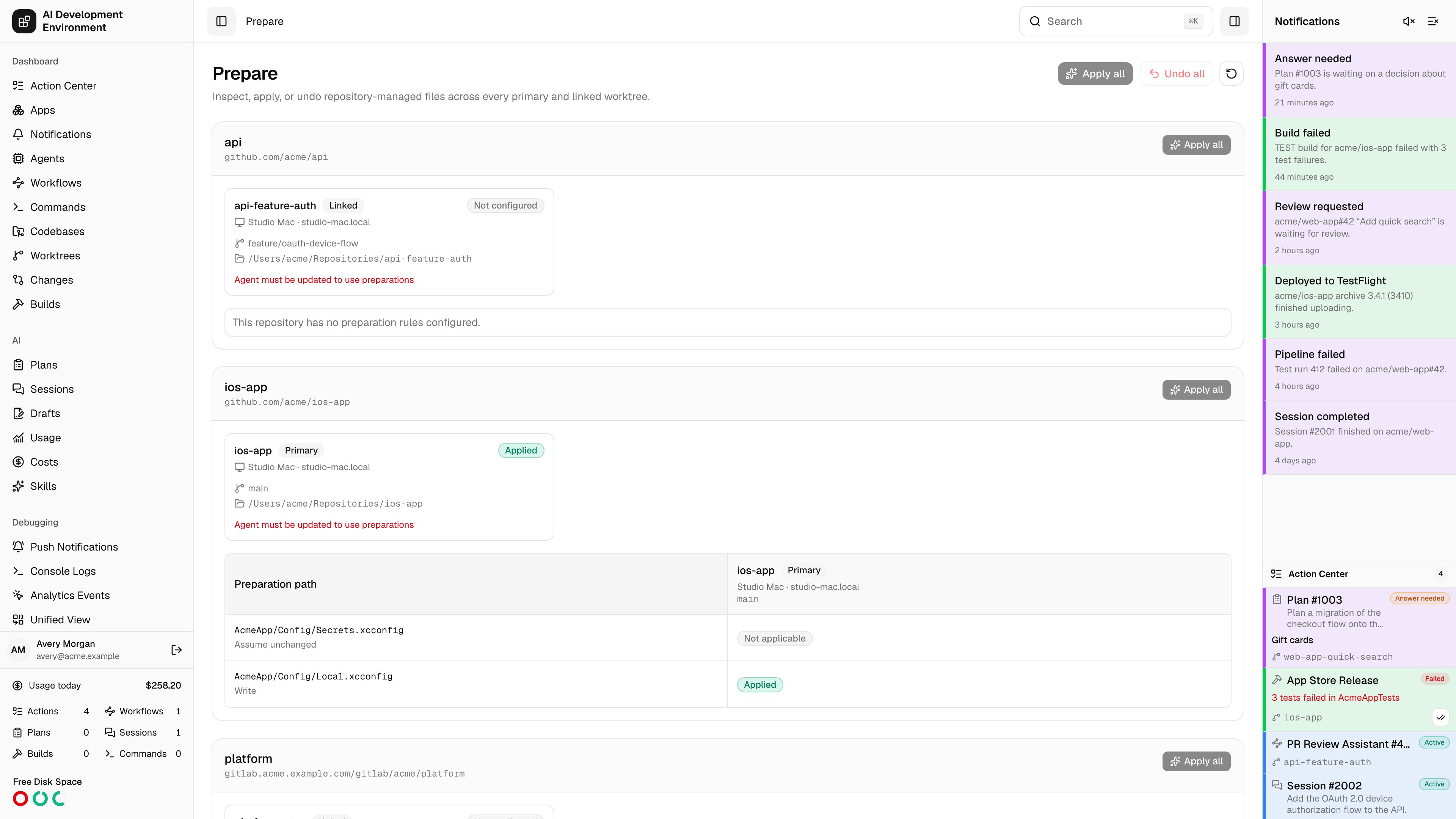
 Open **System → Prepare** to compare repository preparation rules across every primary and linked worktree. The page loads the last persisted result immediately, then requests one deduplicated inspection from each eligible worktree.
## Read the matrix
Repositories appear as sections. Each file rule is a row and each worktree is a column. The path column stays visible while you scroll horizontally.
Worktree cards and matrix headers include the owning agent and hostname, branch or detached commit, full checkout path, and whether the checkout is primary or linked. These details distinguish primary checkouts of the same repository that are registered on different agents.
| Color | Statuses | Meaning |
| ------- | --------------------------------------- | ---------------------------------------------------------------------------------------------------------- |
| Green | Applied | The file and its Git metadata match the current rule. |
| Amber | Pending, Undone, Suspended | The rule needs attention, was intentionally undone, or is paused during a rebase. |
| Red | Drifted, Error | The file differs from the definition or the last operation failed. |
| Neutral | Unknown, Not applicable, Not configured | The worktree has not been inspected, the tracked-path rule does not apply, or the repository has no rules. |
Hover a badge on the web app to read its latest message. The iOS app exposes the same message and status in an accessible row.
## Apply or undo rules
* **Apply** enforces all current rules in one worktree.
* **Undo** restores managed tracked files from `HEAD`, removes untracked files that a write rule added, and clears AIDE-managed assume-unchanged flags.
* **Apply all** in a repository header applies its rules to every eligible worktree for that repository.
* The page-level **Apply all** and **Undo all** run the action across every eligible worktree on the page.
* **Refresh** reloads persisted results and requests current inspections.
Apply and Undo can overwrite local work on managed write and delete paths. Review the repository's [preparation rules](/codebases/repository-preparations) before you continue.
## Offline and older agents
Missing worktrees, offline agents, and agents without the `worktree.prepare` capability remain in the matrix. Their saved status stays visible, but actions are unavailable. Upgrade and reconnect an unsupported agent before applying rules on it.
## Related pages
Define the write, delete, and assume-unchanged rules shown here.
Create worktrees and run force-aware Sync or Rebase operations.
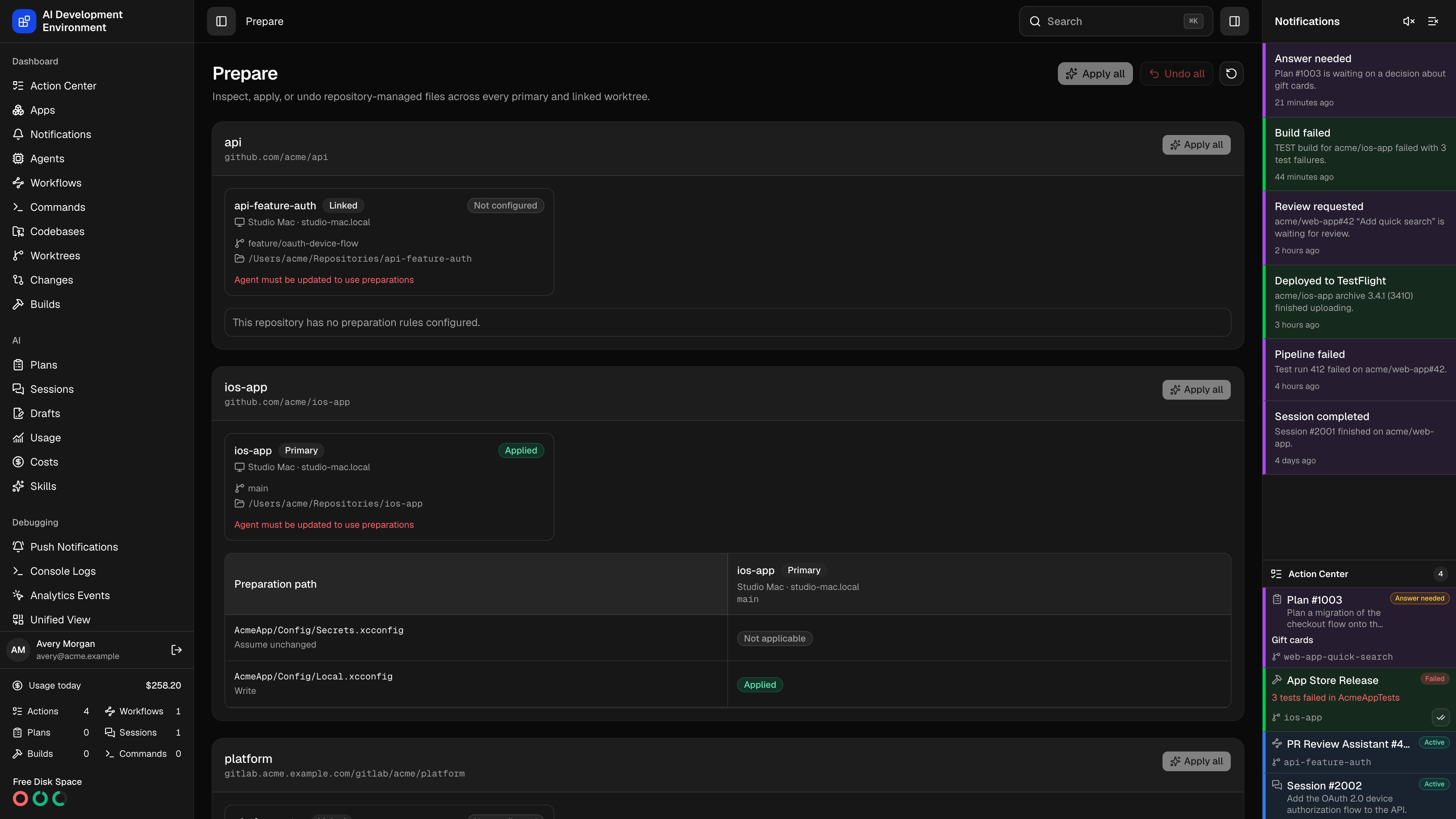
Open **System → Prepare** to compare repository preparation rules across every primary and linked worktree. The page loads the last persisted result immediately, then requests one deduplicated inspection from each eligible worktree.
## Read the matrix
Repositories appear as sections. Each file rule is a row and each worktree is a column. The path column stays visible while you scroll horizontally.
Worktree cards and matrix headers include the owning agent and hostname, branch or detached commit, full checkout path, and whether the checkout is primary or linked. These details distinguish primary checkouts of the same repository that are registered on different agents.
| Color | Statuses | Meaning |
| ------- | --------------------------------------- | ---------------------------------------------------------------------------------------------------------- |
| Green | Applied | The file and its Git metadata match the current rule. |
| Amber | Pending, Undone, Suspended | The rule needs attention, was intentionally undone, or is paused during a rebase. |
| Red | Drifted, Error | The file differs from the definition or the last operation failed. |
| Neutral | Unknown, Not applicable, Not configured | The worktree has not been inspected, the tracked-path rule does not apply, or the repository has no rules. |
Hover a badge on the web app to read its latest message. The iOS app exposes the same message and status in an accessible row.
## Apply or undo rules
* **Apply** enforces all current rules in one worktree.
* **Undo** restores managed tracked files from `HEAD`, removes untracked files that a write rule added, and clears AIDE-managed assume-unchanged flags.
* **Apply all** in a repository header applies its rules to every eligible worktree for that repository.
* The page-level **Apply all** and **Undo all** run the action across every eligible worktree on the page.
* **Refresh** reloads persisted results and requests current inspections.
Apply and Undo can overwrite local work on managed write and delete paths. Review the repository's [preparation rules](/codebases/repository-preparations) before you continue.
## Offline and older agents
Missing worktrees, offline agents, and agents without the `worktree.prepare` capability remain in the matrix. Their saved status stays visible, but actions are unavailable. Upgrade and reconnect an unsupported agent before applying rules on it.
## Related pages
Define the write, delete, and assume-unchanged rules shown here.
Create worktrees and run force-aware Sync or Rebase operations.