> ## Documentation Index
> Fetch the complete documentation index at: https://ai-development-environment.mintlify.site/llms.txt
> Use this file to discover all available pages before exploring further.
# Provisioning profile details
> Inspect a provisioning profile's certificates, devices, and installed agents.
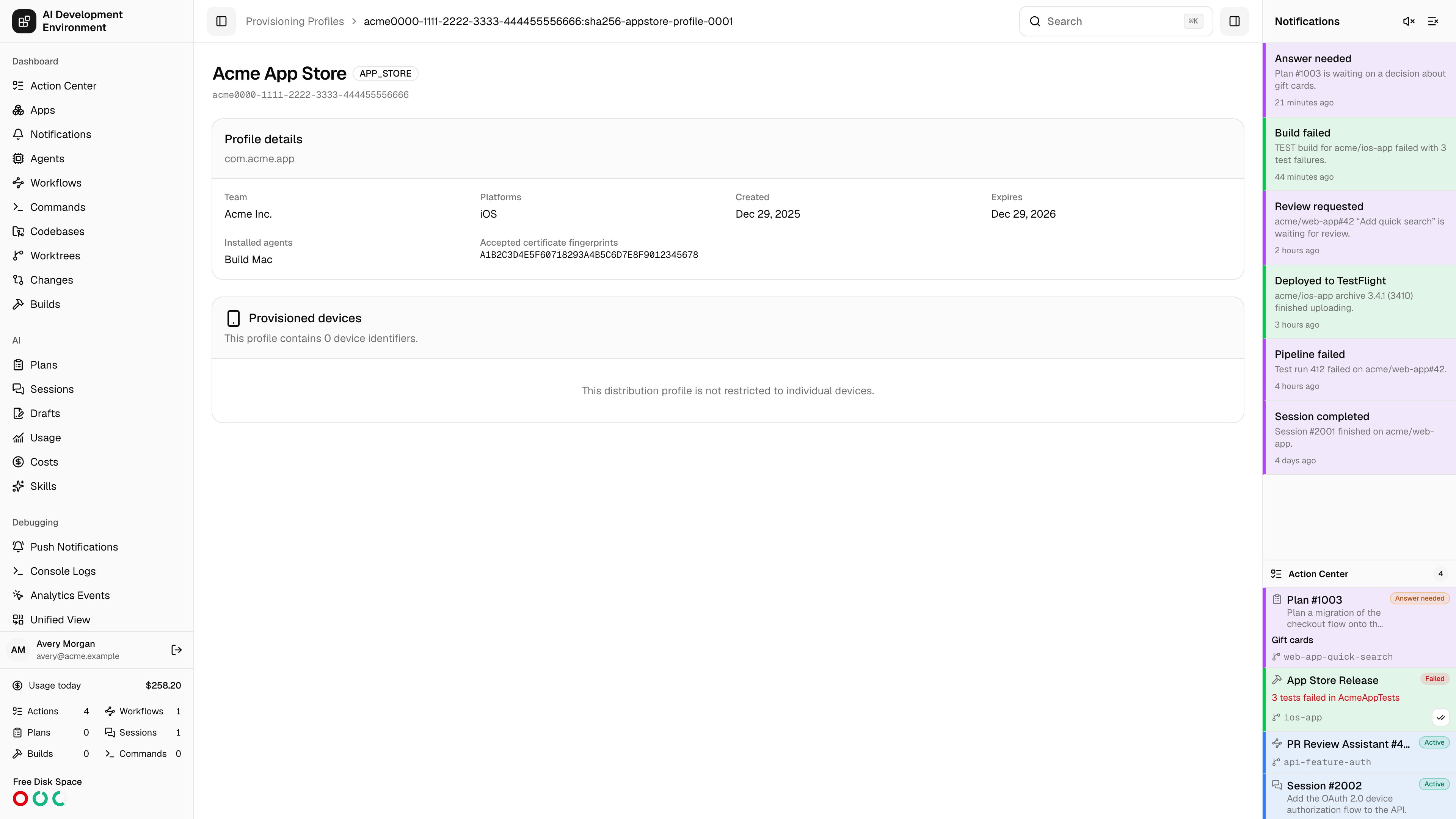
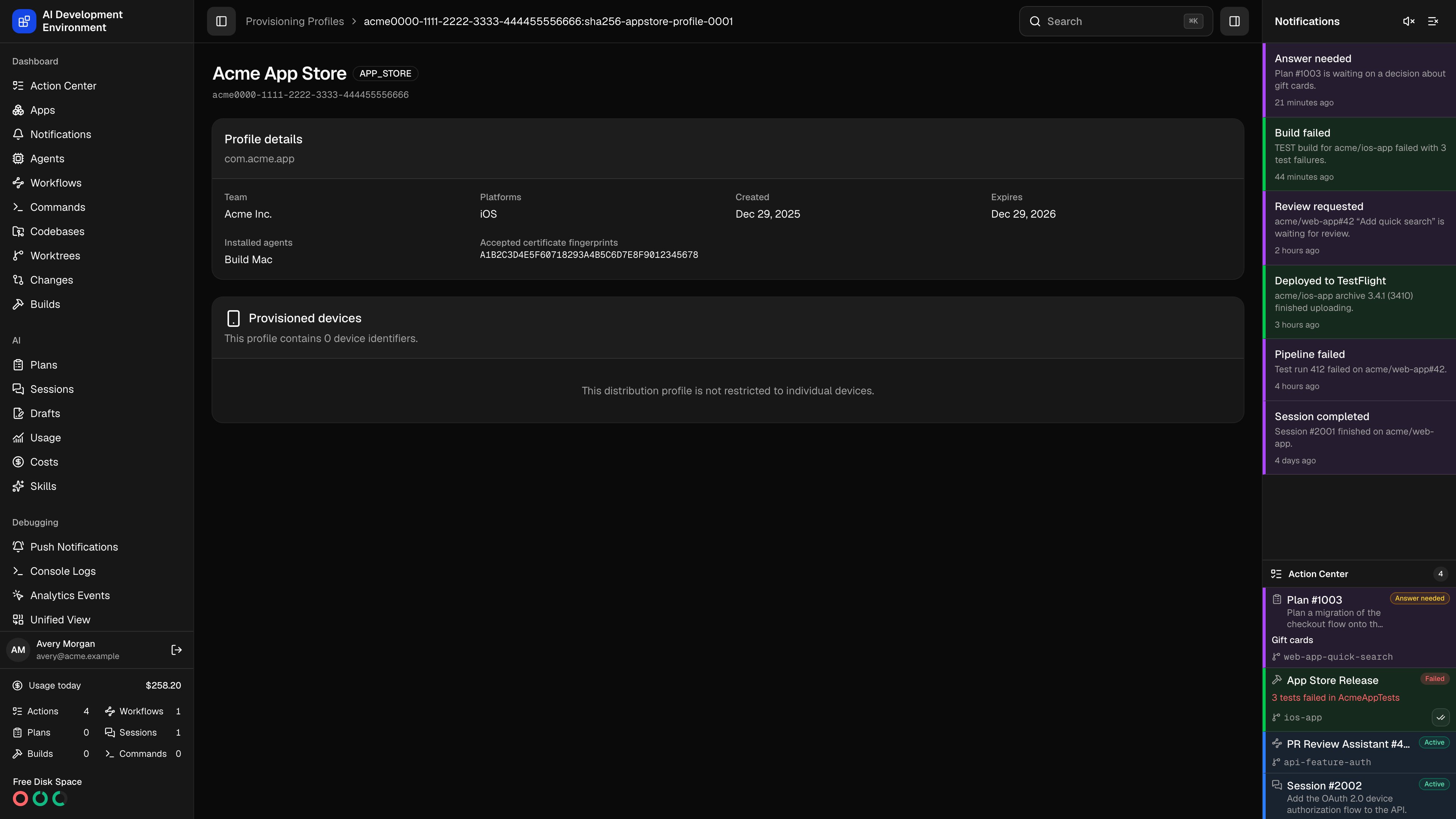 The provisioning profile details page shows everything decoded from a single Apple provisioning profile — most usefully, the exact set of certificates it will accept and the exact set of devices it will install on. When a build signs but will not launch on a tester's iPhone, this page is where you confirm whether that device is actually in the profile.
## Addressing
The page is addressed by a composite identifier, `uuid:contentHash`, not by UUID alone. That is deliberate: if two agents hold profiles with the same UUID but different bytes — a stale copy on one machine, a regenerated copy on another — they are genuinely different profiles and get separate pages.
Reaching a page for a profile no longer installed on any agent shows *This provisioning profile is no longer installed on an agent*. Nothing is deleted; the inventory simply no longer contains it.
## Header
The title bar carries the profile name and its badges:
| Badge | Meaning |
| ---------------- | ------------------------------------------------------------------ |
| **Profile type** | Development, ad-hoc, App Store, or enterprise |
| **Expired** | The expiry date has passed; builds signed with it will be rejected |
| **Xcode** | Xcode manages this profile automatically and may regenerate it |
The profile's UUID is shown underneath in monospace for pasting into build logs and scripts.
## Profile details
| Field | What it shows |
| ------------------------------------- | ----------------------------------------------------------------------------- |
| **Bundle ID** | The application identifier the profile provisions, shown under the card title |
| **Team** | Team name, falling back to the team identifier |
| **Platforms** | The platforms the profile covers, such as iOS |
| **Created** | When Apple issued the profile |
| **Expires** | When it stops being valid |
| **Installed agents** | Every Mac currently holding this exact profile |
| **Accepted certificate fingerprints** | The SHA-1 fingerprints of the signing certificates this profile will accept |
**Accepted certificate fingerprints** is the field that resolves most "no matching provisioning profile" errors. Compare these fingerprints against the **Local identities** tab on [Provisioning Profiles](/system/provisioning-profiles): if the identity on the build agent is not in this list, that agent cannot use this profile no matter how it is installed.
## Provisioned devices
Each UDID embedded in the profile is resolved against your enrolled [devices](/system/devices):
| Column | What it shows |
| --------------- | -------------------------------------------------------------------------------------------------------------------------------------------------------------------------------------------------------------------- |
| **Device** | The enrolled device name, linking to its [detail page](/system/device-detail), with product and iOS version underneath — or *Not enrolled in this app* when the UDID belongs to a device this install has never seen |
| **Device UDID** | The raw identifier as stored in the profile |
| **Status** | The device's local status: Pending, Registering, Registered, Registration failed, or Rejected |
Duplicate UDIDs are collapsed, and the count in the card description reflects the deduplicated list.
Two empty states mean different things:
| Message | Meaning |
| --------------------------------------------------------------------------------- | ------------------------------------------------------------------------------------------------------------------------------------------------------------------------------------- |
| *This distribution profile is not restricted to individual devices* | The profile embeds no device list at all — normal for App Store profiles |
| *Refresh signing inventory to load the device identifiers stored in this profile* | The profile does embed devices, but this install's inventory predates device extraction. Run **Refresh inventory** on the [Provisioning Profiles](/system/provisioning-profiles) page |
## Notes
* This page is read-only. Download, delete, and sync are performed from the [Provisioning Profiles](/system/provisioning-profiles) page, where you choose which agents to act on.
* Everything shown is decoded from the profile bytes captured at the last inventory refresh, so it reflects the profile as installed, not as it currently exists in the Apple portal.
* *Not enrolled in this app* is informational, not an error. It is normal for profiles created outside this install or shared by a teammate.
## Related pages
Install, sync, download, and delete this profile across agents.
Enroll the devices that need to appear in this list.
The provisioning profile details page shows everything decoded from a single Apple provisioning profile — most usefully, the exact set of certificates it will accept and the exact set of devices it will install on. When a build signs but will not launch on a tester's iPhone, this page is where you confirm whether that device is actually in the profile.
## Addressing
The page is addressed by a composite identifier, `uuid:contentHash`, not by UUID alone. That is deliberate: if two agents hold profiles with the same UUID but different bytes — a stale copy on one machine, a regenerated copy on another — they are genuinely different profiles and get separate pages.
Reaching a page for a profile no longer installed on any agent shows *This provisioning profile is no longer installed on an agent*. Nothing is deleted; the inventory simply no longer contains it.
## Header
The title bar carries the profile name and its badges:
| Badge | Meaning |
| ---------------- | ------------------------------------------------------------------ |
| **Profile type** | Development, ad-hoc, App Store, or enterprise |
| **Expired** | The expiry date has passed; builds signed with it will be rejected |
| **Xcode** | Xcode manages this profile automatically and may regenerate it |
The profile's UUID is shown underneath in monospace for pasting into build logs and scripts.
## Profile details
| Field | What it shows |
| ------------------------------------- | ----------------------------------------------------------------------------- |
| **Bundle ID** | The application identifier the profile provisions, shown under the card title |
| **Team** | Team name, falling back to the team identifier |
| **Platforms** | The platforms the profile covers, such as iOS |
| **Created** | When Apple issued the profile |
| **Expires** | When it stops being valid |
| **Installed agents** | Every Mac currently holding this exact profile |
| **Accepted certificate fingerprints** | The SHA-1 fingerprints of the signing certificates this profile will accept |
**Accepted certificate fingerprints** is the field that resolves most "no matching provisioning profile" errors. Compare these fingerprints against the **Local identities** tab on [Provisioning Profiles](/system/provisioning-profiles): if the identity on the build agent is not in this list, that agent cannot use this profile no matter how it is installed.
## Provisioned devices
Each UDID embedded in the profile is resolved against your enrolled [devices](/system/devices):
| Column | What it shows |
| --------------- | -------------------------------------------------------------------------------------------------------------------------------------------------------------------------------------------------------------------- |
| **Device** | The enrolled device name, linking to its [detail page](/system/device-detail), with product and iOS version underneath — or *Not enrolled in this app* when the UDID belongs to a device this install has never seen |
| **Device UDID** | The raw identifier as stored in the profile |
| **Status** | The device's local status: Pending, Registering, Registered, Registration failed, or Rejected |
Duplicate UDIDs are collapsed, and the count in the card description reflects the deduplicated list.
Two empty states mean different things:
| Message | Meaning |
| --------------------------------------------------------------------------------- | ------------------------------------------------------------------------------------------------------------------------------------------------------------------------------------- |
| *This distribution profile is not restricted to individual devices* | The profile embeds no device list at all — normal for App Store profiles |
| *Refresh signing inventory to load the device identifiers stored in this profile* | The profile does embed devices, but this install's inventory predates device extraction. Run **Refresh inventory** on the [Provisioning Profiles](/system/provisioning-profiles) page |
## Notes
* This page is read-only. Download, delete, and sync are performed from the [Provisioning Profiles](/system/provisioning-profiles) page, where you choose which agents to act on.
* Everything shown is decoded from the profile bytes captured at the last inventory refresh, so it reflects the profile as installed, not as it currently exists in the Apple portal.
* *Not enrolled in this app* is informational, not an error. It is normal for profiles created outside this install or shared by a teammate.
## Related pages
Install, sync, download, and delete this profile across agents.
Enroll the devices that need to appear in this list.