> ## Documentation Index
> Fetch the complete documentation index at: https://ai-development-environment.mintlify.site/llms.txt
> Use this file to discover all available pages before exploring further.
# Users
> Create and manage accounts, sessions, and self-registration.
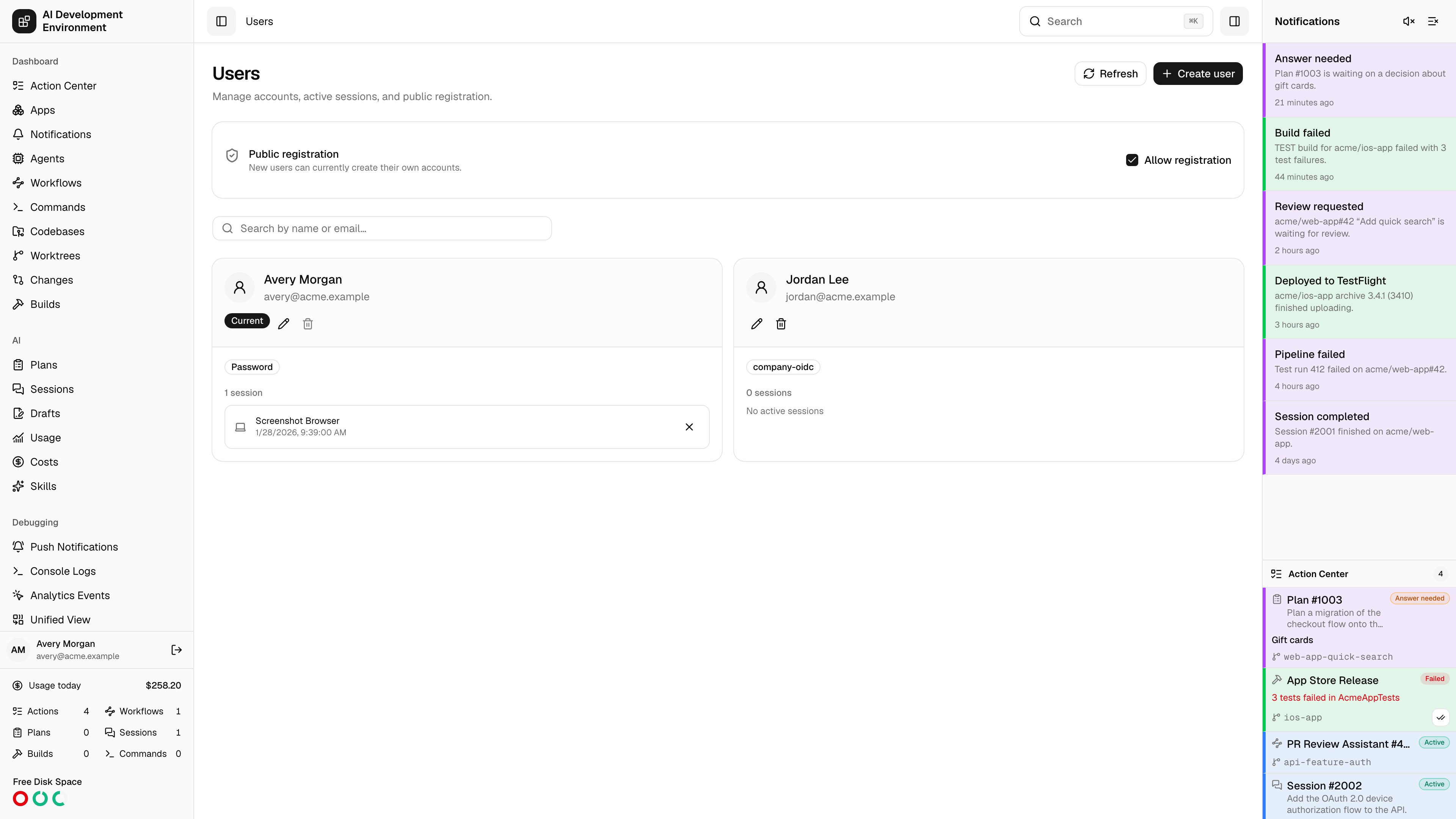
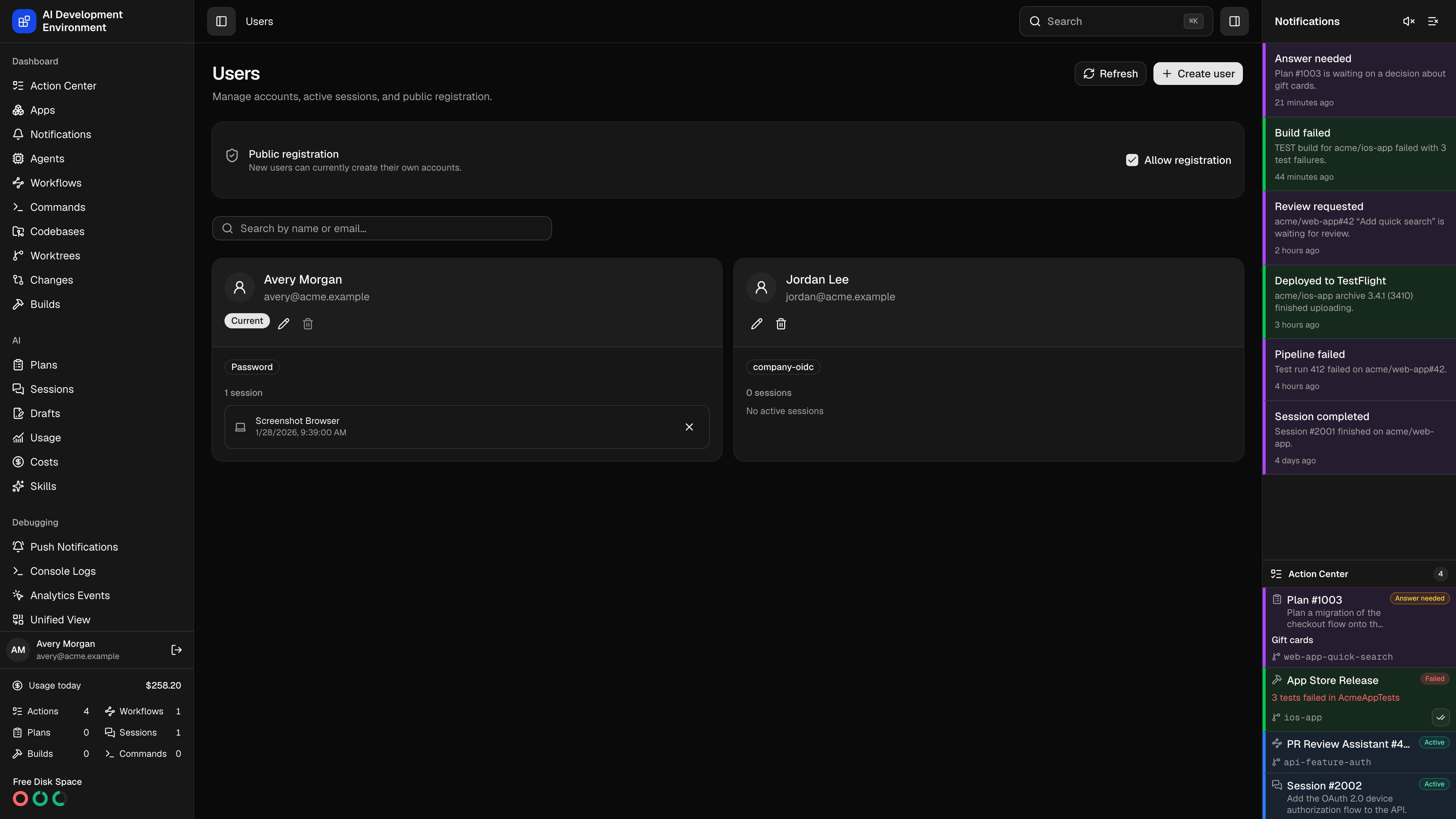 Open **System → Users** to manage every account on the control plane. All signed-in users have the same management access.
## Registration
The first successful account closes self-registration. Use the **Allow registration** switch to reopen or close it later. A manual change is persistent; creating another account does not automatically close registration again.
The public registration page follows the configured [authentication mode](/reference/authentication):
* Password registration is available in `password` and `both` modes.
* First-time OIDC identities are registrations in `oidc` and `both` modes.
* Existing OIDC identities can still sign in when registration is closed.
* Accounts created from **Users** bypass the public registration switch.
## Manage accounts
You can search by name or email, create a local account when password authentication is enabled, and edit an account's name or email. Set a new password only for an account that can use password authentication.
Each user row shows its password or OIDC providers and active sessions. Revoke an individual session to sign that device out.
You cannot delete your current account or the final account. Deleting another account also removes its sessions, password or provider accounts, and API keys.
No invitation, verification, or password-reset email is sent. Deliver newly
created local credentials to the user through a secure channel.
Open **System → Users** to manage every account on the control plane. All signed-in users have the same management access.
## Registration
The first successful account closes self-registration. Use the **Allow registration** switch to reopen or close it later. A manual change is persistent; creating another account does not automatically close registration again.
The public registration page follows the configured [authentication mode](/reference/authentication):
* Password registration is available in `password` and `both` modes.
* First-time OIDC identities are registrations in `oidc` and `both` modes.
* Existing OIDC identities can still sign in when registration is closed.
* Accounts created from **Users** bypass the public registration switch.
## Manage accounts
You can search by name or email, create a local account when password authentication is enabled, and edit an account's name or email. Set a new password only for an account that can use password authentication.
Each user row shows its password or OIDC providers and active sessions. Revoke an individual session to sign that device out.
You cannot delete your current account or the final account. Deleting another account also removes its sessions, password or provider accounts, and API keys.
No invitation, verification, or password-reset email is sent. Deliver newly
created local credentials to the user through a secure channel.