> ## Documentation Index
> Fetch the complete documentation index at: https://ai-development-environment.mintlify.site/llms.txt
> Use this file to discover all available pages before exploring further.
# Worktree details
> Inspect a worktree's overview, working tree, changes, and coverage.
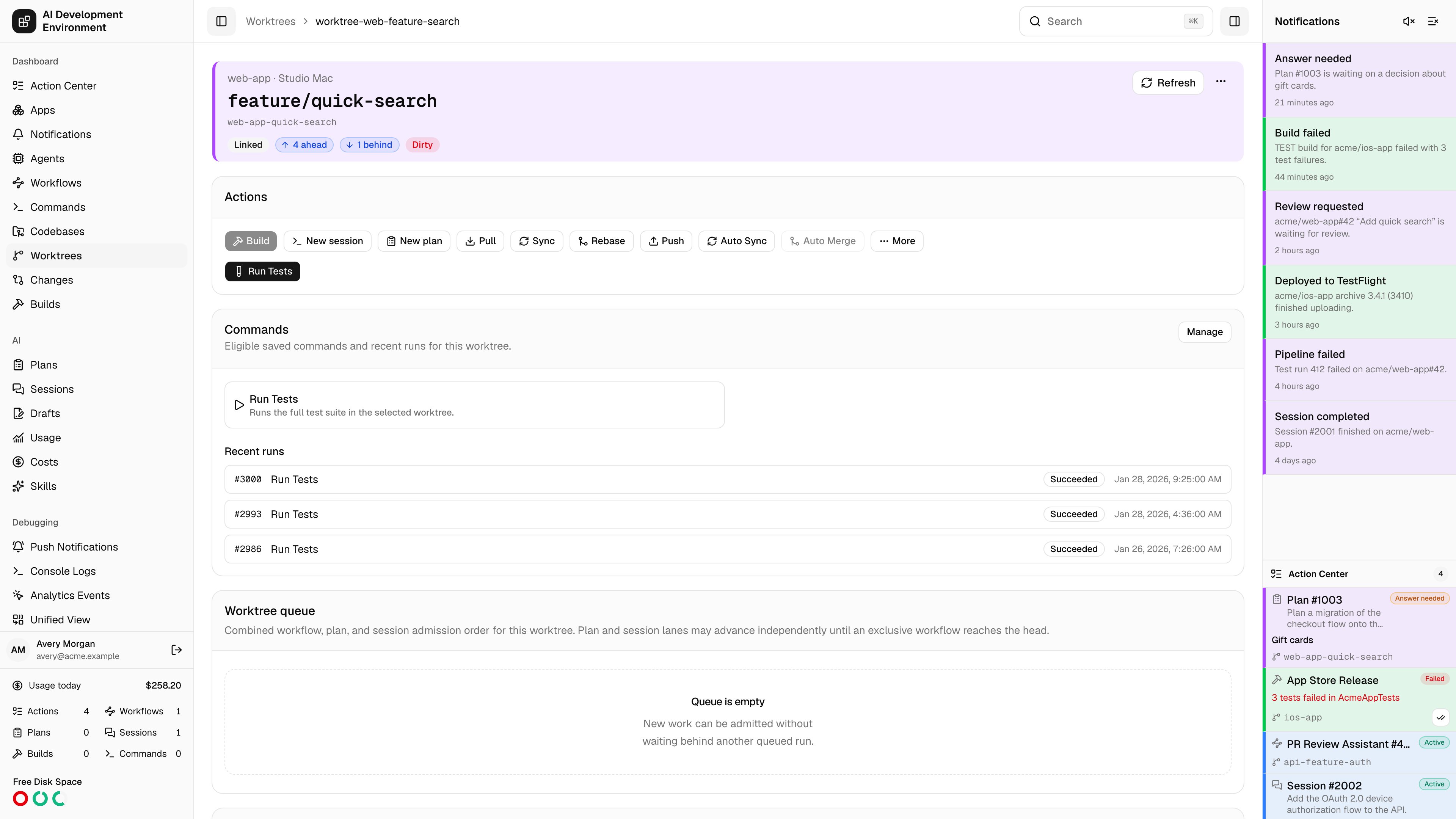
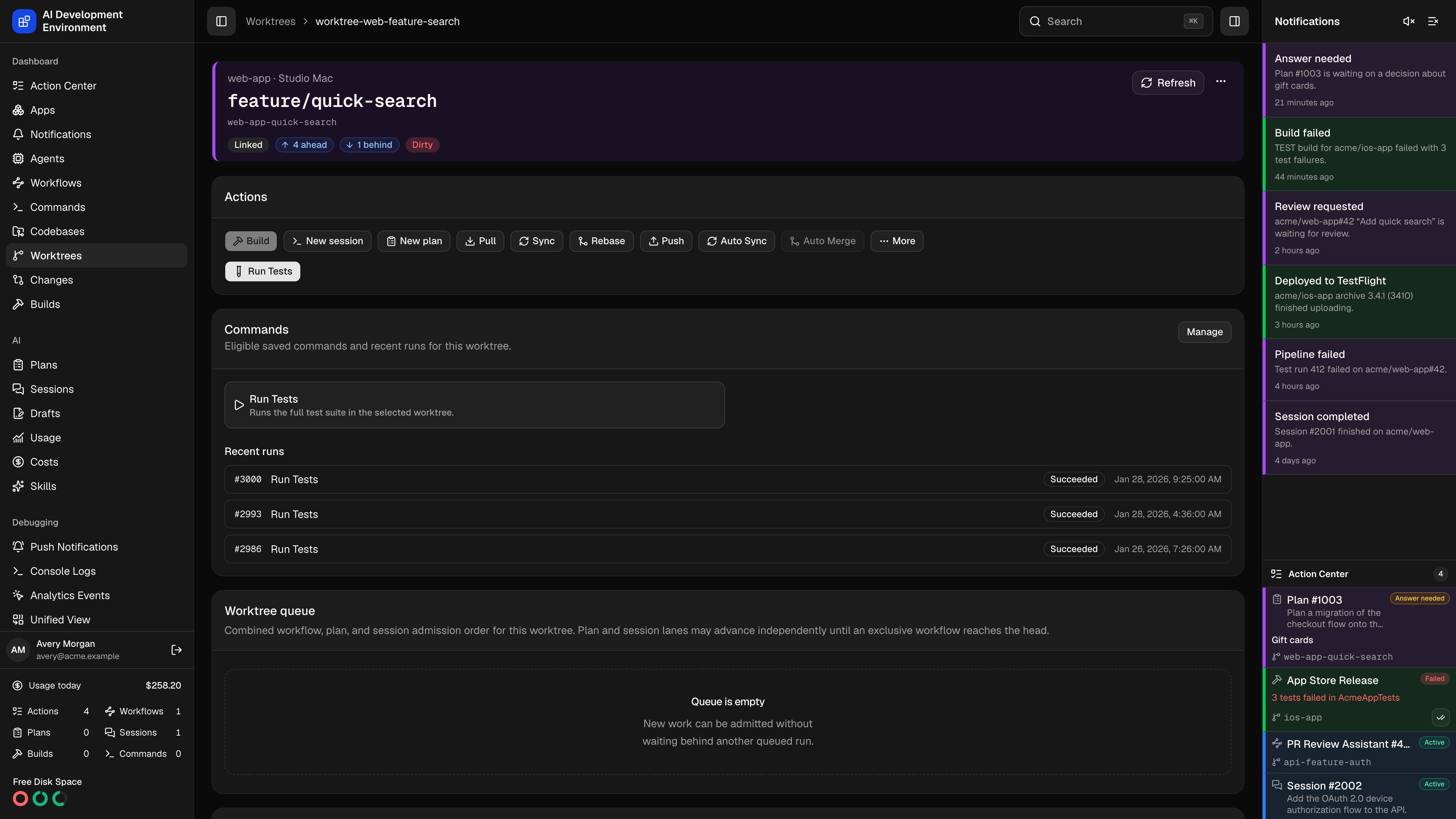 The worktree details page at `/worktrees/{id}` is the deep view of one checkout: where it lives, how it stands against origin and its base branch, what has changed, and what the tests covered.
## Overview
| Field | Notes |
| --------------------------- | --------------------------------------------------------------------------------- |
| Repository and origin | The logical repository and its remote |
| Agent | The Mac hosting this worktree |
| Folder | The path on that machine, shown relative to the agent's base repository directory |
| HEAD commit | The commit currently checked out |
| Upstream | The tracking branch |
| Origin status | Ahead, behind, diverged, in sync, unpublished, or detached |
| Base freshness | How far the branch is behind its base branch |
| Last checked / Last fetched | When the agent last scanned and last fetched |
A **Linked** badge distinguishes a linked worktree from the repository's primary checkout.
## Actions and management
The same action set as the [Worktrees](/worktrees/worktrees) page — pull, sync, rebase, push, force push, reset, stash, staging, [commit](/worktrees/worktrees#committing-changes), branch change, Auto Sync, Auto Merge, move, and delete — is available here, alongside the worktree's tags and highlight color. **New session** and **New plan** start a run on this worktree, and the row's less frequent operations sit behind **More** in the same order as the cards. When preparation-managed files block Sync or Rebase, the page lists those paths and asks for explicit confirmation before offering the destructive force retry.
## Working tree
The current state of the checkout, with changes grouped as **Conflicted**, **Staged**, **Unstaged**, and **Untracked**. A clean worktree says so.
## Worktree queue
The **Worktree queue** combines every queued workflow, Plan, and Session that targets this checkout. Each row shows its effective position, run kind and number, phase, and queued time. Select a run to open its details.
Plans and Sessions use separate FIFO lanes. Plans allow unlimited concurrency by default, while Sessions allow one active run by default. An exclusive workflow waits behind earlier participating work, then becomes an admission barrier until it finishes. A non-exclusive workflow shares the lane, while an excluded workflow does not enter it. AI run steps launched by an exclusive workflow continue inside its reservation.
Queue records are durable. The control plane reconciles them after a restart or a missed completion event and promotes eligible work when capacity returns.
The card shows queued entries only. Active and excluded runs are not included, and the two AI run lanes may advance independently before an exclusive workflow reaches the front.
## Branch changes
Commits and file changes that differ from the base branch, with a diff viewer.
Read each file as a unified diff with aligned line-number columns and expandable large-diff protection. Files with no textual changes and binary files are labeled rather than rendered.
Compare revisions **Side by side**, blend them with **Overlap** and the **Image transparency** slider, or choose **Difference** for a pixel-level mask. The difference view lets you tune sensitivity, choose a red, green, or red-on-faded-white mask, and reports the percentage of changed pixels. A side with no image says so.
Diffs are capped at a 2 MiB display limit. Beyond that the diff is truncated, and very large change sets may omit some files entirely — the page tells you when that happens.
For a longer review, the [Changes](/changes) page gives the same diffs a full window, a searchable file tree, side-by-side mode, and a coverage overlay.
## Code coverage
Coverage reports generated or imported for this worktree, each listed with its **Build**, **Status** (Pending, Ready, or Failed), **Overall coverage**, **Changed coverage**, and generation time. **View report** opens the full report.
Changed coverage is the useful number in review: it measures the executable lines this branch touched, rather than the whole project.
## When live inspection is unavailable
Saved metadata always renders. Commits and changes need a live agent, and the page states exactly why they are missing:
| Condition | Message |
| --------------------- | --------------------------------------------------------------------- |
| Agent offline | Metadata stays available, but commits and changes cannot be inspected |
| Worktree unavailable | The checkout is not in a state that can be inspected |
| Operation in progress | Commits and changes refresh once the active operation finishes |
| Agent too old | Update the agent to inspect commits and changes |
| Inspection failed | The agent reported an error |
## Related pages
Every worktree across every agent, with creation, moves, and automation.
A dedicated diff reviewer for this worktree, with coverage on the code.
The full coverage report a build generates or imports.
The worktree details page at `/worktrees/{id}` is the deep view of one checkout: where it lives, how it stands against origin and its base branch, what has changed, and what the tests covered.
## Overview
| Field | Notes |
| --------------------------- | --------------------------------------------------------------------------------- |
| Repository and origin | The logical repository and its remote |
| Agent | The Mac hosting this worktree |
| Folder | The path on that machine, shown relative to the agent's base repository directory |
| HEAD commit | The commit currently checked out |
| Upstream | The tracking branch |
| Origin status | Ahead, behind, diverged, in sync, unpublished, or detached |
| Base freshness | How far the branch is behind its base branch |
| Last checked / Last fetched | When the agent last scanned and last fetched |
A **Linked** badge distinguishes a linked worktree from the repository's primary checkout.
## Actions and management
The same action set as the [Worktrees](/worktrees/worktrees) page — pull, sync, rebase, push, force push, reset, stash, staging, [commit](/worktrees/worktrees#committing-changes), branch change, Auto Sync, Auto Merge, move, and delete — is available here, alongside the worktree's tags and highlight color. **New session** and **New plan** start a run on this worktree, and the row's less frequent operations sit behind **More** in the same order as the cards. When preparation-managed files block Sync or Rebase, the page lists those paths and asks for explicit confirmation before offering the destructive force retry.
## Working tree
The current state of the checkout, with changes grouped as **Conflicted**, **Staged**, **Unstaged**, and **Untracked**. A clean worktree says so.
## Worktree queue
The **Worktree queue** combines every queued workflow, Plan, and Session that targets this checkout. Each row shows its effective position, run kind and number, phase, and queued time. Select a run to open its details.
Plans and Sessions use separate FIFO lanes. Plans allow unlimited concurrency by default, while Sessions allow one active run by default. An exclusive workflow waits behind earlier participating work, then becomes an admission barrier until it finishes. A non-exclusive workflow shares the lane, while an excluded workflow does not enter it. AI run steps launched by an exclusive workflow continue inside its reservation.
Queue records are durable. The control plane reconciles them after a restart or a missed completion event and promotes eligible work when capacity returns.
The card shows queued entries only. Active and excluded runs are not included, and the two AI run lanes may advance independently before an exclusive workflow reaches the front.
## Branch changes
Commits and file changes that differ from the base branch, with a diff viewer.
Read each file as a unified diff with aligned line-number columns and expandable large-diff protection. Files with no textual changes and binary files are labeled rather than rendered.
Compare revisions **Side by side**, blend them with **Overlap** and the **Image transparency** slider, or choose **Difference** for a pixel-level mask. The difference view lets you tune sensitivity, choose a red, green, or red-on-faded-white mask, and reports the percentage of changed pixels. A side with no image says so.
Diffs are capped at a 2 MiB display limit. Beyond that the diff is truncated, and very large change sets may omit some files entirely — the page tells you when that happens.
For a longer review, the [Changes](/changes) page gives the same diffs a full window, a searchable file tree, side-by-side mode, and a coverage overlay.
## Code coverage
Coverage reports generated or imported for this worktree, each listed with its **Build**, **Status** (Pending, Ready, or Failed), **Overall coverage**, **Changed coverage**, and generation time. **View report** opens the full report.
Changed coverage is the useful number in review: it measures the executable lines this branch touched, rather than the whole project.
## When live inspection is unavailable
Saved metadata always renders. Commits and changes need a live agent, and the page states exactly why they are missing:
| Condition | Message |
| --------------------- | --------------------------------------------------------------------- |
| Agent offline | Metadata stays available, but commits and changes cannot be inspected |
| Worktree unavailable | The checkout is not in a state that can be inspected |
| Operation in progress | Commits and changes refresh once the active operation finishes |
| Agent too old | Update the agent to inspect commits and changes |
| Inspection failed | The agent reported an error |
## Related pages
Every worktree across every agent, with creation, moves, and automation.
A dedicated diff reviewer for this worktree, with coverage on the code.
The full coverage report a build generates or imports.