

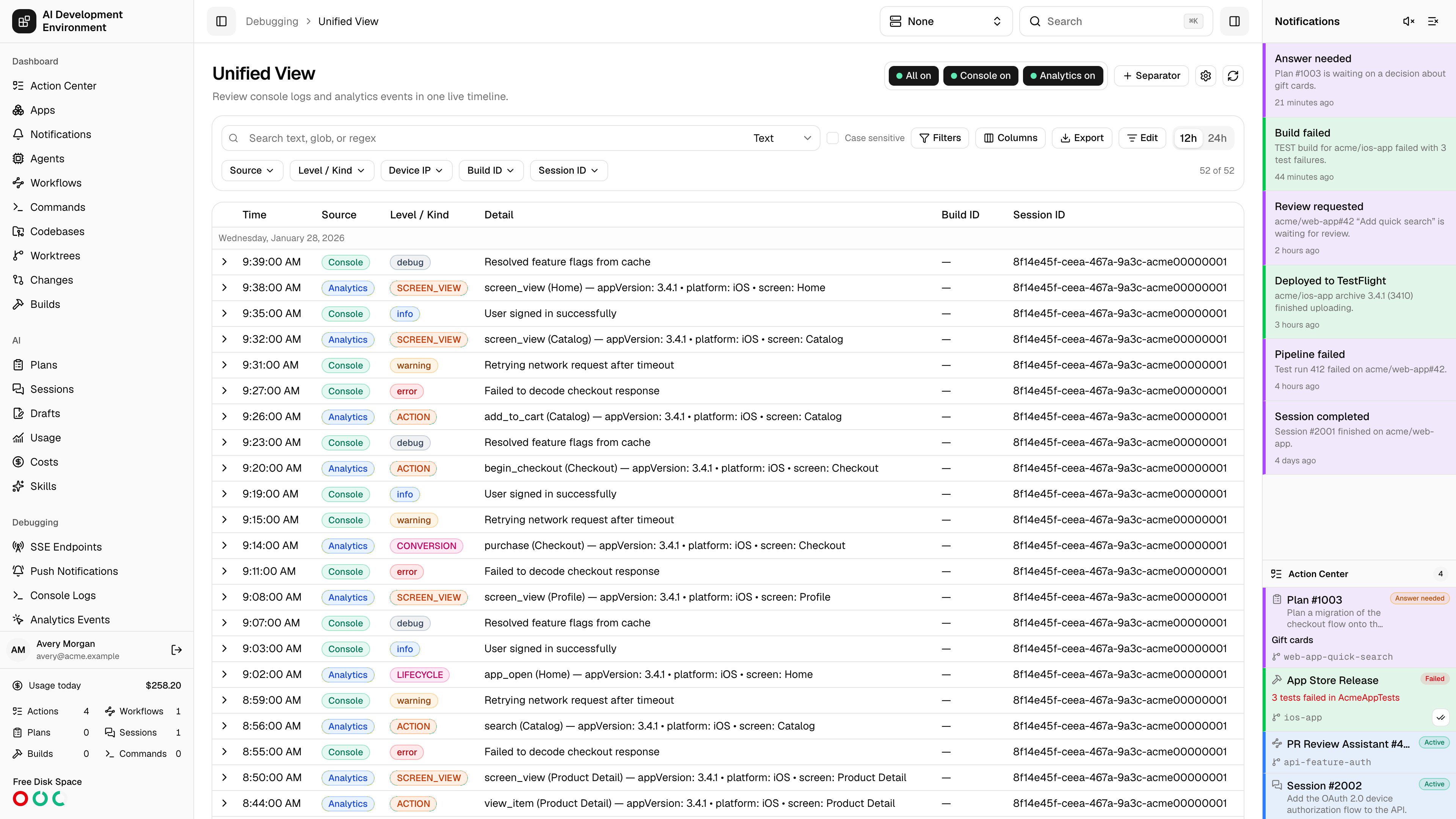
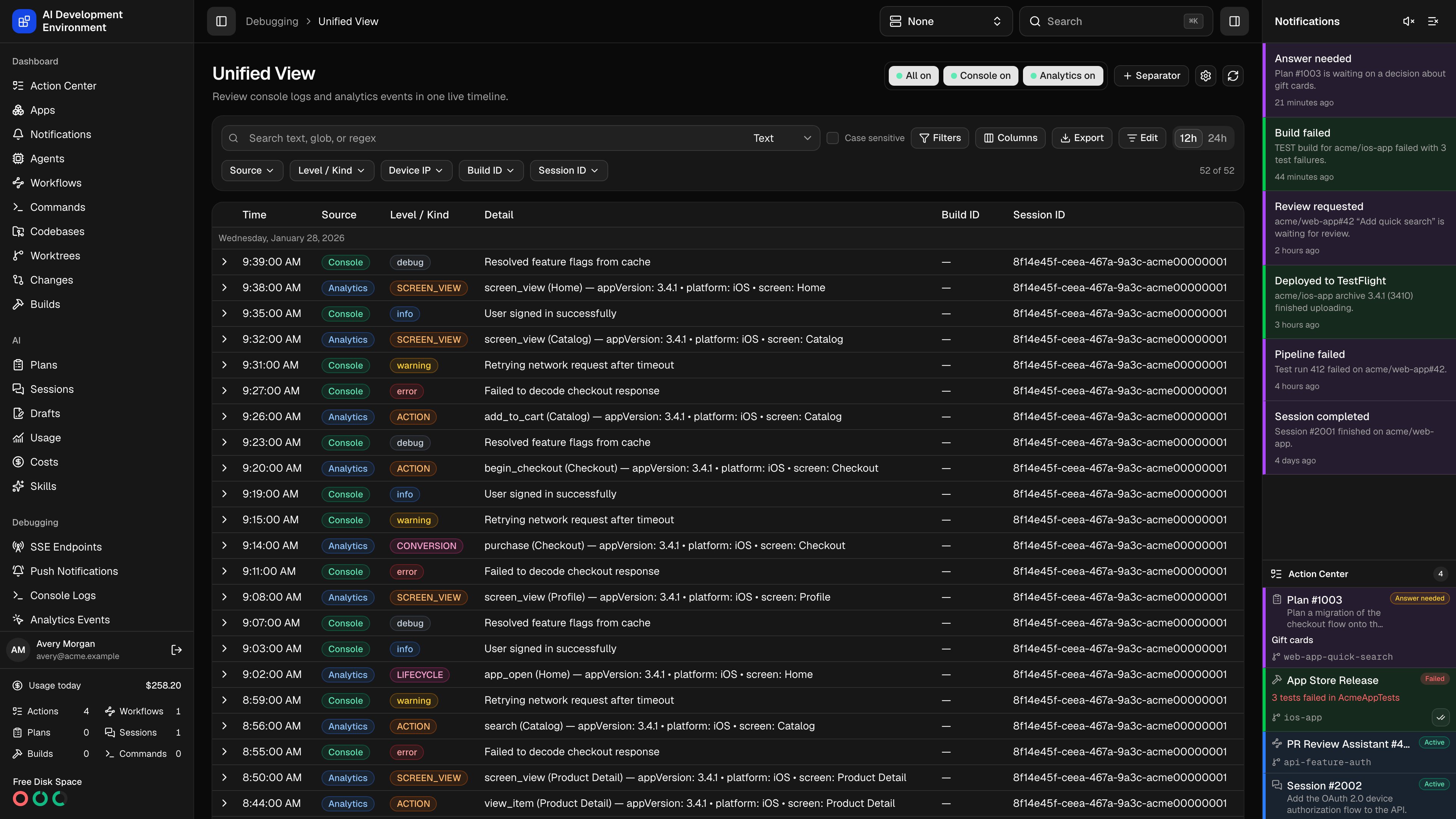
/debugging/unified-events interleaves console logs and analytics events into one timeline ordered by client time. It answers the question the single-source views cannot: what was the app printing when that event fired?
Console Logs and Analytics Events read the same underlying records. This page adds no new data — it adds the ordering, and a set of derived columns that make two differently shaped records readable in the same table.
How the two sources line up
Console records and analytics records have different fields, so the unified table leads with three derived columns that resolve to whichever source a row came from.
The default layout is Time, Source, Level / Kind, Detail, Build ID, and Session ID. Device IP, Received, Category, and Screen Name are available too — they simply render empty on rows from the source that does not have them — as is every attribute and parameter path discovered in the stored records.
Searching and filtering across sources
Search behaves as it does elsewhere — Text, Glob, or Regex (RE2) with an independent Case sensitive toggle — and it covers both record shapes at once, including flattenedattributes, defaultParameters, and additionalParameters paths.
Quick filters here are the fields that make sense for a mixed timeline: Source, Level / Kind, Device IP, Build ID, and Session ID.
Advanced conditions gain one control that the single-source views do not use: Applies to. A condition can be limited to Console, to Analytics, or left applying to both.
A condition scoped to one source is skipped entirely for rows from the other source rather than failing them. So “
level is error (Console only)” keeps all analytics events in view and narrows only the console side — which is usually what you want when you are looking for the events surrounding an error.Reading the timeline
Rows load newest first, 200 at a time, with Load more at the bottom and a matching of total counter above the table.- Rows are grouped under local-day headers.
- Source and Level / Kind render as colored badges, so console errors and analytics events are distinguishable at a glance.
- Expanding a row shows the shape belonging to that record: message plus Attributes for console rows, event name and screen plus Default Parameters and Additional Parameters for analytics rows.
- Right-click any cell for Copy
<column>: value, Copy value, or Filter by value; the + beside a parameter or attribute path promotes it to a column. - Each expanded row offers the 19-color Highlight strip and a per-record Delete.
Separators
Separators are the anchors that make a mixed timeline readable. They are shared across all three views, so one added here shows up on the other two.
Selecting a separator’s checkbox in Edit mode selects every row between it and the next separator above — the cleanest way to grab exactly one build’s worth of console output and events together.
Editing and clearing
Edit turns on selection checkboxes and the destructive toolbar: Clear selected, Clear all, and Clear before latest separator.Exporting
Export produces CSV, Markdown, or PDF covering both sources. Choose up to 30 fields, including the derived Source, Level / Kind, and Detail columns and any attribute or parameter path. The file downloads asobservability-<YYYY-MM-DD>.<ext> with your locale, time zone, and 12h/24h preference applied, and records the search and filters that produced it.
Collection controls
Because this view spans both sources, the header shows a three-button group instead of a single switch.
These control ingestion, not what the table displays — they are the same switches exposed on the two single-source pages. While a source is off, its endpoint keeps validating payloads and answers
202 Accepted without storing anything.
The gear icon opens the shared Observability settings for the local and remote base URLs. There is no API help button on this view; the ingestion contract is per source, on Console Logs and Analytics Events.
Live updates
The page subscribes to telemetry changes and reconciles in place, so records from both sources appear as they are ingested, and highlights, deletions, and settings changes made elsewhere arrive without a reload.Related pages
Console Logs
The console-only view and the full REST ingestion contract.
Analytics Events
The analytics-only view and its parameter dictionaries.
Build details
The build behind a build separator, with its own log stream.
GraphQL API
Query the unified timeline with
telemetryTimeline(view: UNIFIED).