

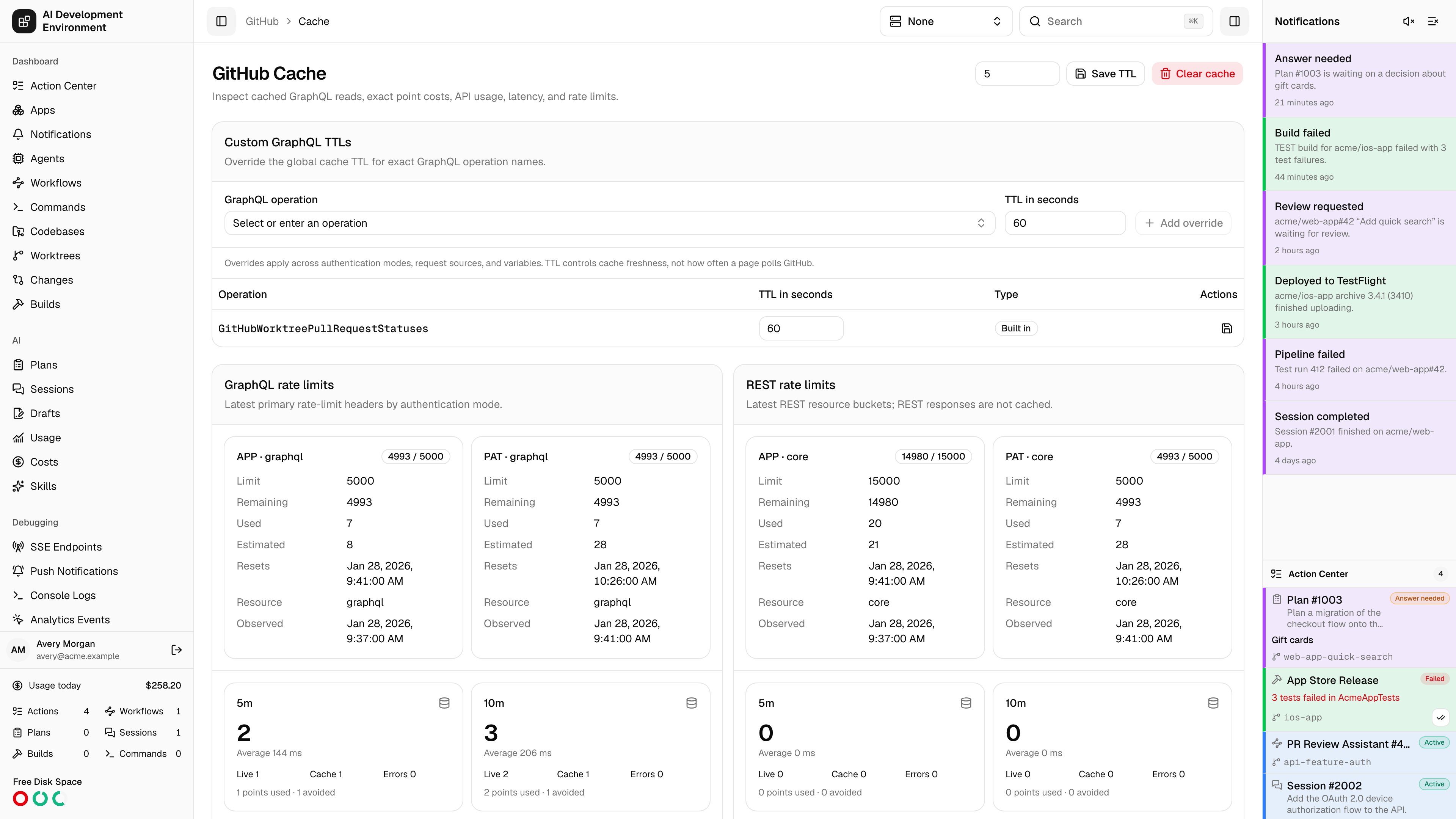
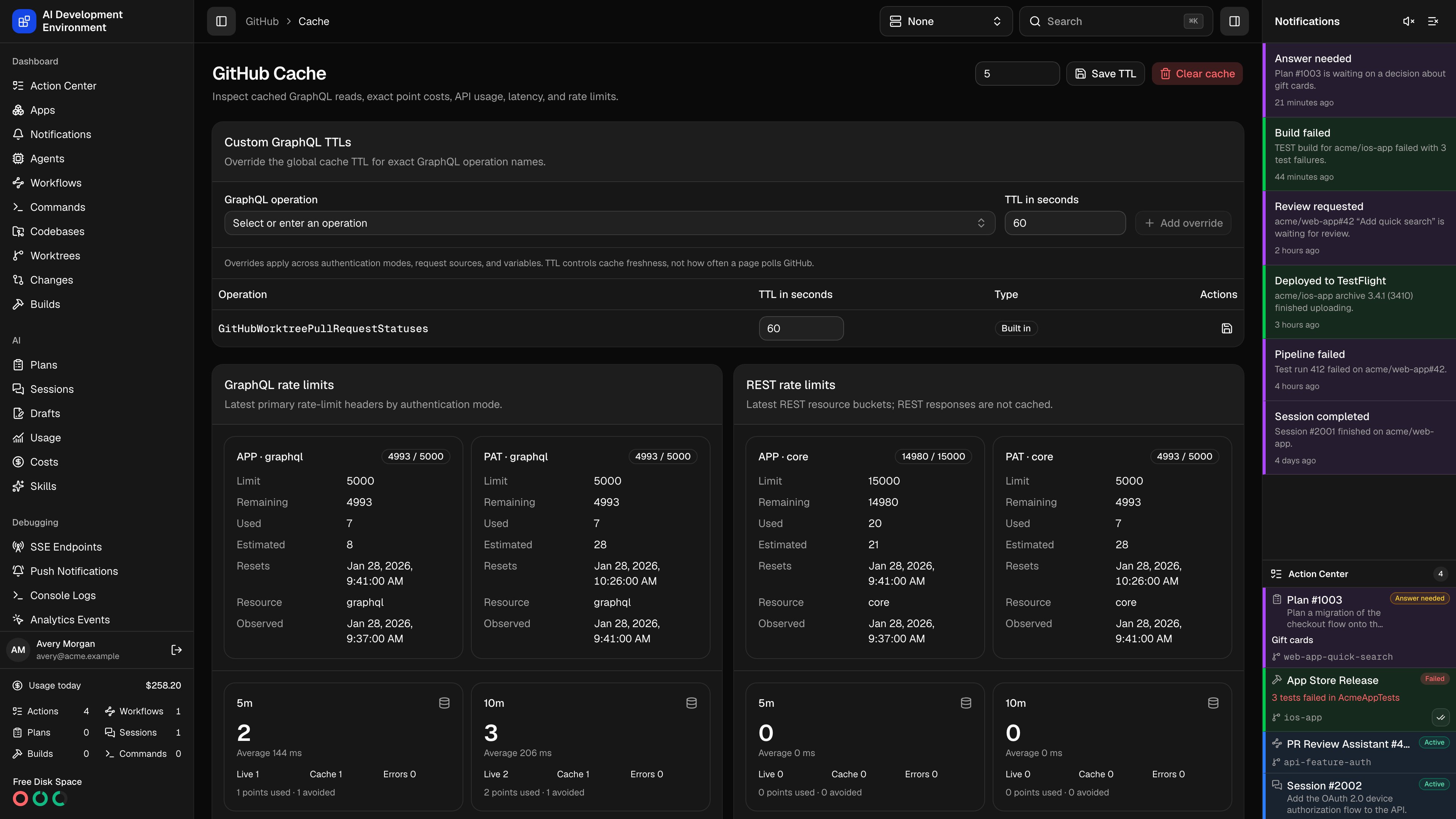
/github/cache is where that cache is tuned and audited: how long responses stay fresh, how many rate-limit points each operation actually costs, how many points the cache avoided, which feature made each call, and what is stored right now.
This is the page to open when GitHub starts returning rate-limit errors, when a page feels slow, or when you want to know why an operation is hitting the API more often than you expected.
Cache TTL
Cache TTL sets the global freshness window in minutes, from 1 to 1440. The default is 5 minutes. A cached response younger than the TTL is served without contacting GitHub; an older one triggers a live read on the next request. Custom GraphQL TTLs override the global value for one exact GraphQL operation name, from 1 second to 24 hours. Pick an operation from the list of ones already cached, or type an exact name to add it before it appears.
Deleting an override returns that operation to the global TTL.
TTL controls freshness, not polling. Shortening it does not make a page ask GitHub more often; it only means the next ask will not be answered from cache. Overrides apply across authentication modes, request sources, and variables.
Rate limits
GraphQL rate limits shows the most recent primary rate-limit headers for each authentication mode — the personal access token and the GitHub App are metered separately. REST rate limits shows the same for each REST resource bucket.Usage metrics
GitHub API operations and Calls by source break activity down over four rolling windows — 5 minutes, 10 minutes, 1 hour, and 24 hours. Each cell reports totals, live versus cache splits, errors, average latency, and points used versus avoided. The source is the feature that made the call — the pull requests page, pull request details, the comments page, the Actions page, worktrees, worktree pipelines, worktree automation, Actions auto-retry, workflow automation, Actions notifications, codebase repository reads, GitHub settings, and this page. When one feature dominates your point usage, this is where it shows up.Recent calls
Recent GitHub API calls lists individual calls — PAT and App, GraphQL and REST, cached, live, stale, and failed — grouped by day.
Filter by API type, by request source, and by live versus cache. Clear recent calls empties the log while keeping cached responses and rate-limit snapshots.
Cached entries
Cached GraphQL entries lists what is stored, paginated, with the operation, authentication mode, freshness, last fetched time, and the exact point cost of the last live fetch.Notes
- Entries are keyed by authentication mode, operation, normalized query, and canonicalized variables — the same query with different variables is a separate entry.
- Variable values whose names look like credentials — authorization, password, private key, secret, token — are redacted before anything is stored or logged.
- REST responses are never cached. Each REST call is counted as one point.
- A successful GraphQL mutation clears the whole cache, so a merge, a reply, or a resolve is immediately reflected in later reads.
- Changing GitHub credentials clears the cache and that mode’s rate-limit snapshots.
- Call history older than 30 days is pruned automatically.
Related pages
Cached GraphQL entry
One stored response in full.
Polling
How often the product asks GitHub for new data.