

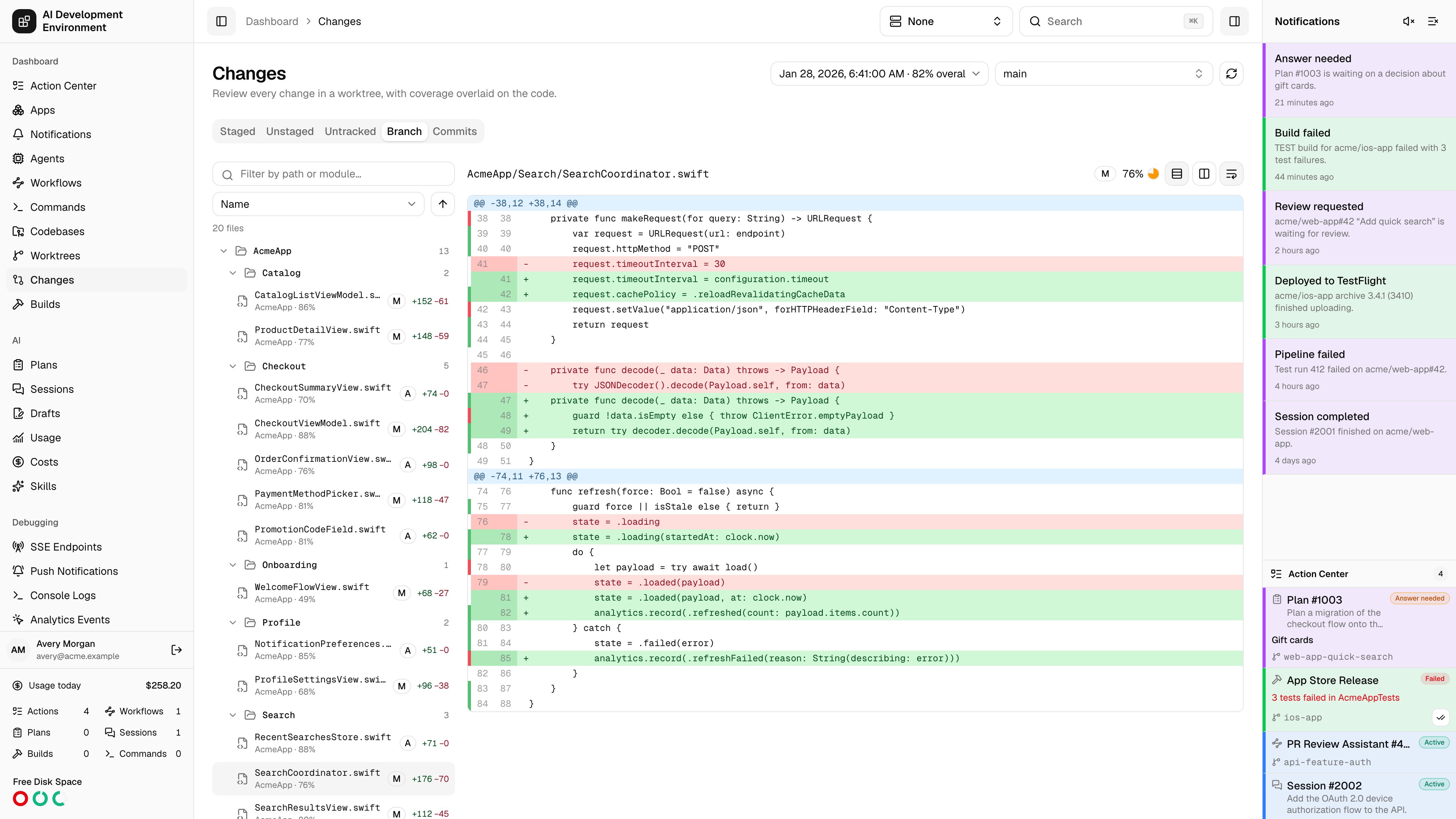
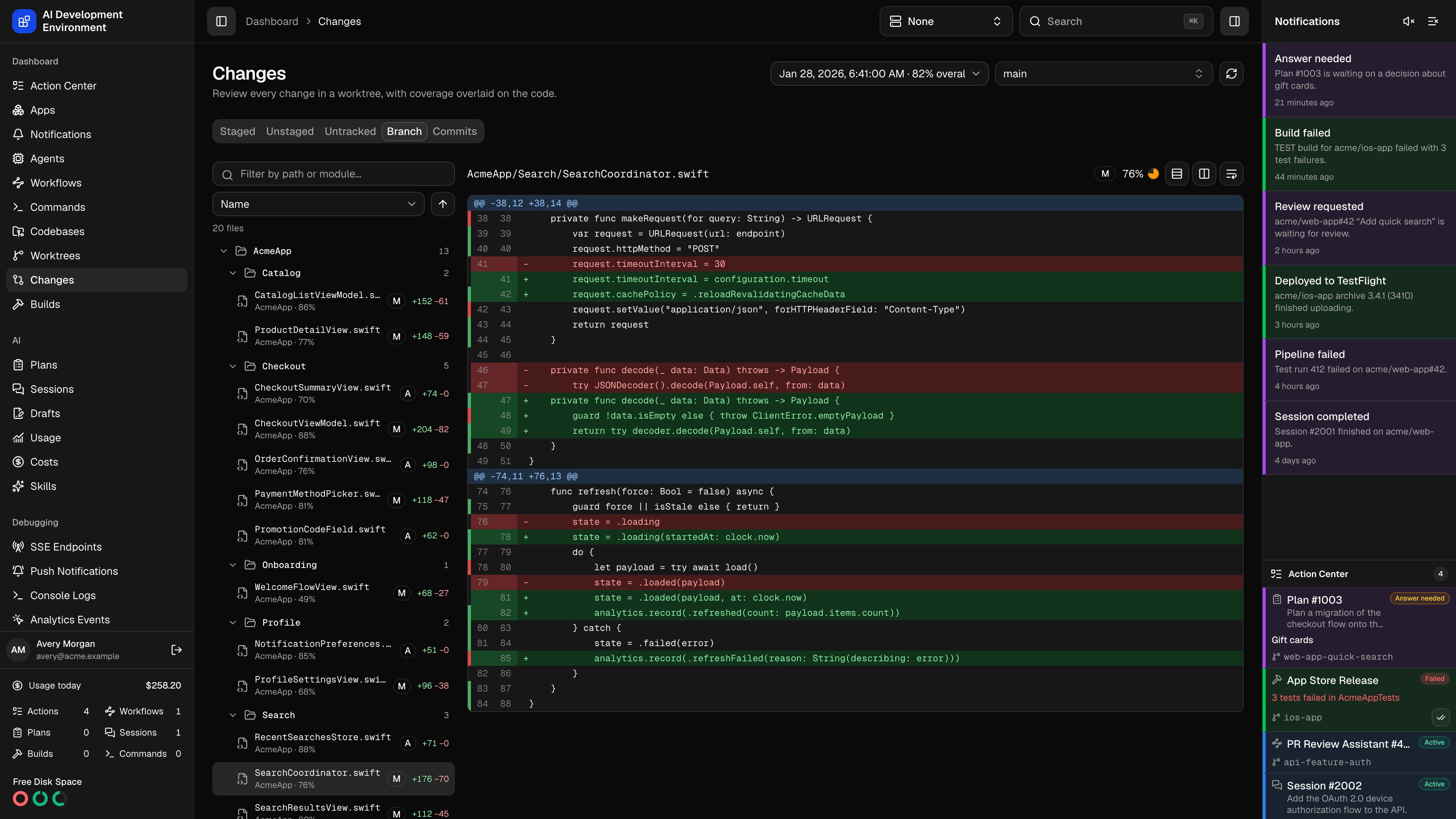
/dashboard/changes is a full-window diff reviewer. Pick a worktree, choose what to compare, walk the file tree, and read the diff with a build’s code coverage painted onto the lines.
It is the same view a pull request gives you, but against the checkout on your Mac — before the branch is pushed.
Choosing what to review
Pick a worktree
The selector lists every worktree across every enrolled agent, searchable by branch, repository, and path. The page opens on the first one rather than an empty state.
Pick a scope
Staged, Unstaged, and Untracked read the working tree. Branch compares against the base branch. Commits adds a commit list and diffs one commit at a time.
Pick a coverage report (optional)
Overlays a build’s coverage on the diff. The picker only appears when the worktree has at least one ready report; pending and failed reports have no line data to show.
Commits and diffs come from the Mac that owns the checkout, so the agent has to be online. The page reports the reason when a diff cannot be read.
The file list
Files are grouped into a folder tree, with single-child folders collapsed onto one row the way an editor tree does it. Each row carries the file name, its change type, and+/− line counts.
Very large change sets are truncated, and the list says so rather than pretending it is complete.
Reading a diff
- Text diffs
- Image diffs
Switch between Unified view and Side-by-side view, and use Toggle line wrapping for long lines. Hunks keep their
@@ headers, so you can see where in the file each change sits.The coverage overlay
With a report selected, a thin strip runs down the edge of the diff: green where the tests executed the line, red where they never reached it, and blank for anything the report says nothing about — comments, declarations, deleted lines, and files it never measured. The selected file’s overall coverage shows next to its path, and each file in the tree carries its own percentage. Coverage is measured at a particular revision. When the worktree has moved on since the report was generated, the page says Measured at a different revision and dims the overlay instead of hiding it — line numbers may have shifted, but a stale reading still beats none.Sharing a view
The URL tracks the worktree, scope, selected file, commit, coverage report, view mode, and wrap setting. Copying the address bar hands someone the exact diff you are looking at.Related pages
Worktree details
One checkout’s status, actions, working tree, and coverage history.
Build coverage report
The full report behind the overlay, file by file and target by target.