

Requirements
- GitLab.com or GitLab 19.2 and newer
- An HTTPS instance URL
- A personal, project, or group access token with the
apiscope - Access to each project you want AIDE to manage
Connect an instance
1
Open Settings
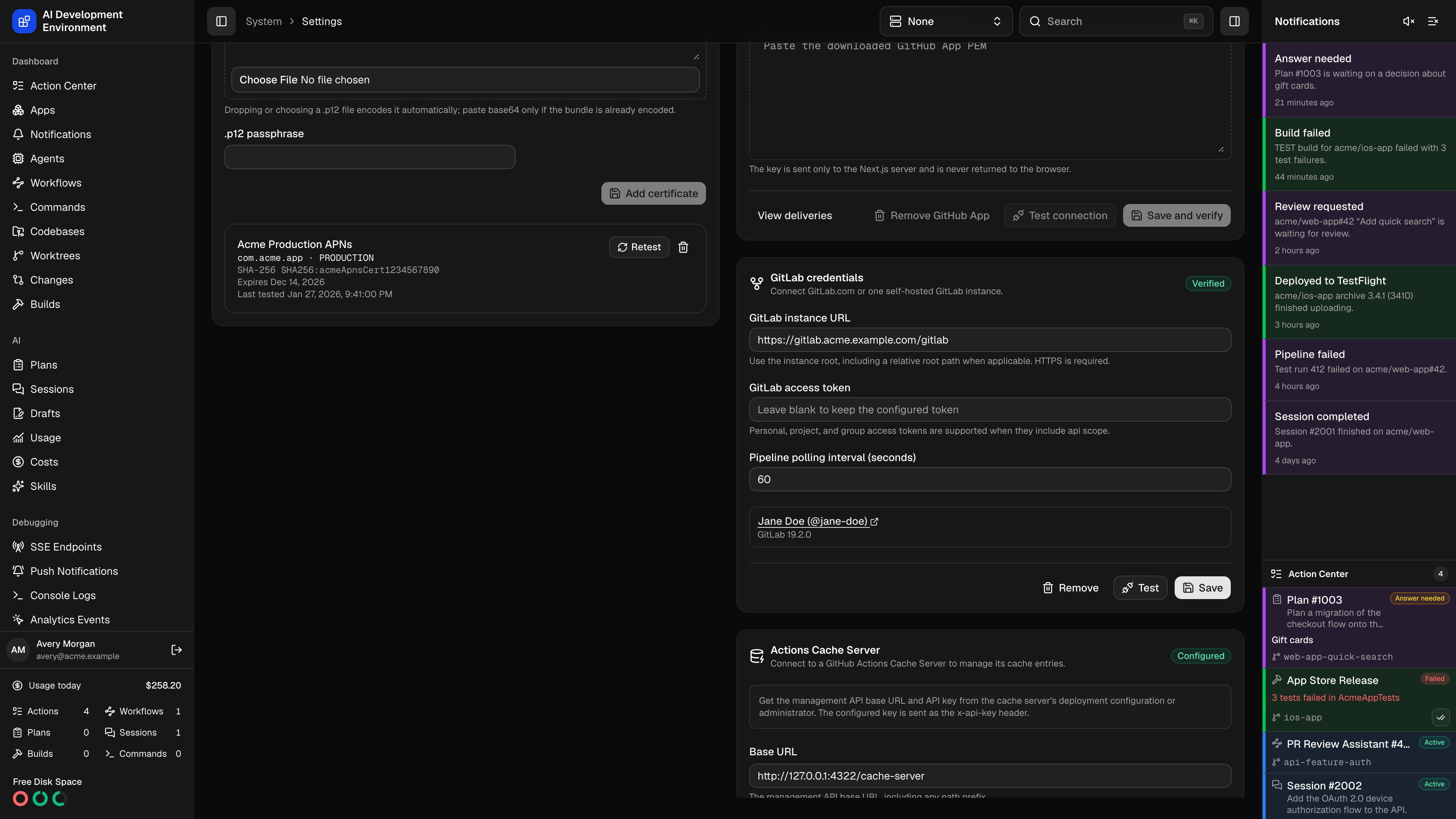
Go to Settings → Integrations → GitLab.
2
Enter the instance root
Use
https://gitlab.com or the root of your self-hosted installation, such as https://code.example.com/gitlab. Do not include /api/v4, credentials, a query, or a fragment.3
Enter the access token
Paste a token with the
api scope. AIDE sends it as PRIVATE-TOKEN only to the configured HTTPS origin and relative root.4
Save and verify
AIDE calls
/api/v4/user and /api/v4/version. Self-hosted versions older than 19.2 are rejected.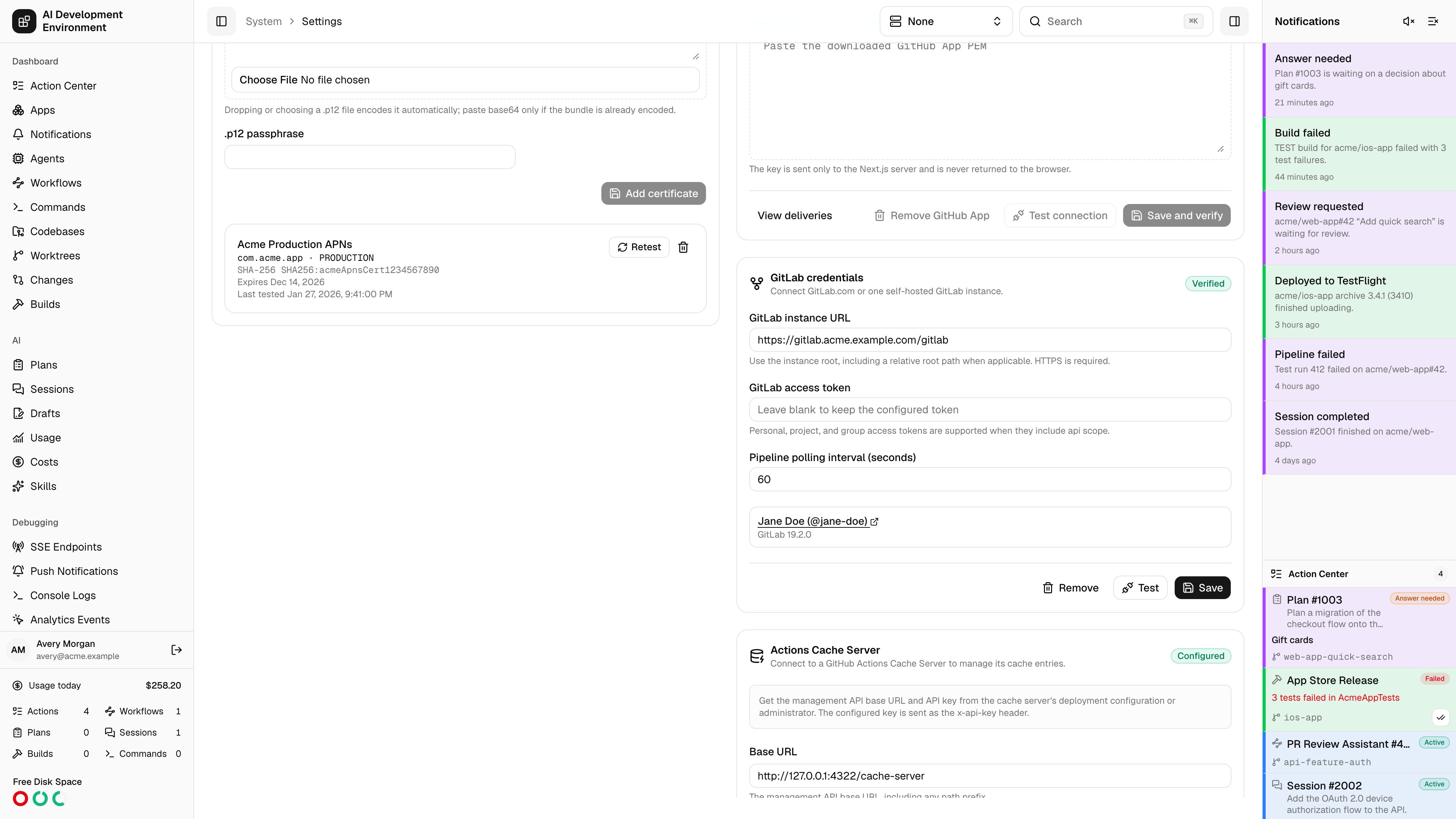
Clear the integration
Clear credentials first tries to remove every project hook created by AIDE. If GitLab rejects cleanup, AIDE lists the affected projects and keeps the credentials so you can retry. Force clear removes the local credential after an explicit warning and can leave orphaned hooks in GitLab. Clearing credentials removes managed-project records but preserves your discovery and merge-default preferences for the next connection. Removing GitLab does not affect GitHub. If GitLab is the current page, the navigation refreshes and moves to a valid destination.Related pages
Managed projects
Choose projects and configure hooks.
Self-hosting and TLS
Configure relative roots and private certificate authorities.