

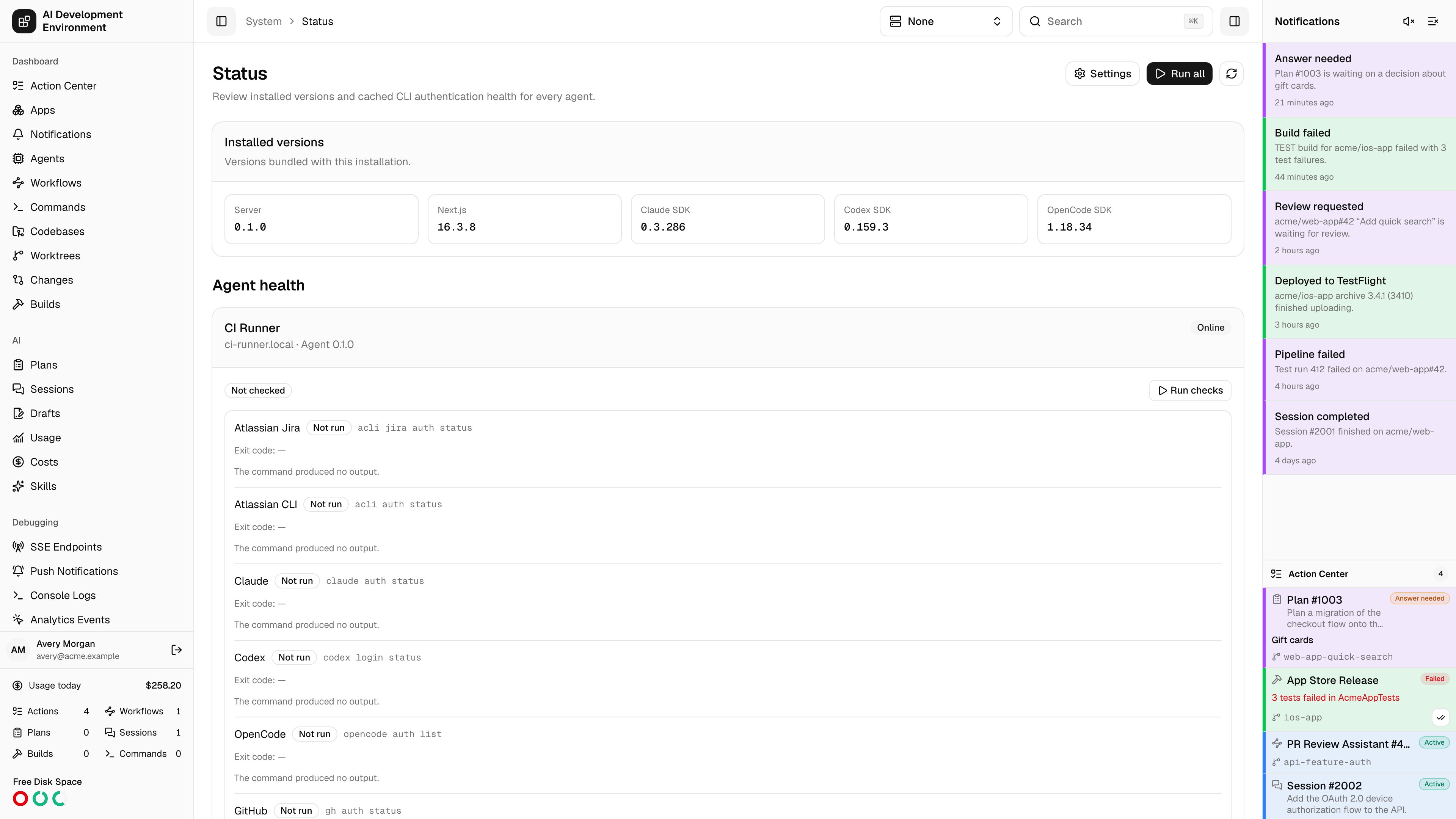
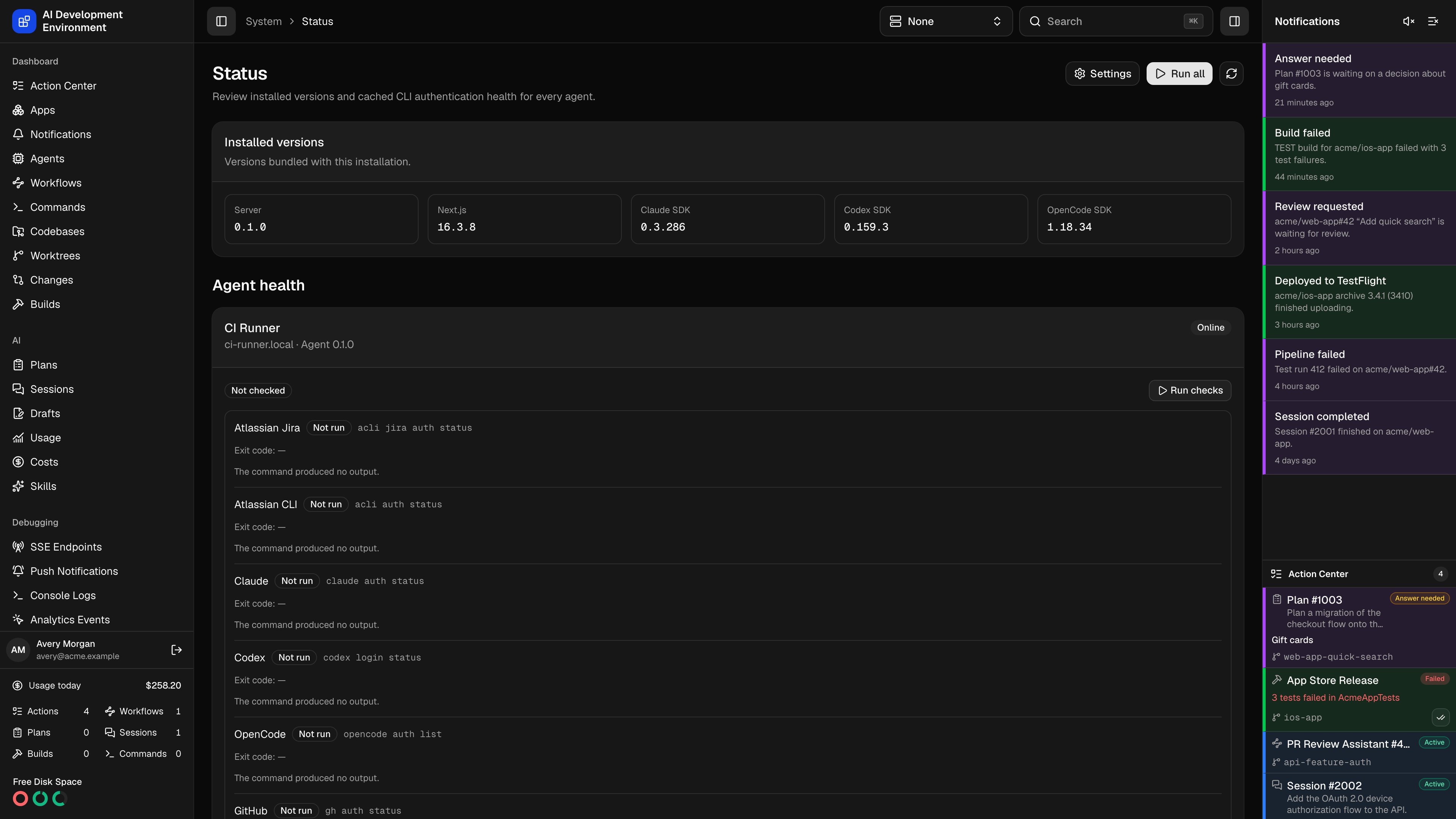
Installed versions
The Installed versions card reports the version of the running server package and the versions bundled with its control agent:- Next.js
- Claude Agent SDK
- Codex SDK
- OpenCode SDK
Health badges
The agent badge summarizes its current or cached result.
Each command has its own Passed, Failed, or Not run badge. Expand a command to inspect its exact shell command, exit code, duration, timestamp, standard output, and standard error. The page also identifies timeouts and truncated output.
Exit code
0 is the only passing result. A command can print a warning and still pass, or print nothing and fail, so inspect its output when the result is unexpected.Run checks
Select Run checks on one agent to refresh only that machine. Select Run all to dispatch a job to every online agent that supports CLI health checks. A second run cannot overlap an active run for the same agent. The page updates when a run starts or finishes. Checks are manual; opening or refreshing the page does not execute commands.Cached and offline results
Completed results are stored as hidden system jobs. When an agent goes offline, its card remains visible with a Cached badge and the last-check time. You can expand the cached command output, but Run checks stays unavailable until the agent reconnects. The server merges the latest completed result with the current check definitions. A newly added check appears as Not run. A deleted or disabled custom check disappears without changing older job records.Older agents
Agents released before CLI health support continue to appear with Update required. The server does not send health jobs to them. Upgrade and reconnect the control agent to make the checks available. The same command list and cached output appear under General information on the agent details page.Read status through MCP
get_installation_status returns installed versions and cached CLI health for registered agents. get_agent_cli_health accepts an agentId and reads that agent’s latest health. Both are read-only: they do not execute a health sweep or change custom checks. Grant them through an MCP preset.
Cached health includes check commands and captured output. Keep inline secrets out of custom checks, as described in CLI health checks, before sharing those results with an AI client.
Related pages
CLI health checks
Built-in commands, custom checks, limits, and shell-execution security.
Agent details
Inspect health alongside one agent’s hardware and connection information.