

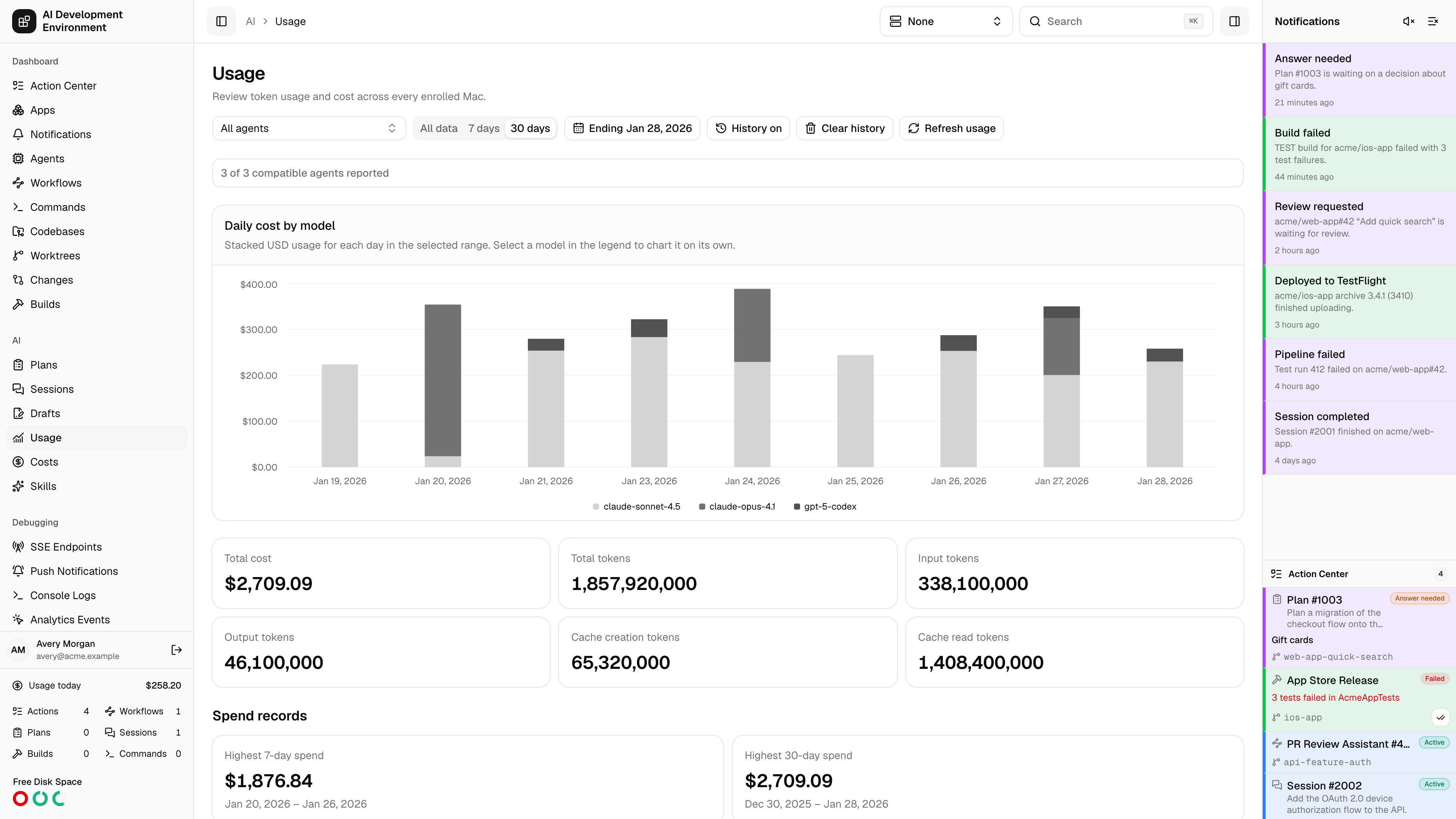
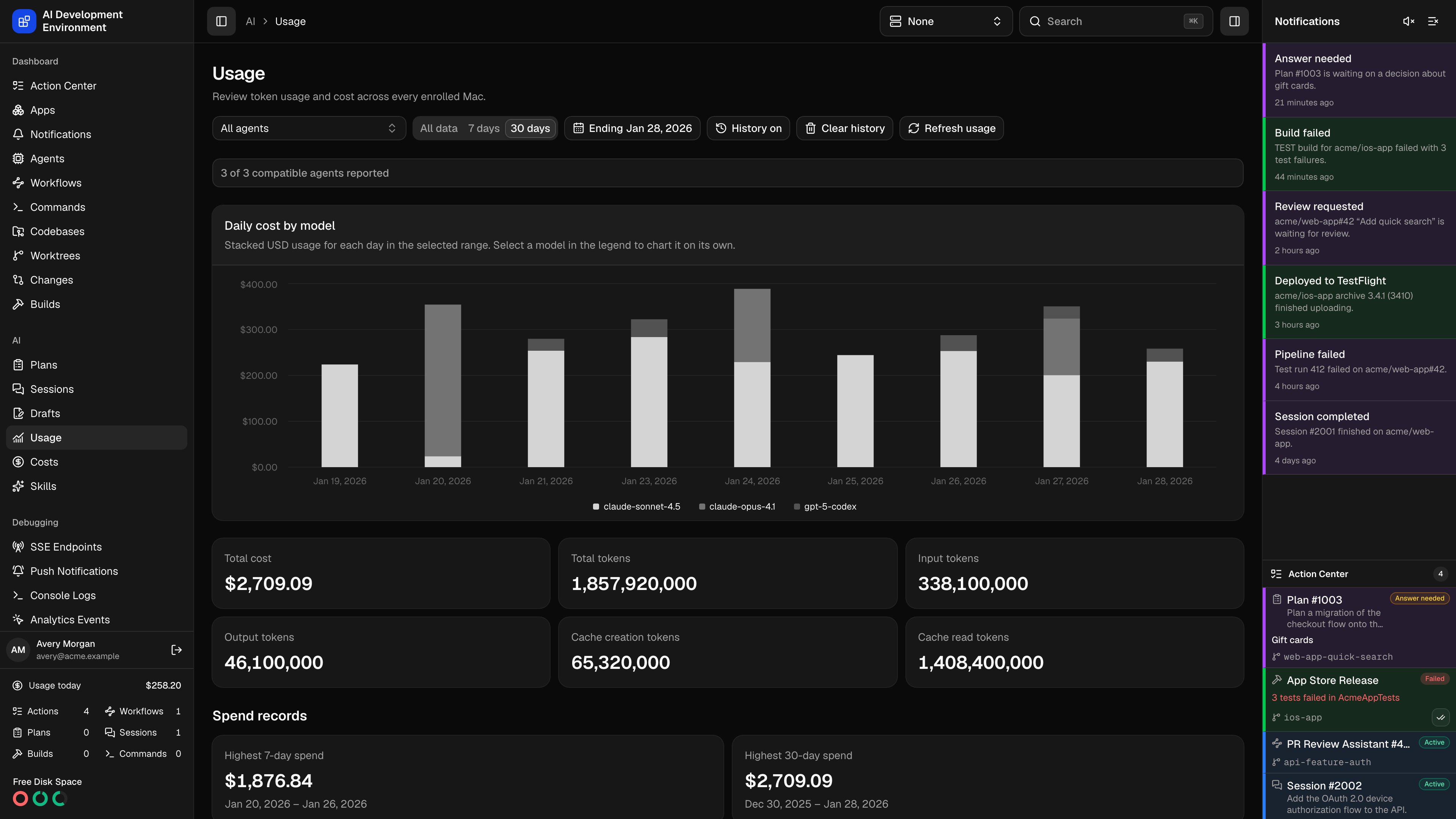
/ai/usage answers “what have my AI tools actually cost?” across every machine you manage. Each visit shows durable usage history immediately, fans a fresh collection job out to your online agents, runs ccusage --json on each of them, and aggregates the reports into one view broken down by day, model, and agent.
How collection works
The request fans out
Opening the page starts a collection against every enrolled agent. Agents that are offline, or whose
control-agent build does not advertise the ccusage capability, are excluded from the eligible set and named in the status banner.Each agent runs ccusage
A job runs
ccusage --json locally, with a 120-second timeout and a 16 MB cap on output. Results stream back as each agent finishes.Reports are merged
Daily entries from every agent are merged by date, then by model, then by agent. Successful reports are stored as they arrive, including partial collections. The whole collection has a 150-second deadline.
The page updates live
Progress arrives over a subscription and is reconciled every two seconds until the collection completes. Stored totals remain visible while the current agents load. Refresh usage starts a fresh collection without blanking the history already on screen.
control-agent update, and any that failed with their error text.
Reading the results
Each agent row inside the table also names the sources ccusage attributed that usage to, so you can see which tool on that machine spent the tokens.
A day can carry an Unattributed tokens row. That is usage ccusage recorded without a model attached — it counts toward totals but cannot be charted against a specific model.
Date windows and filters
- Range — 30 days is selected by default. You can also choose 7 days or All data.
- End date — appears for the 7-day and 30-day ranges and defaults to today. The selected day is included, so a 7-day range contains that day and the six preceding calendar days. You cannot select a future day. All data hides and ignores the end date, while switching between ranges preserves it.
- Agent — derives its choices from the displayed aggregate, so an offline agent with stored usage remains selectable. The web control appears once more than one agent is available; iOS shows its picker whenever the aggregate contains an agent. Both also show it whenever a global agent is active. It narrows every chart, tile, and usage row without recollecting.
- Model — set by selecting a model in the chart legend. The summary tiles say so explicitly when they cover one model rather than the whole range.
Use the active agent
The Active Agent selector overrides this page’s saved Agent choice on web and iOS. The page selector becomes disabled and shows Controlled by Active Agent. Charts, summary tiles, table rows, and spend records follow the selected agent without starting another collection. An agent without usage in the selected range shows an empty result rather than totals for other agents. Select None globally to restore your previous Usage agent filter. This underlying choice survives navigation and restarts, independently of the active agent and other pages’ agent filters. Collection progress still reports the collection across agents, and Clear history still clears history for every agent.Spend records
The two spend records use fixed inclusive calendar windows across all retained dates. Days without usage contribute zero. If multiple windows have the same total, AIDE shows the one with the latest end date. Spend records ignore the selected range and end date. They do follow History on / Live only, the agent filter, and the web model filter. When those filters have no matching usage, both records show an empty state.History controls
Usage history is enabled each time you open the page. AIDE stores the last cumulative report from each agent plus the usage archived from earlier local histories. If an agent’s counters decrease, disappear, or later reappear because local tool history was cleared, AIDE treats the new counters as a new epoch and adds them to the preserved total.- History on / Live only changes only what the page displays. Collection and durable recording continue in either mode, and the choice resets to History on on the next visit.
- Clear history asks for confirmation, then removes stored history for every agent and date. The current live collection remains visible. Reports completed before the clear cannot silently restore the deleted history; the next new collection establishes a fresh baseline.
Empty states
The page distinguishes several kinds of “nothing here”, so the fix is never a guess:Notes
- Every load still runs a fresh collection, but successful cumulative reports are stored so clearing usage from an agent does not erase previously observed totals. Use Live only when you need to compare against what agents currently report from disk.
- The public GraphQL API keeps
range: ALLas its default for backward compatibility. ForLAST_7_DAYSandLAST_30_DAYS, passendDateas a strictYYYY-MM-DDvalue to choose the inclusive last day. ccusagemust be installed on the agent. A machine that cannot run it reports a failure rather than silently contributing zero.- The agent does not rely on
PATHalone. A service started bybrew servicesinherits a barePATHthat hides Homebrew, npm, and bun installs, so the agent also searches~/.local/bin,~/.bun/bin,~/.npm-global/bin, the directory holding its ownnodebinary, and/opt/homebrew/binand/usr/local/binon macOS. SetCONTROL_AGENT_CCUSAGE_EXECUTABLEto a full path to pin an install the search misses.
Related pages
Costs
The model price catalog used to estimate run costs.
Agents
The agents each collection fans out to.
Sessions
Per-run token counts and cost.
Job details
The durable job each collection runs as.