

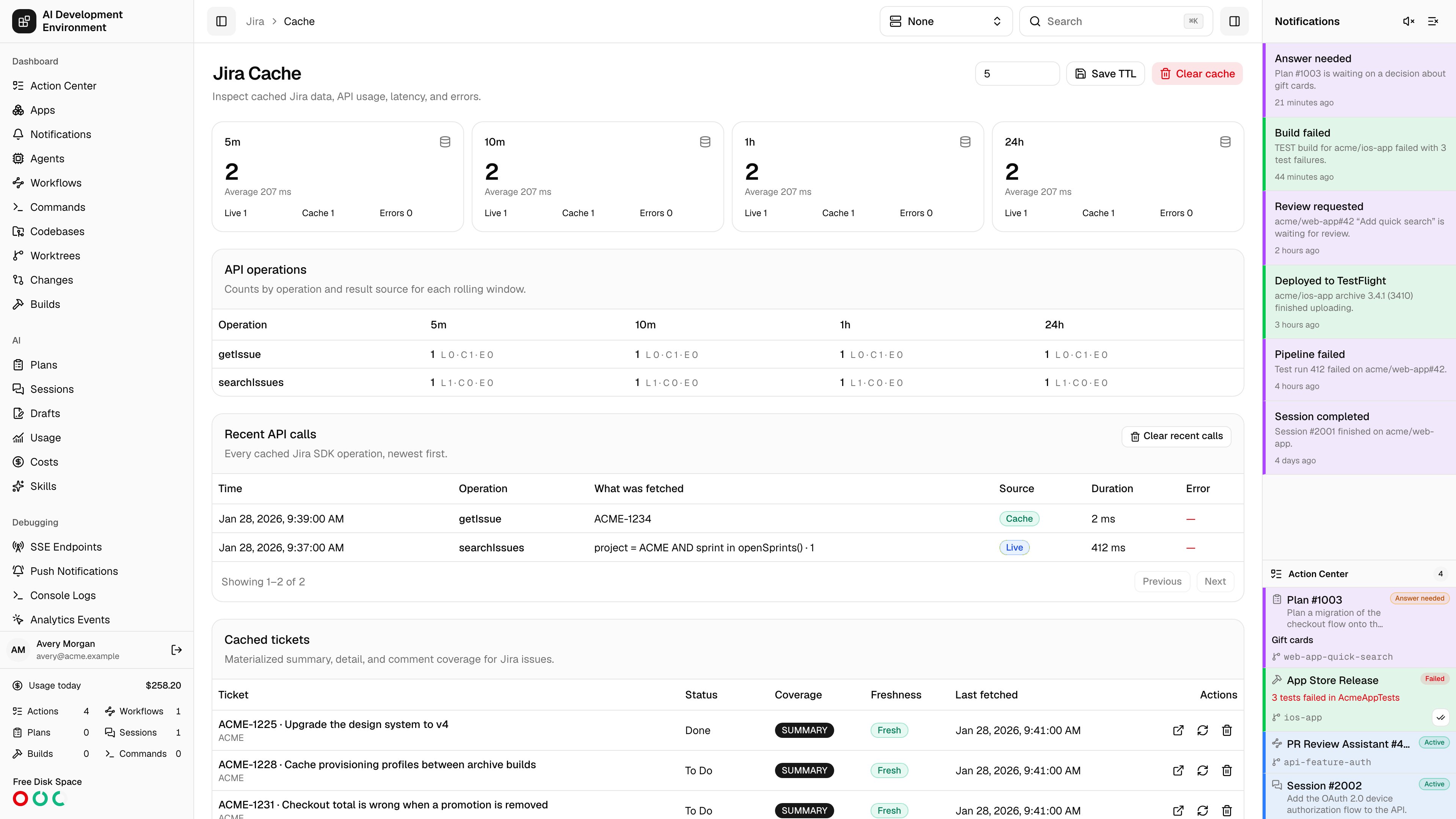
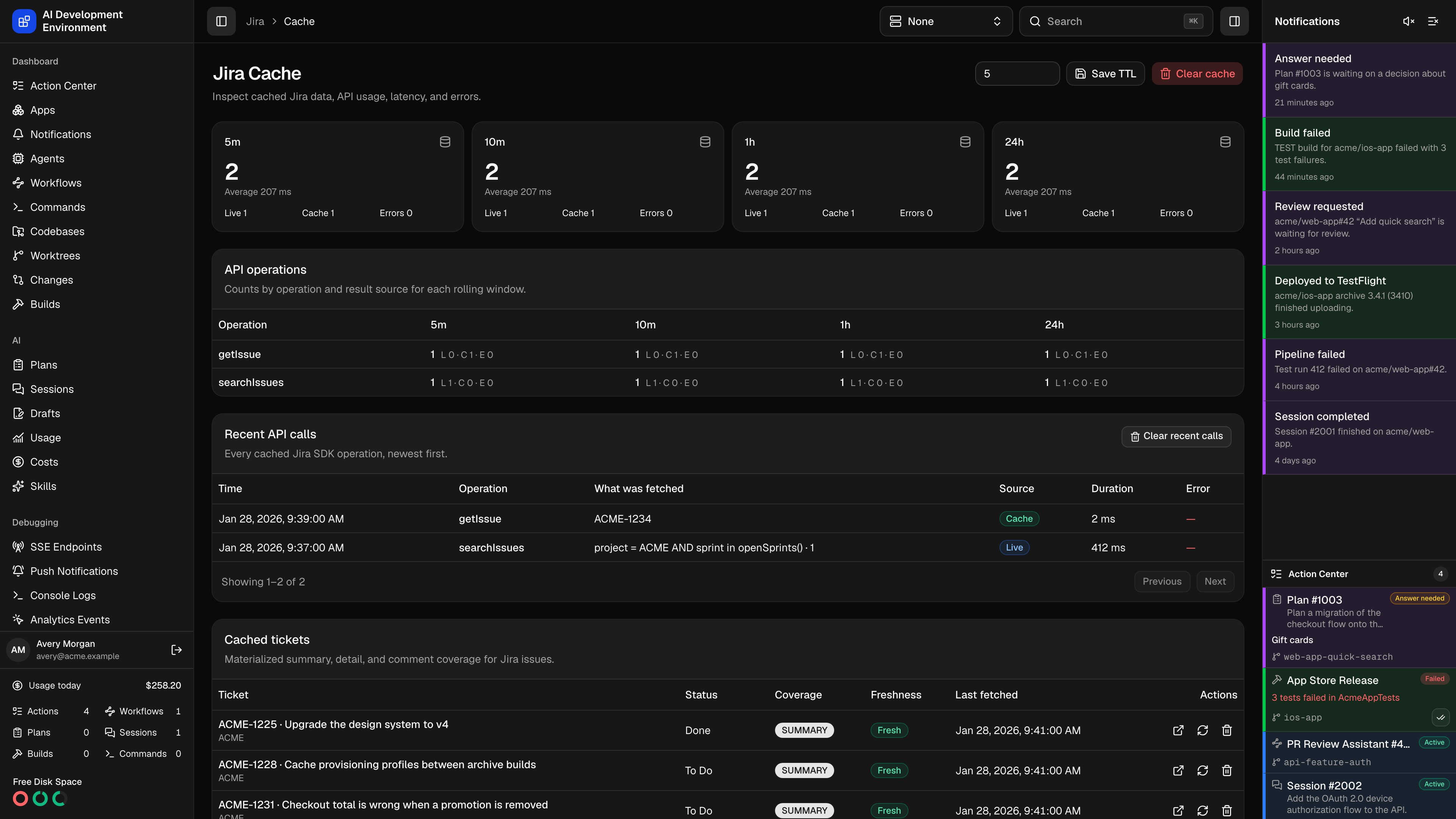
/jira/cache is where that cache is tuned and audited: how long responses stay fresh, how many calls each operation made, how many were answered without contacting Jira, how long they took, what failed, and which issues are materialized right now.
Open it when Jira feels slow, when a page is showing data you know is out of date, or when you want to see how much API traffic a board or a JQL query is actually generating.
Cache TTL
The Cache TTL field at the top sets the freshness window in minutes, from 1 to 1440. The default is 5 minutes. A cached response younger than the TTL is returned without contacting Jira. An older one triggers a live read on the next request. The TTL is global — it applies to every Jira operation.TTL controls freshness, not polling. Shortening it does not make anything ask Jira more often; it only means the next ask will not be answered from cache.
Usage metrics
The four cards across the top are rolling windows — 5 minutes, 10 minutes, 1 hour, and 24 hours. Each one reports the total number of calls in that window, the average duration, and the split between live reads, cache hits, and errors. API operations breaks the same windows down by operation, so you can see which one is generating the traffic.Recent API calls
Recent API calls lists individual calls newest first, 50 per page.
Clear recent calls empties this log and keeps cached responses and tickets.
Two calls for the same thing that arrive at once are coalesced into one request to Jira; the second is logged as a cache hit marked
(coalesced).
Cached tickets
Cached tickets lists the Jira issues materialized from those responses — the summary, detail, and comment data pulled out of the raw cache entries and stored per issue.Notes
- Entries are keyed by the Jira site URL, the operation, and the request parameters, so the same operation with different parameters is a separate entry.
- API tokens are stripped from error messages before anything is stored or shown.
- Any write — a transition, an assignment, a comment, a field edit — deletes that issue’s cache entries and re-reads it live, so a change is never masked by a stale entry.
- Removing your Jira credentials, or changing the Jira site, clears cached Jira data as well.
- Call history older than 30 days is pruned automatically.
Related pages
Cached Jira ticket
One issue’s stored summary, detail, and comment responses.
Jira Webhooks
Push changes from Jira instead of waiting for a fetch.