

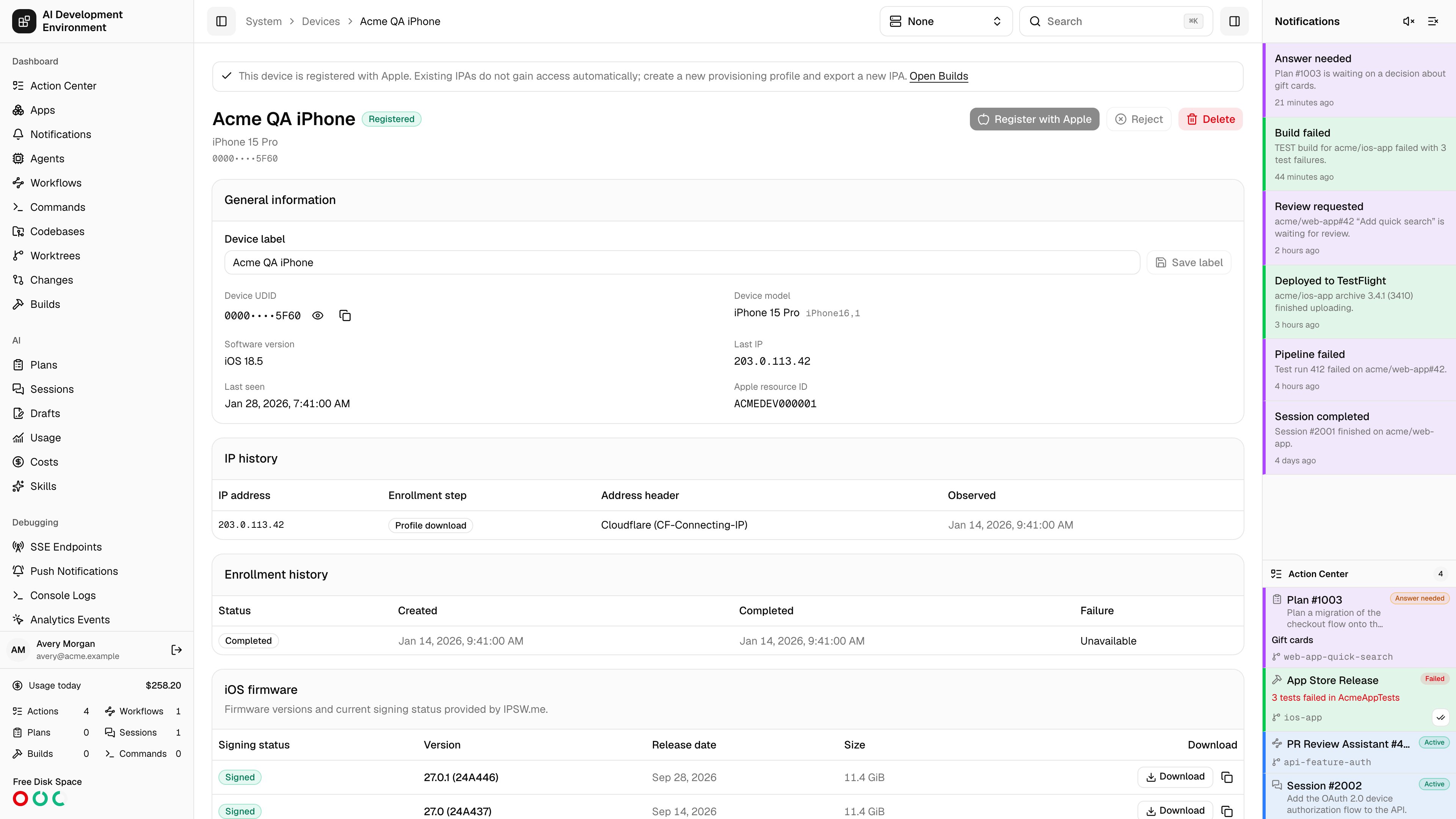
/system/devices/{id} is where a single enrolled iPhone or iPad is reviewed and acted on. Every decision about a device — register it with Apple, refuse it, remove it — is made here rather than from the list, because each one wants the full context first: who enrolled it, from what addresses, and whether earlier attempts failed.
Actions
The action row adapts to the device’s state:
Two banners appear above the actions when they apply:
- Credentials missing — Configure and verify App Store Connect credentials before registering this device, with a link straight to Settings. Registration is blocked until a key is saved and verified.
- Already registered — a reminder that existing IPAs do not gain access to a newly registered device, with a link to Builds.
General information
IP history
Every address seen during an enrollment exchange is recorded, deduplicated per enrollment, step, and address.Enrollment history
Each enrollment attempt against this device is listed with its status, creation time, completion time, and failure code.
Multiple rows are normal. A device re-enrolled later matches on UDID and updates the existing record rather than creating a duplicate, so its history accumulates here.
iOS firmware
Firmware versions and current signing status for this device model, sourced from IPSW.me.
If IPSW.me is unreachable the card reports the error and the rest of the page still works — firmware data is informational and fetched separately.
Notes
- The UDID is masked by default to keep it out of screen shares and screenshots, not because it is secret.
- Deleting a device does not remove it from Apple’s annual registration list. Apple only allows that during the yearly membership renewal window.
- Rejecting is the reversible choice: the record survives, and you can delete and re-enroll to reconsider.
Related pages
Devices
The full device register and Apple TSV export.
Enroll device
How the identifier in this record was collected.