

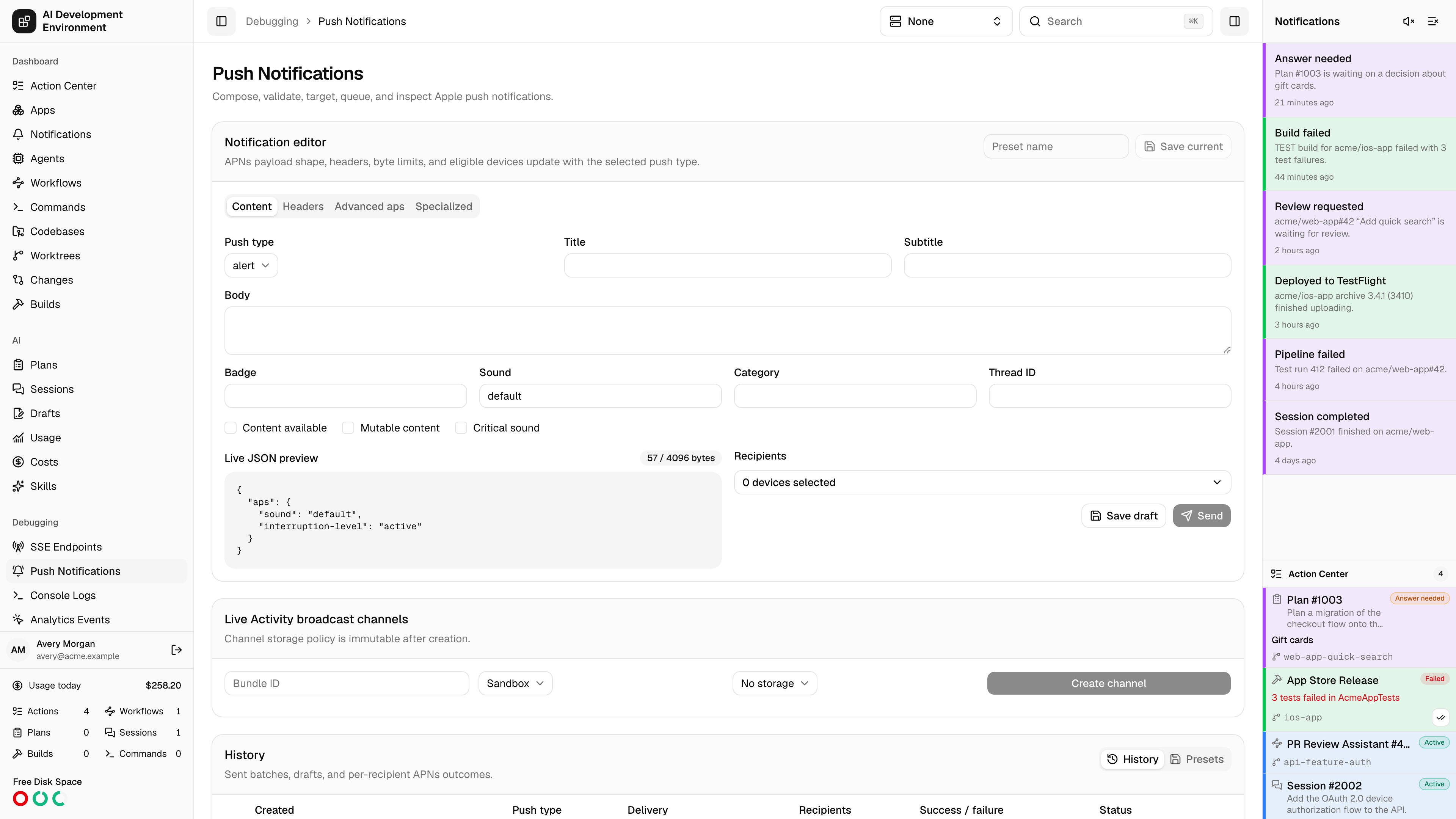
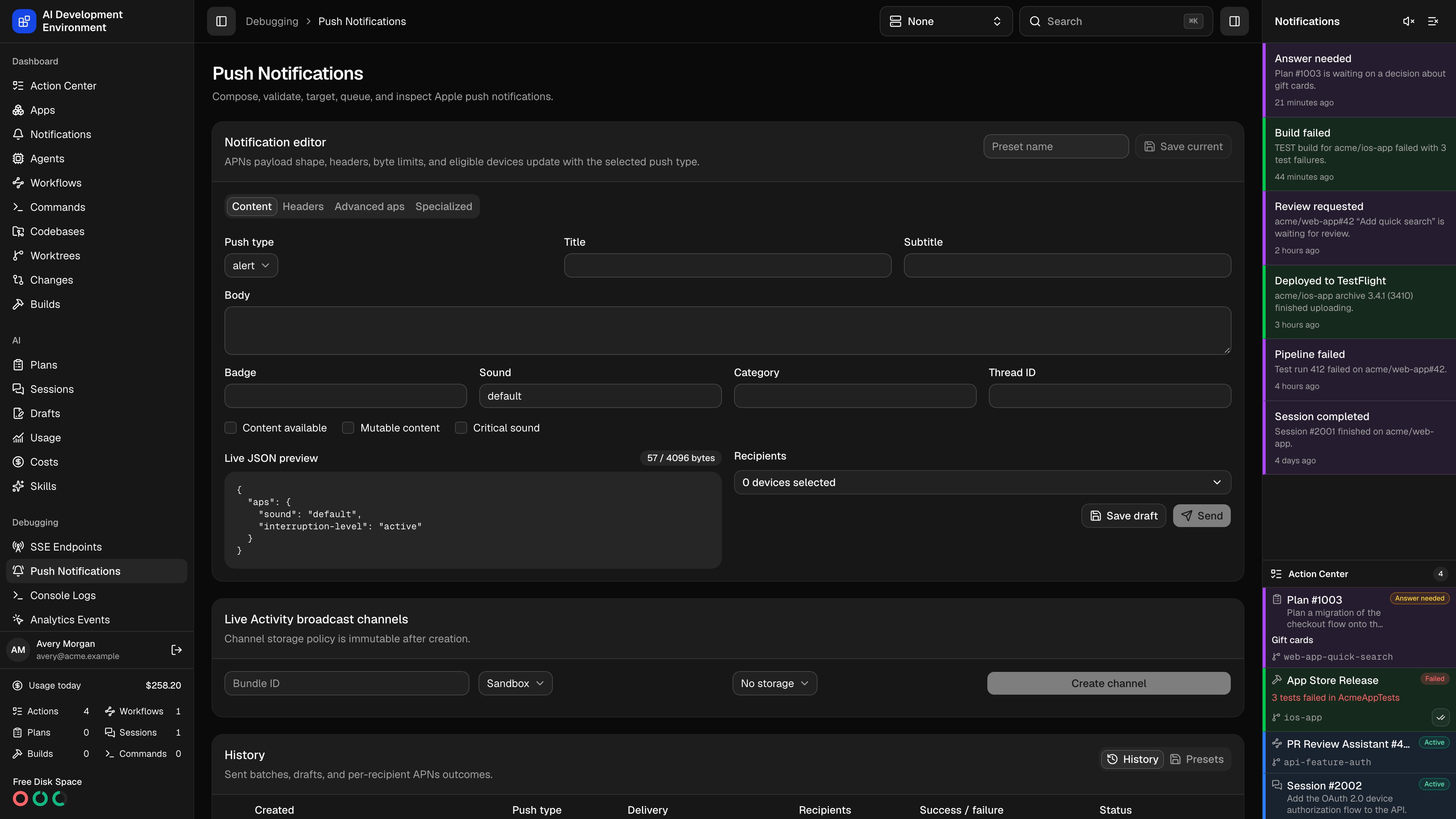
/debugging/push-notifications sends real Apple Push Notification service (APNs) payloads to your own devices and keeps every send on record. It covers all eleven APNs push types, validates the payload and headers before anything leaves the control plane, and reports what APNs said about each individual recipient — status, reason, apns-id, attempts, and round-trip time.
This console is for the apps you build here. The alerts the dashboard raises about its own work go out over a separate channel with its own device list — see Notifications. The two share the APNs token credential and nothing else.
App registration URLs
The APNs registration help in web and iOS shows Local, Remote, and configured Proxy variants of/api/ios/apns-devices. Configure the origins in Settings → Server URLs. Build scripts receive endpointPaths.apnsRegistration and compose it with server.selectedBaseUrl.
Before you can send
Configure APNs credentials
On Settings, add either a token key (
.p8 with its Team ID and Key ID) or one or more certificates (password-protected .p12, bound to a topic and environment). Token authentication covers apps, Live Activities, VoIP, and everything except MDM; MDM wake-ups require a certificate. The credential service holds the key, certificate, and companion settings in the selected backend.Register devices
Your app posts its APNs token to
POST /api/ios/apns-devices with the topic, environment, display name, and the push types it supports. Registrations show up as recipients here and on Devices.Devices registered by the control plane’s own iOS app use a different endpoint and are not recipients here. They are listed on Notifications.Match the topic
Recipients are matched by exact topic. The APNs topic you type in the editor must equal the topic the device registered with — including the suffix a specialized push type requires.
Notification editor
The editor is organized into four tabs, and its available fields, byte limit, and eligible devices all change with the selected Push type.Content
Content
Push type, then the alert body itself: Title, Subtitle,
Body, Badge, Sound, Category, Thread ID, and the toggles
Content available, Mutable content, and Critical sound with its
Sound volume.
Headers
Headers
APNs topic, Priority (1, 5, or 10), APNs ID (a UUID),
Expiration (a Unix timestamp, or
0 to deliver once or not at all), and
Collapse ID. When the push type is mdm, a Certificate credential
selector appears here — every other push type authenticates with the token
key.Advanced aps
Advanced aps
Localization keys and arguments for title, subtitle, and body; Launch
image; Summary argument and count; Target content ID;
Interruption level (
passive, active, time-sensitive, critical);
Relevance score; and Custom root JSON for keys that sit beside
aps.Specialized
Specialized
Live Activity fields — Timestamp, Event (
start, update, end),
Attributes type, Content state JSON, Attributes JSON, Stale
date, Dismissal date, and Request an input push token — plus
contextual help for MDM and for framework-specific types.Push types and their rules
Priority 1 is accepted only for
location notifications. Background pushes must omit alert, badge, and sound, and content-available: 1 is set for you. Alert pushes require at least one aps field. MDM payloads contain only mdm — no aps, no custom root keys — and each recipient’s own PushMagic is substituted at send time.
Live preview and the byte budget
The Live JSON preview shows the exact payload that will be sent, with a badge counting bytes against the limit: 4096 bytes, or 5120 forvoip. The badge turns red when you exceed it, and any validation problem — a bad topic suffix, an out-of-range relevance score, malformed custom JSON — replaces the preview with the specific error. Send stays disabled until the payload validates.
Validation is not just client-side courtesy. The server revalidates the editor
on save, on send, and on resend, so a payload stored in a preset or in history
is always one APNs would accept.
Choosing recipients
A device is eligible when its registration is active, its topic matches the topic in the editor, and its supported push types include the selected type. Anything else is hidden, which is usually why a device you expect is missing.
Tokens are validated as exactly 32 bytes. A one-off token is stored only for the duration of the send and deleted afterwards — which is why such a batch cannot be resent later.
Sending, drafts, and presets
- Send validates, queues a batch, and starts delivering immediately. Every send carries a request ID, so a retried submission returns the original batch instead of double-sending.
- Save draft stores a validated payload with no recipients. It appears in History with the status
DRAFT, ready to load, target, and send later. - Save current names the payload and headers as a preset. Presets never include recipients — you choose those each time you send.
Live Activity broadcast channels
The Live Activity broadcast channels card creates channels through APNs itself and lists the ones you have.- Provide a Bundle ID, an environment, and a storage policy of No storage or Most recent message.
- Creating and deleting a channel requires token authentication; certificates cannot be used for channel management.
- The storage policy is fixed once the channel exists.
- Deleting a channel removes it at APNs as well. Presets and history keep only its identifier.
History
The 100 most recent sends and drafts are listed newest first, with Created, Push type, Delivery mode, Recipients, a Success / failure count, and Status.
Expanding a row shows the stored payload and headers as formatted JSON, then one card per recipient with the delivery status, HTTP code, APNs reason, attempt count, duration, and
apns-id. A workflow panel on the same row lets you attach a batch to workflow automation.
Row actions: Load into editor, Save as preset, Resend, and Delete. Clear all history removes every completed send and draft.
How delivery works
Queue and claim
The batch is written with one delivery row per recipient and claimed for
sending in a single step, so two workers can never process the same batch.
Deliver in parallel
Up to 16 deliveries run concurrently over HTTP/2 to
api.sandbox.push.apple.com or api.push.apple.com, chosen per recipient
from that registration’s environment. Token authentication reuses a signed
JWT for its lifetime.Retry transient failures
HTTP 429, 500, and 503 are retried up to four attempts total, honoring
Retry-After when APNs sends it and backing off exponentially otherwise.
The final attempt count is recorded on the delivery.Record the outcome
Each delivery stores the HTTP status, APNs reason, timestamp,
apns-id,
attempts, and duration. The batch then settles as succeeded, partial, or
failed.410 Unregistered — with a timestamp no older than the last registration — or a 400 BadDeviceToken or DeviceTokenNotForTopic marks the registration invalid, so it stops appearing as an eligible recipient. Other failures record the reason against the registration without deactivating it. Token or certificate errors are written back to the credential, so Settings shows the last error and the last successful use.
If the control plane restarts mid-send, a recovery pass reclaims queued
batches and any batch that has been sending for more than two minutes,
requeues their unfinished deliveries, and continues. It also runs on a
30-second interval, so nothing is left stranded.
Live updates
The page subscribes to push notification changes: batch and delivery status, new registrations, credential changes, channels, and presets all update in place while you watch a send progress.Related pages
Settings
APNs token key and certificate credentials, with test and rotation.
Devices
Enrolled iPhones and iPads, including their APNs registrations.
Notifications
The dashboard’s own alerts — sidebar, browser, and Web Push.
GraphQL API
sendPushNotification, pushNotificationHistory, and the rest of the push
graph.