

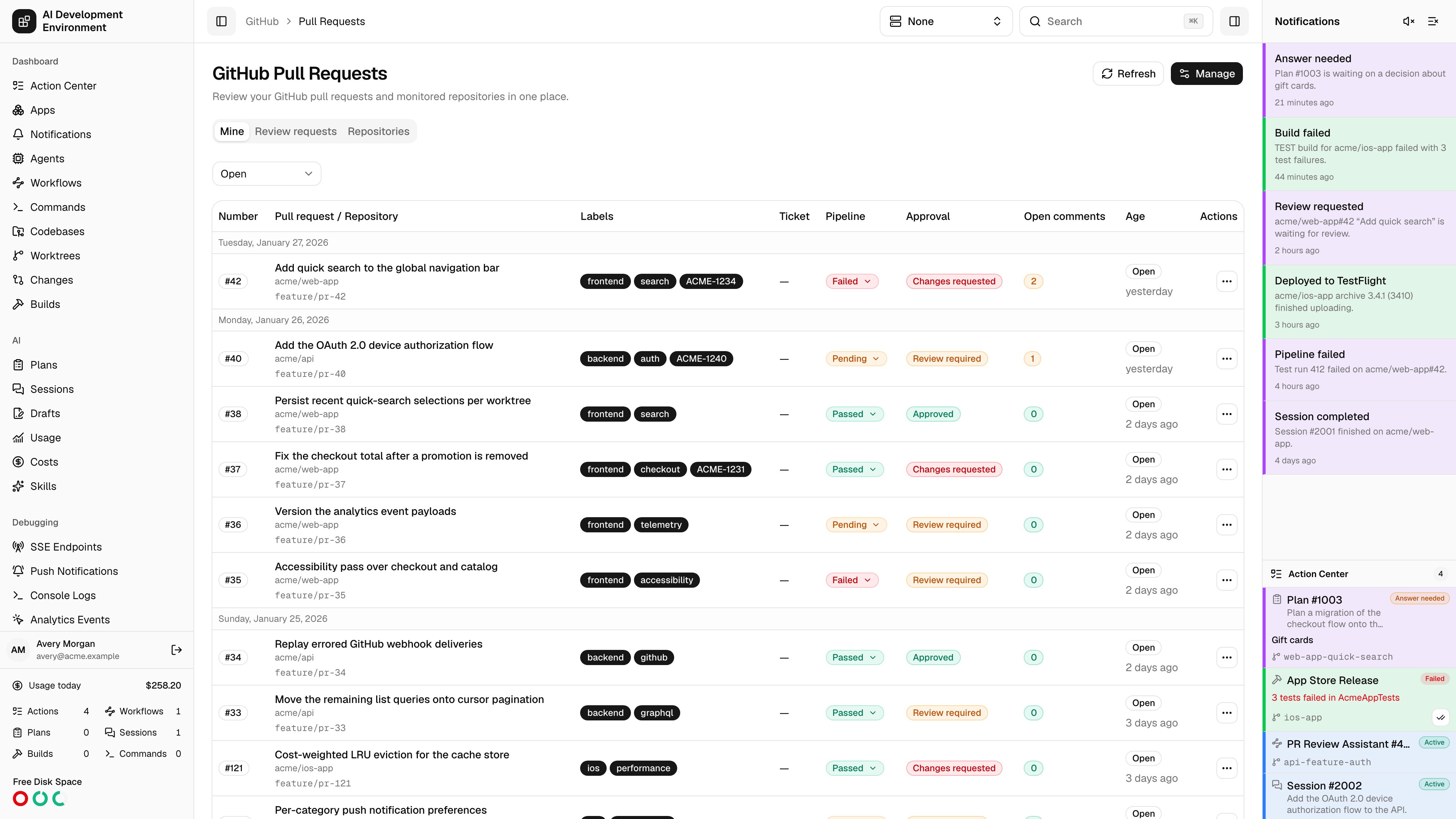
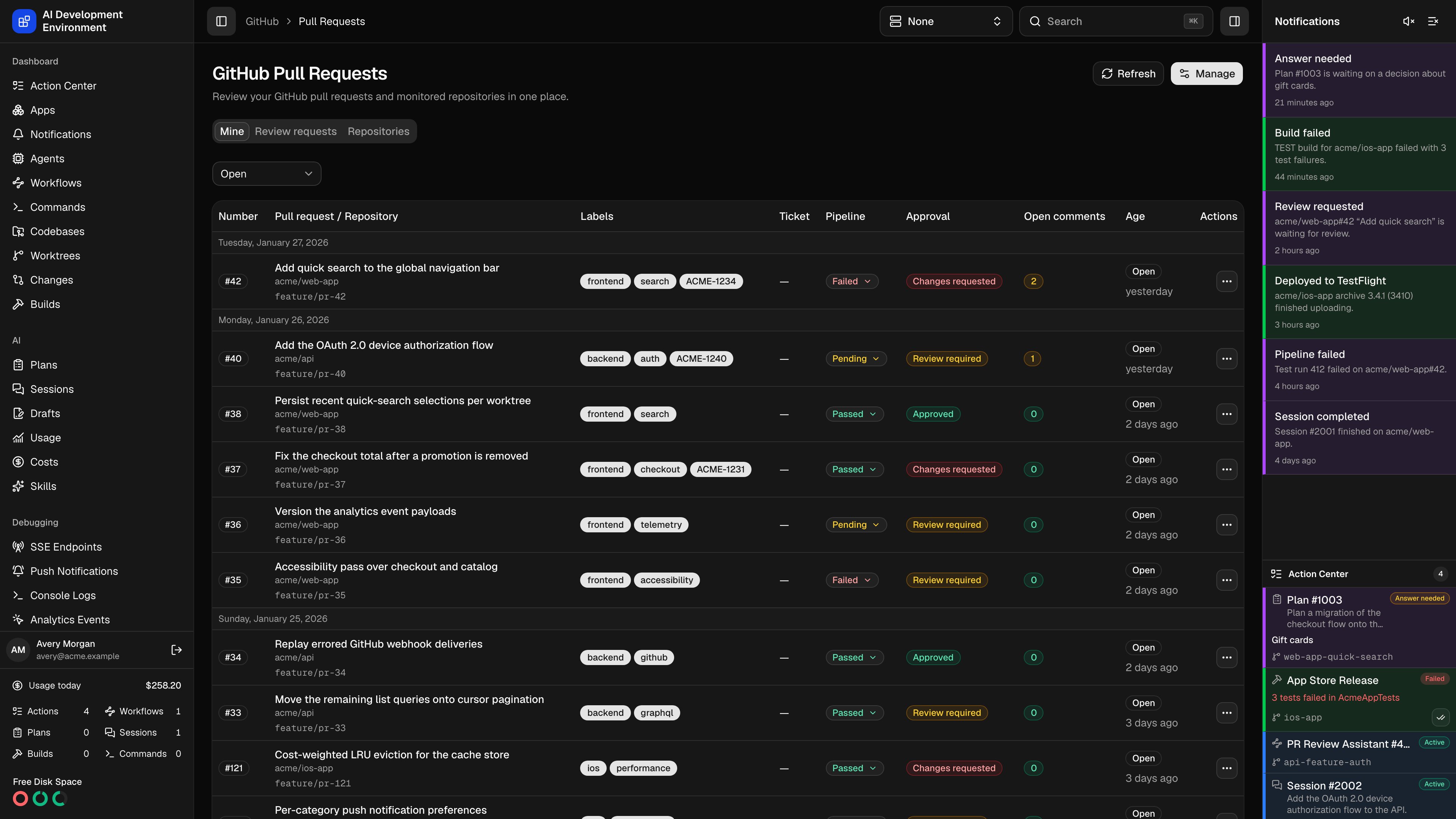
/github/pull-requests is the review queue. It gathers the pull requests you author, the ones waiting on your review, and the ones open in each managed repository, and adds pipeline status, review decision, unresolved comment count, linked Jira ticket, and linked worktree to every row — so you can tell what needs attention without opening GitHub.
The three tabs
Each tab is its own GitHub search and keeps its own pagination.
The Pull request state filter — All, Open, Closed, or Merged — applies to whichever tab is showing. Results are sorted by most recently updated and grouped under the day they were created. Scrolling to the bottom of the list loads the next page.
The Repositories tab only offers repositories you added under Manage. The other two tabs search all of GitHub through your token, whether or not a repository is managed here.
Reading a row
A pull request whose branch has a worktree here inherits that worktree’s highlight color, so a branch you flagged on the Worktrees page is just as easy to pick out of the review queue.
The pipeline menu
The Pipeline badge opens the list of check suites and status contexts reported for the head commit, each with its own state and a link to GitHub. Checks that came from a GitHub Actions check suite get a Retry button.
When Retry is unavailable it explains why on hover: no verified GitHub App, the run is not complete, the check is not a GitHub Actions run, GitHub reported no workflow run for the check suite, or the attempt is a read-only historical one.
Merging a pull request
Merge on an open pull request opens a dialog that reads the merge requirements from GitHub first.Choose a merge type
Only the methods the repository allows are offered: Squash and merge, Create a merge commit, or Rebase and merge.
Edit the commit message
The headline and description are prefilled with GitHub’s defaults for the chosen method. The headline cannot be empty.
Pick a commit email
Use your GitHub account default, or any verified address the token can read.
Merge
GitHub’s own blocking reason — failing checks, missing reviews, conflicts, branch protection — is shown in the dialog rather than failing on submit. The list refreshes once the merge lands.
Managing repositories
Manage controls which repositories get their own tab, and how ticket keys are parsed.Adding a repository
Adding a repository
Browse searches the repositories your token can see — private ones are marked, and repositories already managed are labeled so you cannot add them twice. Enter manually takes an
owner/name for anything the search does not surface.Ticket key parsing
Ticket key parsing
The Default ticket key regex applies to every managed repository. A repository can override it with its own Jira key regex, or clear the field to disable parsing there.The first capture group is used when the pattern has one; otherwise the whole match is used. An invalid expression is rejected on save.
Removing a repository
Removing a repository
Removing a repository drops its pull request tab and its regex override. Nothing changes on GitHub, and your credentials are untouched.
Requirements
- A GitHub personal access token in Settings with pull-request read and write access. Merging also needs Contents: read and write, and the commit-email list needs Email addresses: read.
- Retrying a pipeline from the pipeline menu needs a verified GitHub App with Actions write access.
Notes
- GitHub search returns at most 1,000 results per query. When a tab reaches that ceiling the page says so; narrow the state filter or work from the Repositories tab.
- Reads are served from the GitHub cache, so a refresh can return the same data until the TTL expires. A merge clears the cache.
- Pipeline badges update live while the page is open when enhanced pipeline webhooks are enabled on the GitHub App.
Related pages
Pull request details
Description, review threads, pipelines, and metadata for one pull request.
Comments
Reply to and resolve review threads across every open pull request.