

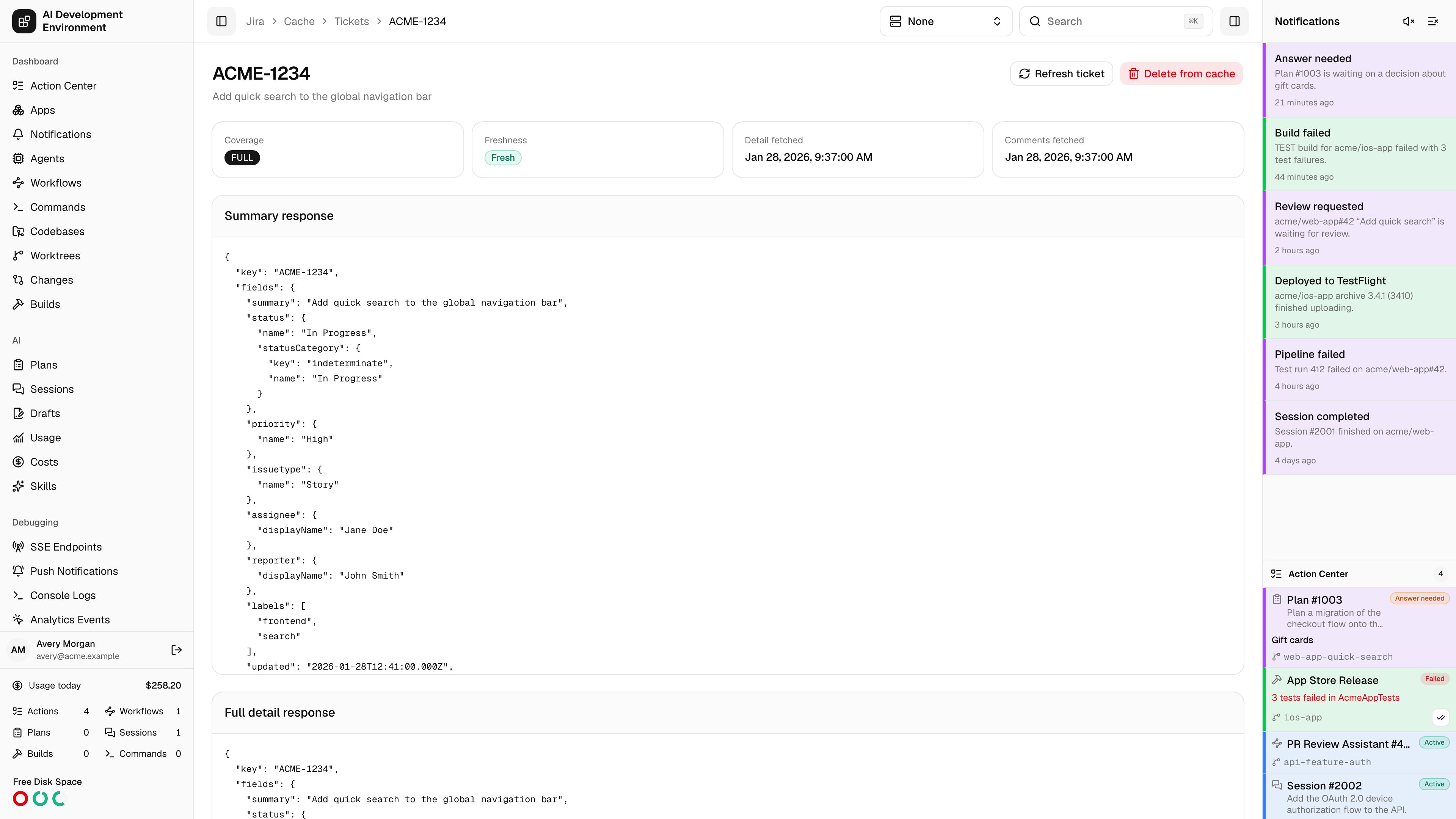
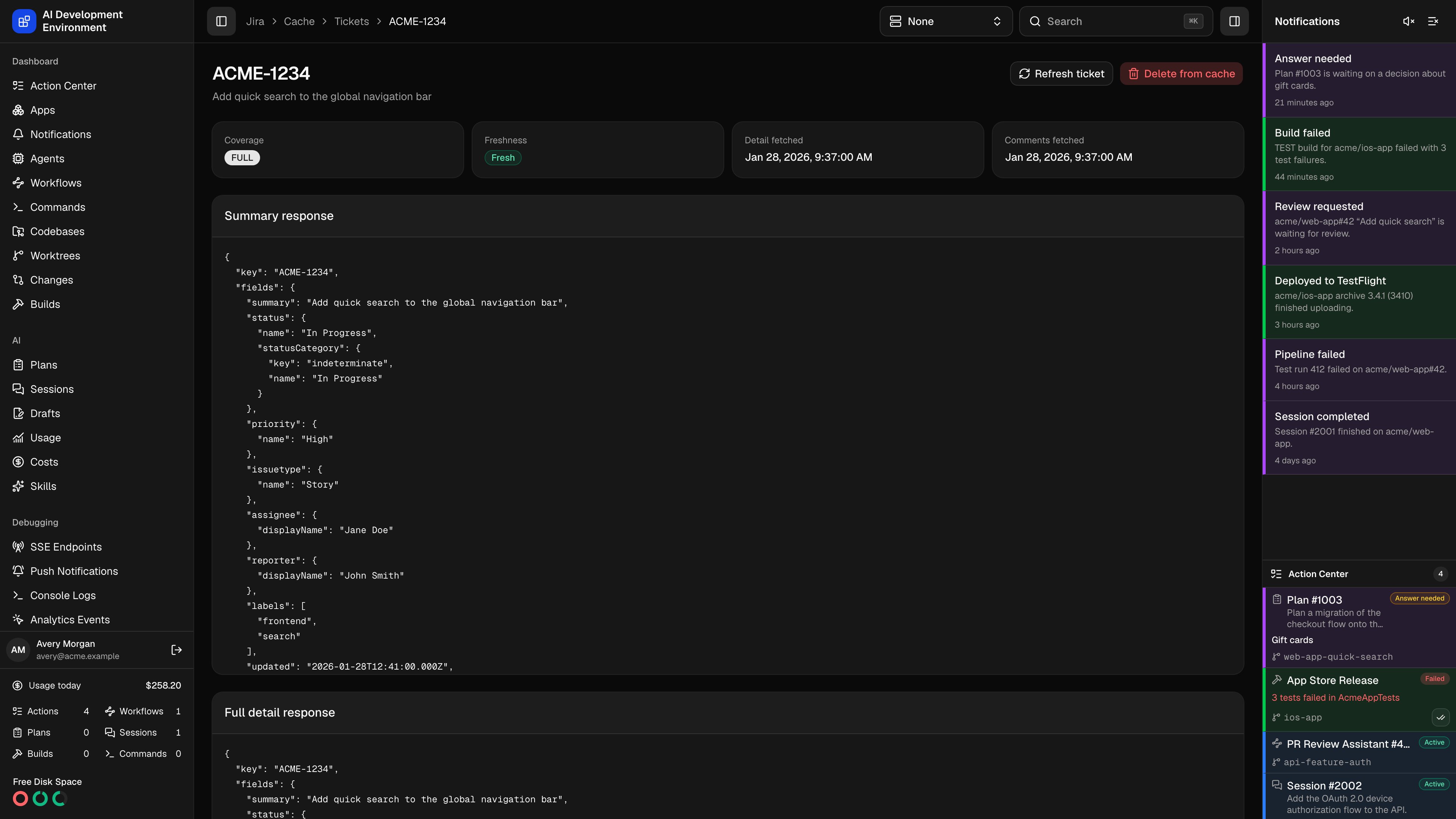
/jira/cache/tickets/{key} shows exactly what is stored for one Jira issue: the raw JSON of each response level, when each was fetched, and which cache entries reference the issue.
Use it when a ticket is displaying something that does not match Jira, or when you need the literal shape of a field — a custom field ID, a sprint value, an ADF document — rather than the rendered version on the ticket details page.
Status tiles
Stored responses
Three panels hold the raw JSON, exactly as Jira returned it.
A level that has never been fetched says so instead of showing an empty object — a ticket that only ever appeared in a list has a summary response and nothing else. Opening the ticket anywhere in the product fills in the other two.
Related cache entries
Related cache entries lists the raw cache entries that reference this issue, each with the operation that produced it, when it was fetched, and its entry ID. One issue usually has several: the search that first returned it, the issue read, and each page of comments. This is how deletion knows what to remove — dropping the ticket drops every entry in this list, so a stale search result cannot resurrect it.Actions
Deleting from the cache does not touch Jira. The next page that needs the issue reads it again from the API.
Notes
- The summary and status shown in the header come from the most complete stored data — the detail response when there is one, otherwise the summary response.
- Freshness is measured against the global cache TTL, so lowering the TTL can flip a ticket to stale without anything changing in Jira.
- A ticket edited anywhere in the product has its entries dropped and re-read, so this page reflects the write immediately.
- Clear cache on the Jira Cache page removes every cached ticket, including this one.
Related pages
Jira Cache
TTL, API usage, latency, and every cached ticket.
Jira ticket details
The rendered view of the same issue.