

Addressing
The page is addressed by a composite identifier,uuid:contentHash, not by UUID alone. That is deliberate: if two agents hold profiles with the same UUID but different bytes — a stale copy on one machine, a regenerated copy on another — they are genuinely different profiles and get separate pages.
Reaching a page for a profile no longer installed on any agent shows This provisioning profile is no longer installed on an agent. Nothing is deleted; the inventory simply no longer contains it.
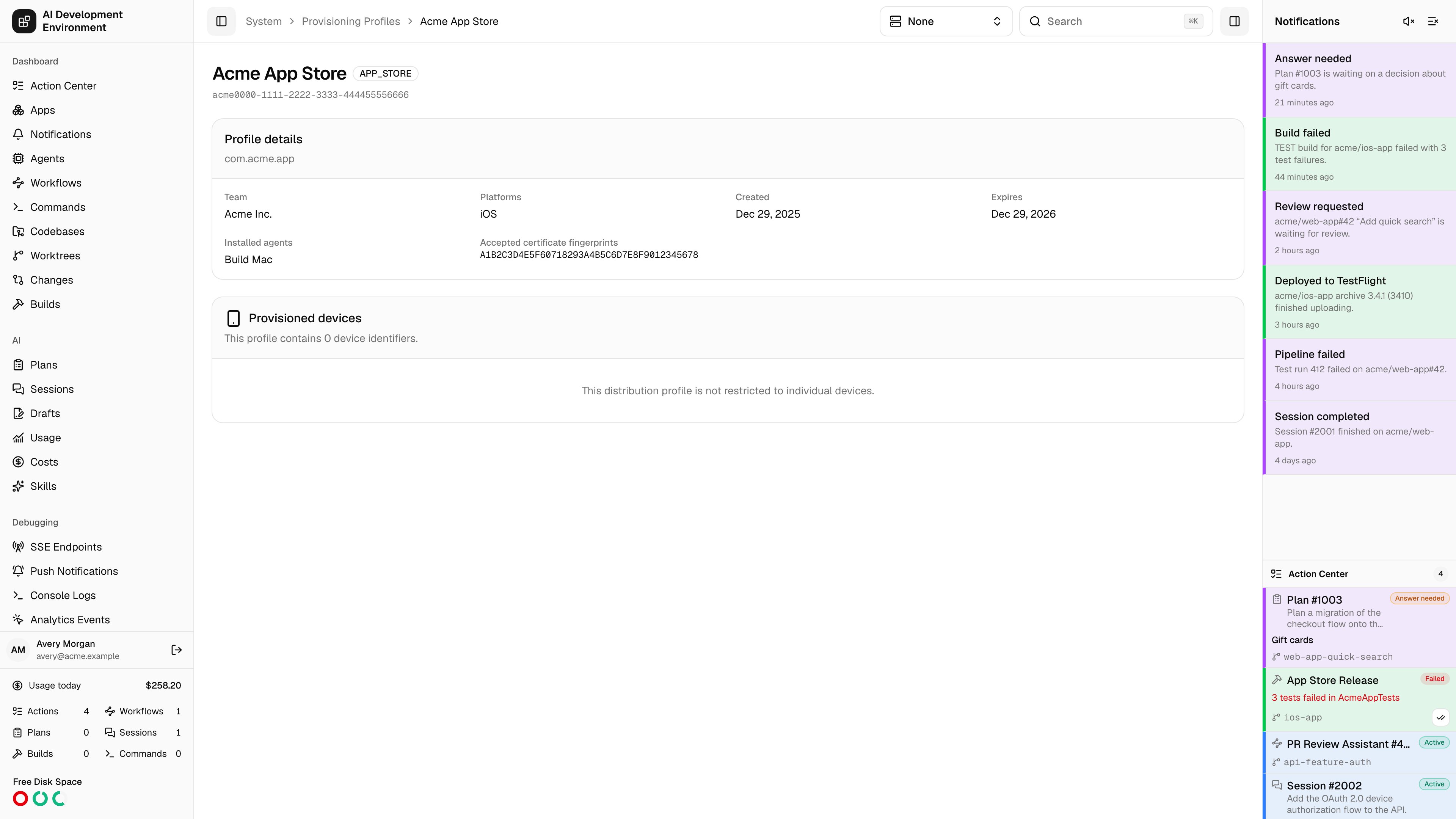
Header
The title bar carries the profile name and its badges:
The profile’s UUID is shown underneath in monospace for pasting into build logs and scripts.
Profile details
Provisioned devices
Each UDID embedded in the profile is resolved against your enrolled devices:
Duplicate UDIDs are collapsed, and the count in the card description reflects the deduplicated list.
Two empty states mean different things:
Notes
- This page is read-only. Download, delete, and sync are performed from the Provisioning Profiles page, where you choose which agents to act on.
- Everything shown is decoded from the profile bytes captured at the last inventory refresh, so it reflects the profile as installed, not as it currently exists in the Apple portal.
- Not enrolled in this app is informational, not an error. It is normal for profiles created outside this install or shared by a teammate.
Related pages
Provisioning Profiles
Install, sync, download, and delete this profile across agents.
Devices
Enroll the devices that need to appear in this list.