

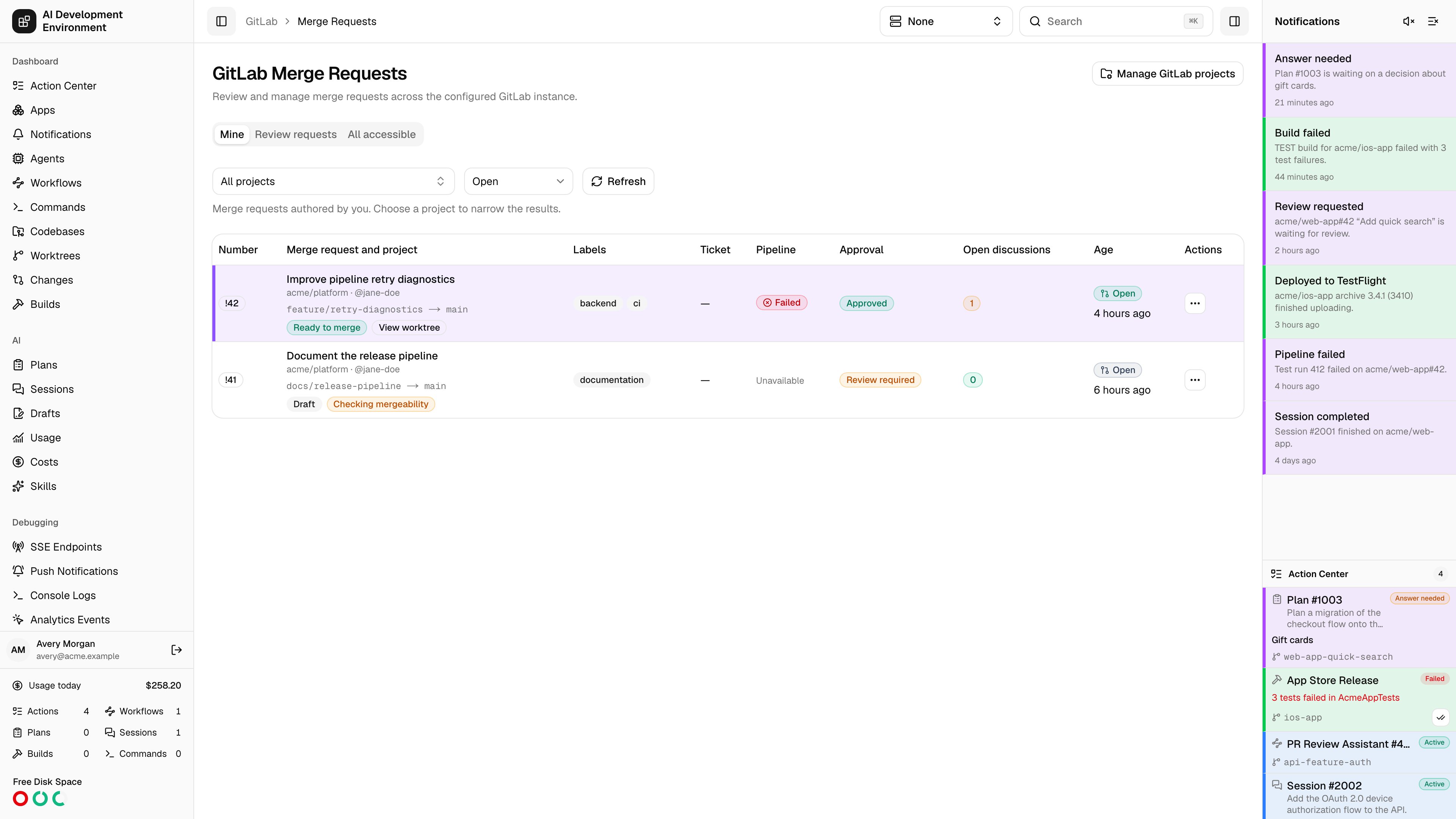
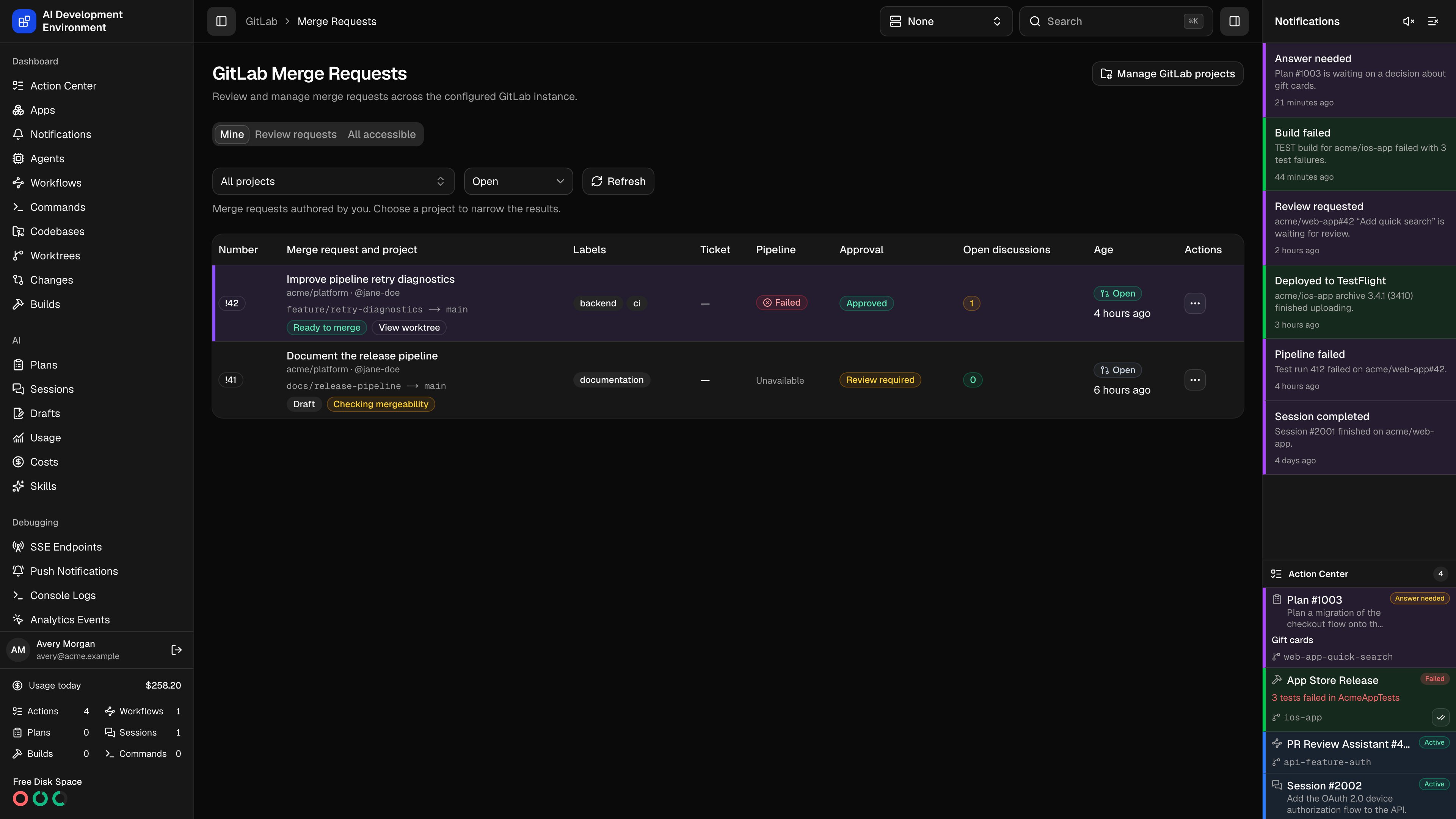
/gitlab/merge-requests lists requests authored by you, requests awaiting your review, or requests in a selected project. Use the tabs to choose the scope, then narrow the results by project and status.
Choose a scope and project
- Mine shows merge requests authored by you. It is the default tab.
- Review requests shows requests where GitLab assigns you as a reviewer.
- All accessible requires a project. Choose one before the page loads its merge requests.
namespace/project path can always be entered manually in the manager, even when discovery remains member-only.
Project and scope filters work together: choosing a project on Mine still shows only requests authored by you in that project. Clear the project selection to return to all projects for Mine or Review requests. All accessible always requires a selected project; it does not offer an all-projects selection.
Choose Open, Merged, Closed, or All in the status filter. The selected scope, project, status, and page are kept in the URL. Filter changes reset pagination, and browser Back and Forward restore the previous filters. Use Previous and Next to browse requests.
If GitLab times out, choose Retry or narrow the query by project. An error appears separately from an empty result.
Read the table
Each row includes the merge request number, title, project, author, source and target branches, labels, linked Jira ticket, latest pipeline status, approval state, unresolved discussions, and age. Matching worktrees add their highlight color and a link to the worktree. Badges use readable labels such as Draft, Approved, Success, and Auto-merge enabled. A missing approval or discussion result appears as unavailable rather than implying approval or no unresolved threads. Select the title or number to open merge request details. Select the open-discussion count to view that request in Comments. The row’s actions menu also opens the request in your configured GitLab instance or opens the merge controls.Use Merge Requests on iPhone and iPad
Open GitLab → Merge Requests in the app navigation. Mine, Review Requests, and All Accessible use the same scope, discovery preference, and project filtering as the web app. All Accessible shows Choose a Project until you select one; it does not offer All Projects. The State control offers Open, Merged, Closed, and All. Use the Manage Projects toolbar action to open the native manager. It provides the same four preferences, managed-project and webhook actions, paginated Browse results, and numeric-ID-or-namespace manual entry as the web dialog. Tap Project to open the Projects search sheet. Search accessible project names and namespaces, select a result, or use Load More for the next 25 projects. Your selected project remains visible when it falls outside the current search results. Selecting it does not add a managed project or configure a webhook. On iPhone, tap a request to open its details. Wider iPad layouts keep the request list beside the selected detail. Pull to refresh and use Load More to continue the list. Changing a scope, project, or state starts the list again and ignores responses from older filters. Open GitLab → Comments for the native discussion dashboard. In request details, tap the open-discussion badge to view Comments for that request, including merged or closed requests.Review and merge
The detail page contains the description, reviewers, discussions, and expandable pipelines. You can submit a review, reply to a discussion, or resolve a resolvable thread. The Merge dialog shows the current project policy and any blocker before you submit a merge. Immediate merge and auto-merge use the same options in the web and iOS clients: squash policy, source-branch removal, optional commit messages, and available Jira or worktree follow-ups. GitLab still determines whether your token may perform each action.Enabling auto-merge leaves the request open while GitLab waits for its requirements. The control plane runs selected follow-ups only after it confirms that GitLab merged the request.