

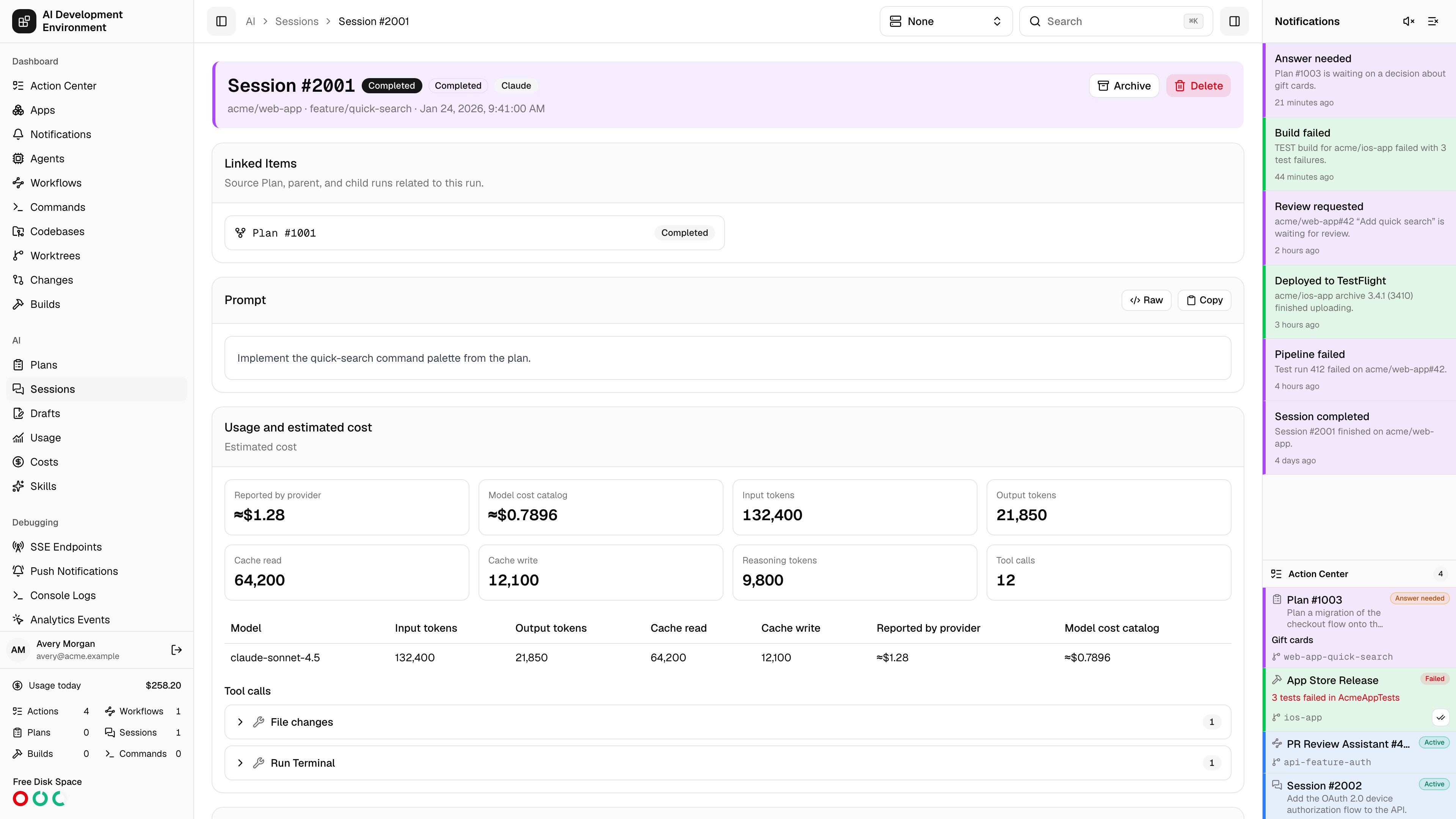
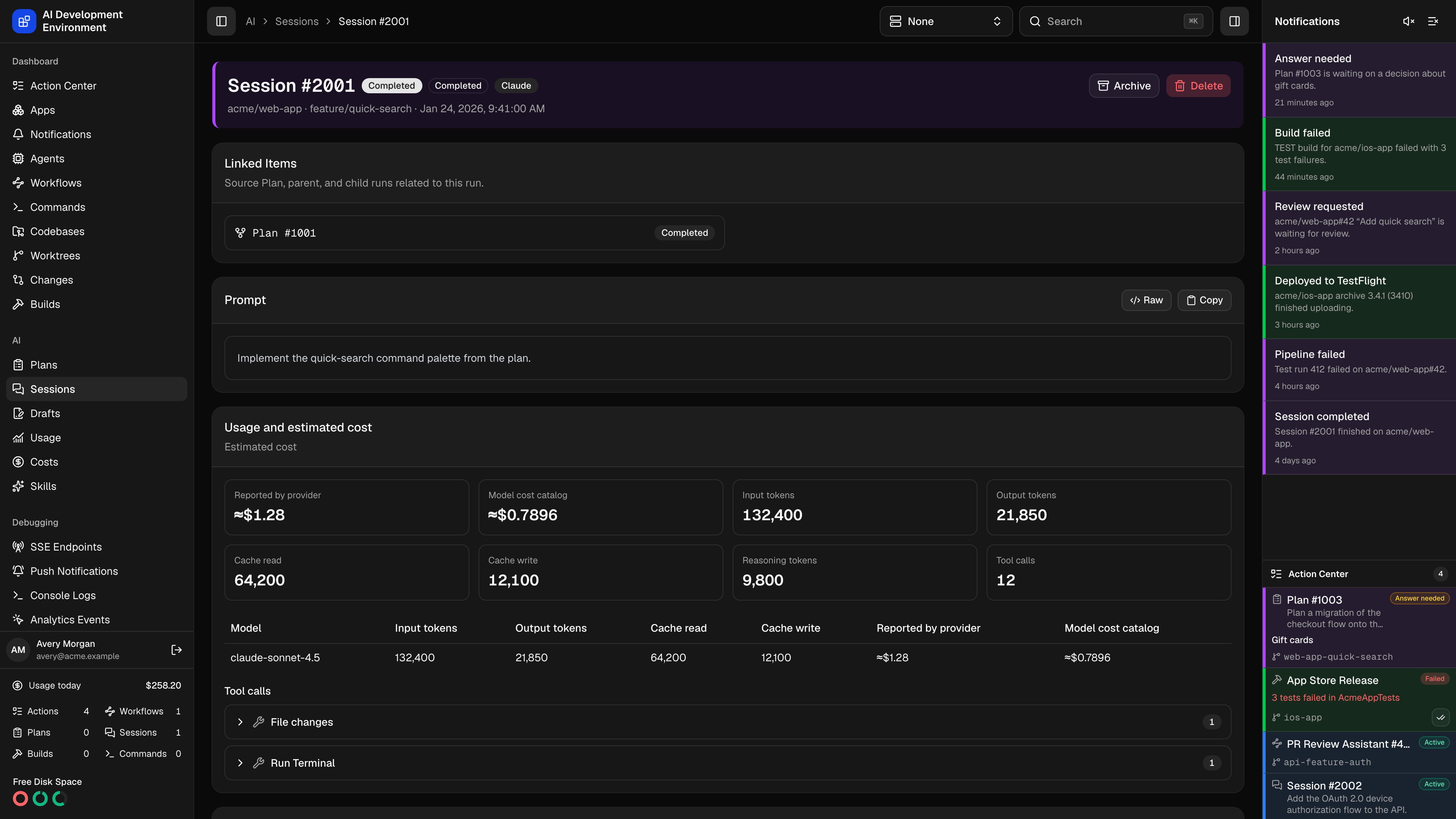
/ai/sessions/{id} is the live view of an implementation run: what it is doing right now, what it has changed in the worktree, what it has spent, and where to intervene. It is the same page as Plan details — this page focuses on the parts that matter when a run is writing code.
Header and lifecycle
The header shows the Session number, status, phase, the AI tool, an Imported badge where relevant, and the repository, branch, and creation time. A managed Session may begin as Queued with the phase Waiting for worktree. It starts automatically when its worktree’s Session lane has capacity. You can cancel it before it starts.
A failed run surfaces its error at the top of the page. So does a phase like Start failed, Steer failed, Cancel failed, or Provider delete failed — the status alone will not tell you which step gave up.
Watching a run
Activity
Activity
The transcript streams over a subscription into a scrolling pane that stays pinned to the newest event unless you scroll away from the bottom. History pages in 500 events at a time, and the search box re-queries the server rather than filtering what has already loaded.Related events collapse into a single expandable node — a tool call together with its result, a streamed message with its parts. Expanding a row shows the parsed detail, with the untouched payload available behind a raw toggle and a copy button.Codex rows distinguish Commentary from Final Answer, summarize completed commands and file changes, and collapse repeated token updates and identical diff snapshots.
Usage and estimated cost
Usage and estimated cost
Tiles for Reported by provider, Model cost catalog, input, output, cache read, cache write, and reasoning tokens, and the tool-call count. A per-model table breaks the same numbers down, and where an answer revision has retired earlier work a second table separates Active attempts from Superseded usage. Individual tool calls expand to their input, output, and error JSON.
Changes
Changes
Every Git checkpoint the run captured — Start, Question, Answer rollback, Before answer revision, Continue, Final — with HEAD SHA, branch, and a full patch or diff summary. The most recent patch is repeated at the top of the card, which is usually the quickest read of what the Session actually did.Patches list one collapsible row per file, with its change type and added and removed line counts; expand a row for the diff itself.
Summary
Summary
The run’s final output, shown once it reaches a terminal status. On a Plan the same card holds the proposal and is titled Plan.
Linked items
Linked items
The source Plan, parent run, and any follow-ups, each with its status. A deleted relation is still shown, dashed and marked Deleted.
Intervening
Steer
While a managed Session is in progress and its tool supports steering, the Steer card sends extra guidance — with attachments — into the active turn. Guidance queues behind any pending question rather than jumping ahead of it.
Answer questions
A question batch appears inline as Answer needed, with options, optional multi-select, and a free-text field where the run allows one. Submitting resumes the run. A Session waiting for an answer keeps its worktree admission slot.
Revise an answer
An answered batch that still has its checkpoint can be revised. The dialog prepares a rollback patch against the checkpoint taken immediately before the question, shows exactly what will be undone, and offers to stash the current tracked and untracked changes first. Confirming starts a new linked Session from the revised answer and keeps the previous one as audit history.
Pause or cancel
Pausing holds the run and its admission slot. Cancelling ends it and releases the slot, leaving the worktree in whatever state the run reached.
Turning off Undo worktree changes made after this question during a revision keeps the current worktree contents and changes only the answer. If commits from the rolled-back range have already been pushed, the dialog says so before you continue.
Follow-ups
Switching tools on a resumed follow-up asks how to carry context across, since hidden provider state cannot transfer: Visible transcript sends the normalized conversation, Final summary only sends just the output.
Worktree controls
Immediately below Follow Up, three cards bring the linked worktree into the Session without making you leave the run:
Open Worktree opens the complete worktree details page. Build and worktree changes refresh these cards in place. If supplementary worktree data cannot load, the Session itself remains usable and the card shows a retryable warning. Imported runs without a resolvable worktree omit the cards.
The run controls use the same agent-aware device picker as Builds and Worktrees: the build agent is the default, selecting another eligible Mac clears the current devices and loads that agent’s destinations, and a remote run transfers the app without requiring the Session worktree on the target. The iOS app presents the same order and actions with native sheets. Its Follow Up form also supports attachments, eligible MCP presets, provider defaults, cross-provider context, and paused-Session transfer confirmation, then opens the created child run.
Exporting
Export in the activity header offers JSON and Markdown of the complete unfiltered history, including superseded events. Claude, Codex, and OpenCode runs add an export of the tool’s own JSONL transcript, and Claude and Codex runs still attached to an agent can download the original session file from disk verbatim.Notes
- Deleting a Session asks the AI tool to delete its native history first, then removes the local record. This cannot be undone; archive instead if you may want it back.
- The panel under the header lists workflows that can act on this Session, and any workflow runs already attached to it.
Related pages
Sessions
The list this page opens from.
Plan details
The same page for a read-only Plan.
Worktree details
The checkout this Session queued against and modifies.
Costs
The price catalog behind the catalog-cost figure.