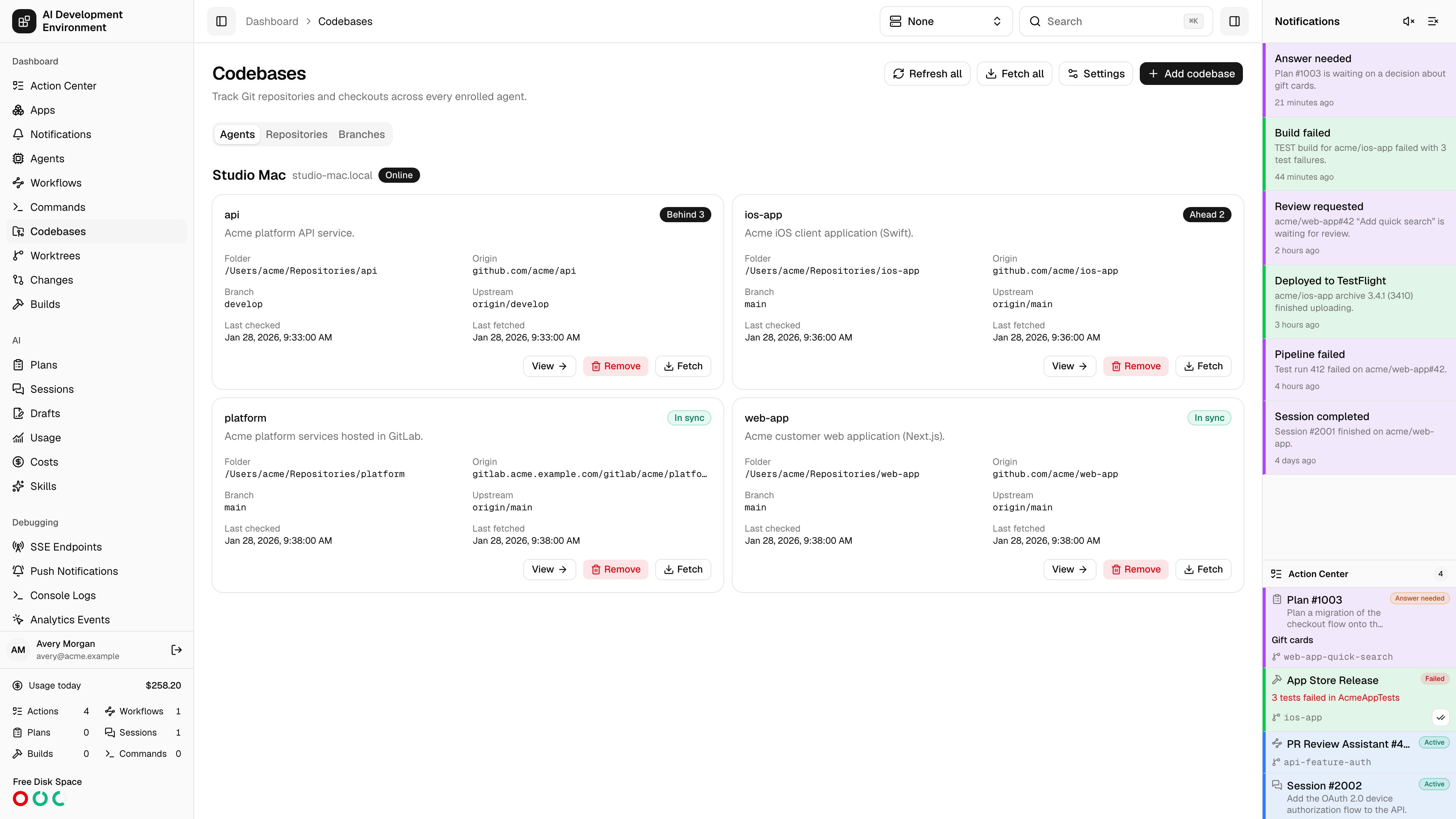
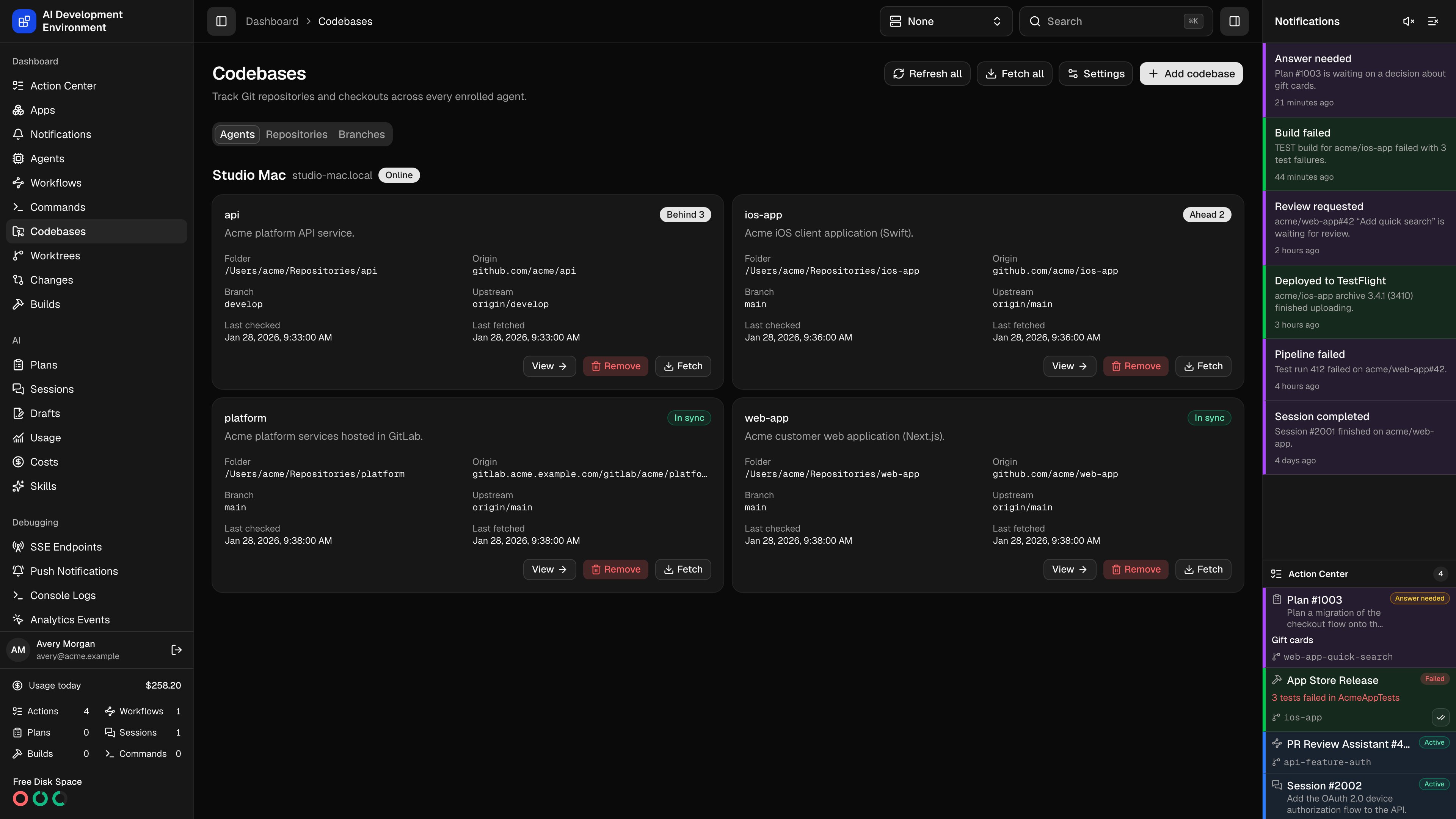
Track Git repositories and checkouts across every enrolled agent.
The Codebases page at /dashboard/codebases is the inventory of every Git repository registered on every enrolled machine, with live sync and availability status for each one.
Two concepts sit behind this page, and the distinction matters:
Codebase
One checkout on one agent — a folder on a specific Mac. Branches and stashes are managed here.
Repository
The logical repository behind every checkout that shares an origin. Skill groups, build configurations, and Auto Retry live here and apply everywhere.
Use Agents to see what each machine hosts, Repositories to see where a repository is checked out, or Branches to clean up local branches across all agents. The iOS app offers the same three views.
The Branches tab lists local branches from every registered checkout. Each row identifies the repository, agent, folder, last local commit, age, and last successful scan. The same branch name on two agents represents two separate local branches.On the web, the Repository column shows the folder relative to that agent’s Base repository directory. Hover over the folder to see its full path. Folders outside the base directory, or on agents without a configured base, show their full paths. Long column text wraps; narrower screens let you scroll the table horizontally.Both clients start with all agents, all repositories, and no age restriction, sorted oldest first with unknown ages last. The web shows 50 branches per page; iOS uses a native scrolling list. Configure the codebase’s default branch before cleanup if it is unknown.
Filter by Agent and Repository. A repository filter includes its checkouts across agents.
Choose Older than: any age, 7, 30, or 90 days, or a custom positive number of days. Age means time since the commit at the local branch tip, not when the branch was created. Unknown dates are excluded when an age filter applies.
Check individual branches or choose Select all matching eligible branches. On the web, this includes matching branches across all pages. Changing filters or leaving the tab clears your selection.
Choose Delete selected and review the branch names, agents, and checkout folders before confirming.
Normal deletion uses Git’s merged-branch checks. To remove unmerged branches, enable Force delete unmerged branches and accept the separate confirmation before deleting.
Force deletion can remove local commits that have not been merged or pushed. Both deletion modes protect the current branch, the default branch, and every branch checked out in a worktree. Cleanup never deletes a remote branch or a remote-tracking ref.
Offline agents retain their last successful inventory, with deletion disabled until they reconnect. Failed scans keep the previous inventory and show a scan failure. Older agents can show recorded local branch names with unknown metadata; update the agent and refresh before cleanup becomes available.Refresh inventory queues a local scan without fetching origin. Background reconciliation also refreshes the inventory. The control plane stores branch names, tip hashes, commit subjects and dates, worktree paths, and the scan timestamp for each registered codebase. Removing a codebase removes this cached inventory with its registration.Cleanup runs one job per checkout and reports each branch as deleted, skipped, or failed. A changed branch tip or newly active worktree blocks deletion even after confirmation. Other branches continue when one fails. After a timeout or connection loss, refresh the inventory to confirm what remains before retrying.The iOS app uses native selection buttons and the same filters, review, force confirmation, and per-branch results.
Only connected agents can be browsed. Offline agents cannot report what is on disk.
Browse to the folder
Start from the agent’s home folder and navigate. Show hidden folders reveals dotfiles. Long directories are capped at the first 1,000 entries.
Inspect and confirm
Add this folder inspects the repository and reports its origin and current branch, including a detached HEAD. If the origin already has a registered checkout, the page tells you the shared repository name it will join.
Name it and save
Set the Repository name and an optional description, then Confirm codebase.
Cadence defaults that apply to every updated agent:
Setting
Notes
Agent refresh interval
How long each agent waits after a scan completes before scanning again. Git remotes are not contacted.
Automatic fetch interval
How often each agent fetches origin.
Default Jira branch regex
Extracts a ticket key from a branch name. The first capture group is used when present, otherwise the whole match.
A single agent can override the refresh and fetch intervals on its own detail page, and a repository can override the Jira branch regex on its repository page.
Read-only codebase data is also available over REST at /api/codebases and through MCP at /api/mcp.
A codebase with a Git operation, Git-blocking command, or Git-blocking workflow terminal step in flight shows a specific in-progress message and blocks conflicting actions until it finishes.