

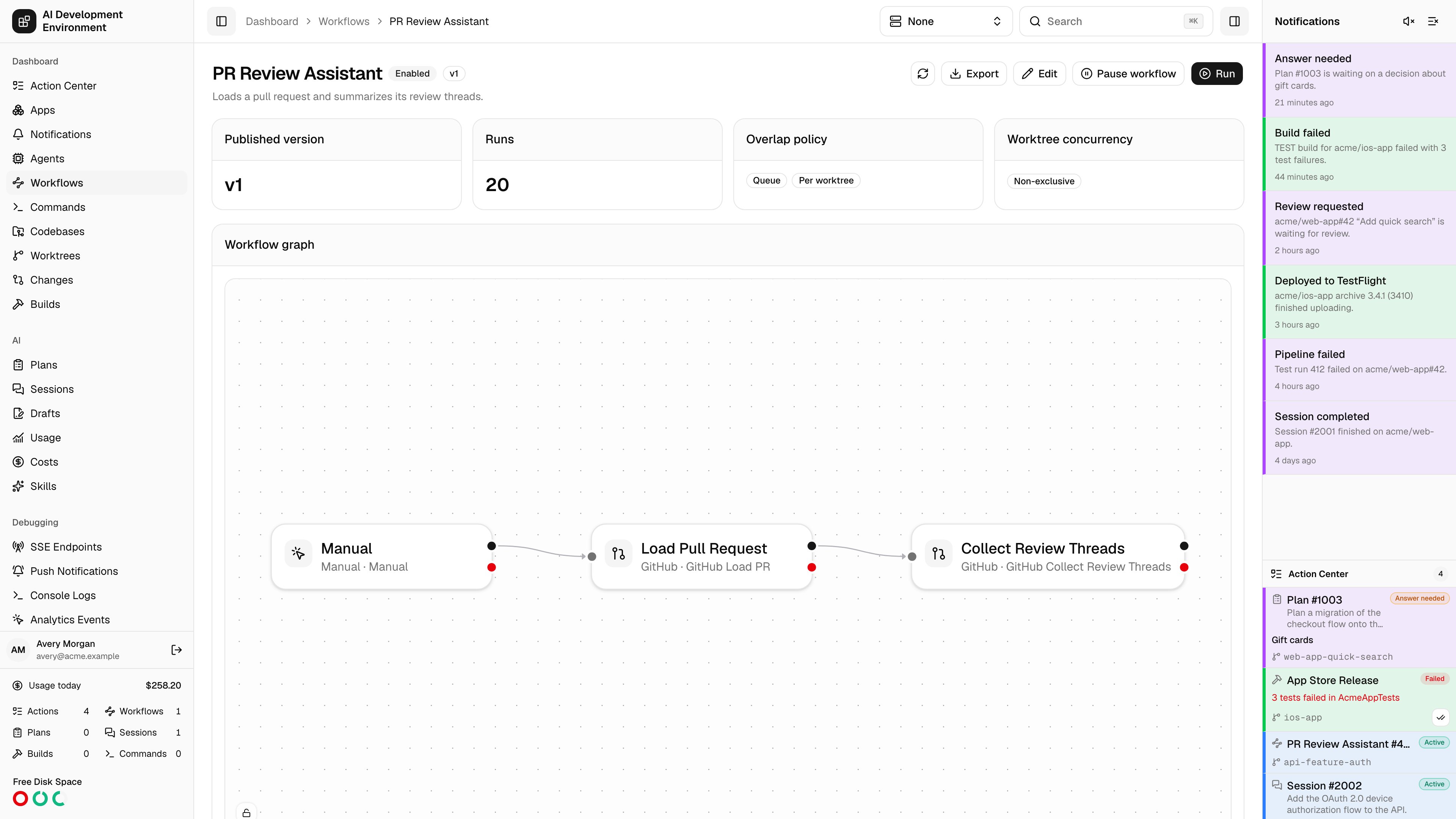
/dashboard/workflows/{id} is the read-only view of one workflow: what is published, what the graph looks like, how it behaves under load, where it shows up as a button, and what it has run recently.
Header
The name, description, and an Enabled or Disabled badge, with the top-level actions:Summary cards
Published version
The version number currently in force. Runs always execute a published version, never the working draft.
Runs
How many runs this workflow has produced.
Overlap policy
What happens when a trigger fires while a run is already in flight — Queue every event, run Concurrent, or keep only the Latest pending event — and the scope it is measured in, Per worktree or Every worktree. A concurrent workflow also shows its maximum. The card spells out what the combination means in a sentence.
Worktree concurrency
Shows whether top-level runs use Exclusive, Non-exclusive, or Excluded admission. A separate Blocks Git operations badge appears when command and terminal steps serialize with Git and worktree operations.
Workflow graph
A read-only rendering of the published graph, using the same node styling as the editor. Steps are drawn with their category icon, so a Jira step reads the same here as it does on the canvas. Whether the graph honors the positions you authored or auto-arranges for the available width is controlled by the Viewer layout setting in the editor.Quick actions
This is where you decide whether the workflow appears as a button on other pages, and where.Choose an action type
Style the button
Pick a Button icon and a Button style — Default, Outline, Secondary, or Destructive.
Scope it to repositories
Leave every repository unchecked to allow all of them, or select specific repositories to build an allowlist. You need at least one codebase registered before this list has anything in it.
Save
Save quick actions applies the configuration.
A quick action only renders when the workflow is published, enabled, and has a resource trigger matching the selected action type. All four conditions have to hold — the page states this inline as a reminder.
Queue
The Queue card collects queued workflow runs and queued AI runs launched by this workflow. Each row shows its effective position, run and phase, worktree, queued time, and worktree concurrency mode. Positions are relative to all queued work on each worktree, even though this card only includes entries associated with the current workflow. Open the linked worktree to see the complete combined queue.The card lists queued work, not runs that are already active. Plan and Session lanes can advance independently until an exclusive workflow reaches the front of the combined admission order.
Recent runs
The latest runs with their number, status, trigger, and start time. Each links to the workflow run page. Runs that have not started yet show as Queued.Version history
Every published version, listed with its version number, content hash, and publish time. The content hash identifies the exact definition bytes, which makes it easy to confirm two control planes are running the same workflow. Export version downloads any prior version, so you can inspect or restore an older definition.Related pages
Workflow editor
Change the graph, step configuration, and workflow settings.
Workflows
The index of all definitions and all runs.