

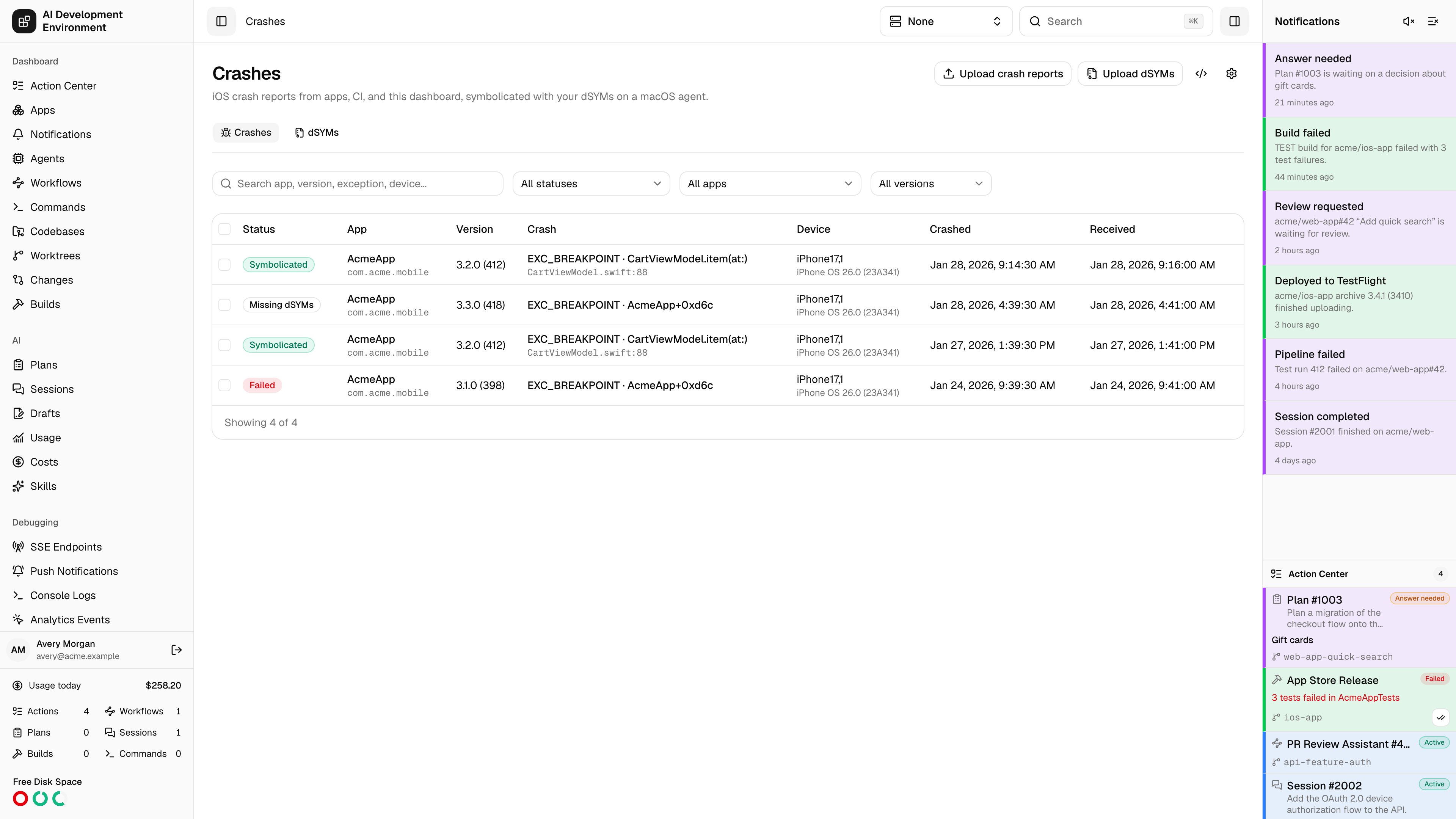
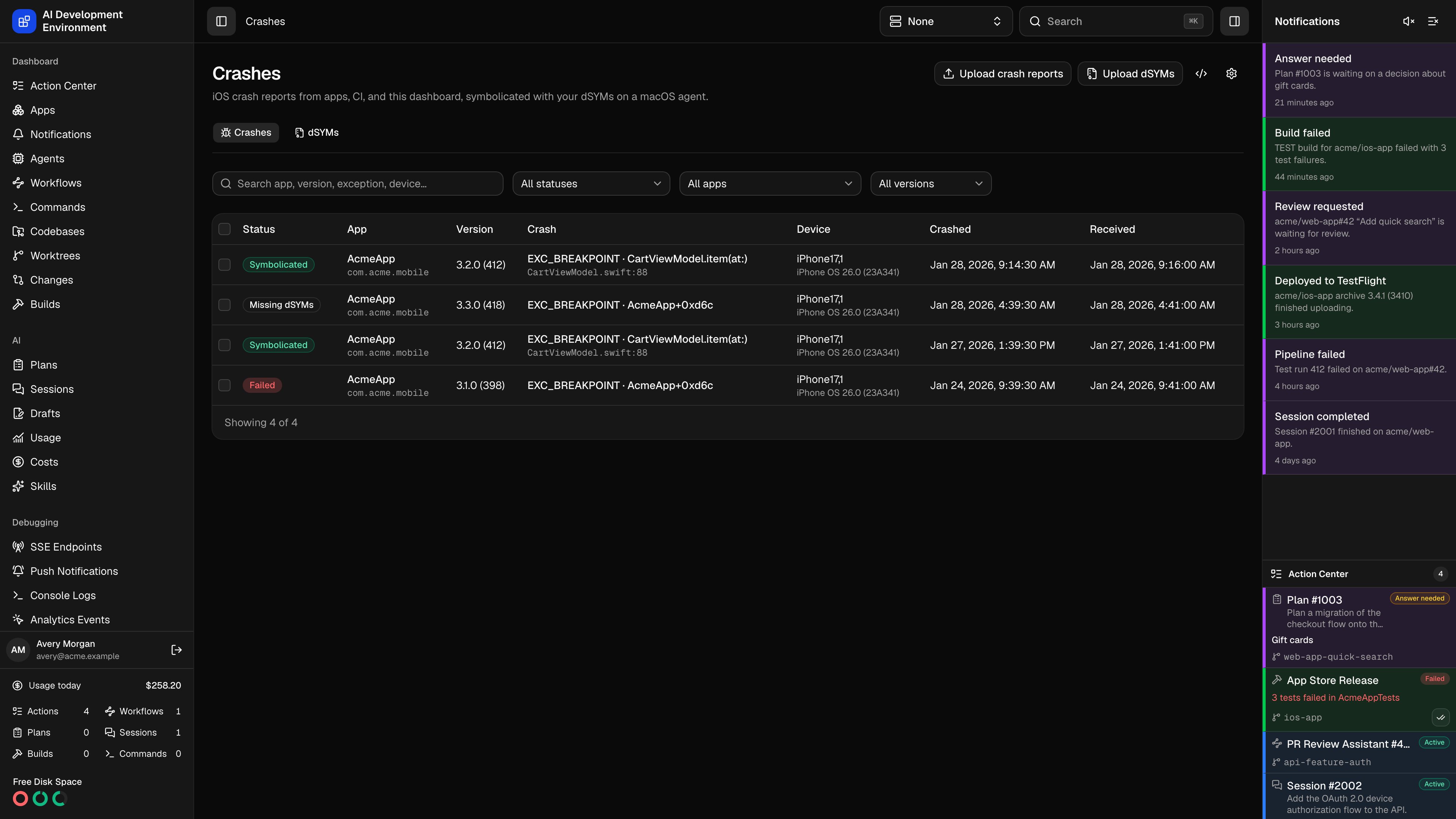
/crashes collects iOS crash reports and turns the app’s unnamed frames back into function names, files, and line numbers. Reports arrive from your apps through the upload API, from the dashboard and the iOS app as uploaded files, and in any of the three formats Apple platforms produce. The dSYMs tab at /crashes/dsyms holds the debug symbols they are symbolicated with — see dSYMs.
The iOS app shows the same crash and dSYM lists and detail screens under Debugging → Crashes, and can import .crash, .ips, and MetricKit .json files from the Files app.
How symbolication works
A release build’s binary is stripped, so the device can only report an address inside it. The matching dSYM holds the names for every address.1
The report is parsed
The control plane reads the report into threads, frames, and binary images, and notes each app binary’s UUID and the offset of every frame inside it. System frames are left as the device named them.
2
dSYMs are matched by UUID
Each app binary is matched to the newest uploaded dSYM with the same UUID. A binary without one is listed as missing.
3
A macOS agent runs atos
The offsets that still need names go to an online agent with Xcode as an
ios.crash.symbolicate job. The agent downloads only the DWARF files it needs, caches them by checksum, and runs xcrun atos --offset -i on each, which also recovers inlined frames.4
The names are stored with the crash
The answers are saved on the crash report, so a symbolicated report keeps its names even after its dSYM is deleted.
Symbolication needs a macOS agent with Xcode, because
atos ships with Xcode. Linux and Windows agents do not advertise the job. Uploading and indexing dSYMs happens on the control plane, so a Linux or Docker control plane works as long as one Mac agent is enrolled.Statuses
A failed job is retried up to three times. A job queued on an agent that stays offline for 10 minutes is cancelled and sent to another agent.
Supported formats
The content decides the format, not the file name.Upload crash reports
In the dashboard, click Upload crash reports, then drop files or click to choose them. Each file uploads on its own and links to the crashes it created. A file that was already uploaded links to the existing crash instead of adding a copy. In the iOS app, open Crashes, tap the import button, and choose files from the Files app.Send crashes from your app
An app cannot read its own.ips files. In the field, crash data comes from MetricKit, which delivers the previous launch’s crash diagnostics to a subscriber, or from a crash-reporter library that writes .crash text. Post either to the upload endpoint.
POST /api/public/crashes takes one report as the raw request body. It needs no credential, so a shipped app can report without embedding a secret. Send X-API-Key to record which key uploaded the report; a signed-in session records the user instead.
The API icon in the page header shows this contract with your server’s address and copies it as Markdown.
Find crashes
Search matches the app, bundle ID, version, exception, device, incident ID, and signature. The Status, App, and Version filters list only values present in stored reports. The table shows the exception with the first app frame as the crash’s title, and the source file and line underneath once it is symbolicated. Each crash has a signature — a hash of the exception and the first three app frames of the crashed thread. Reports with the same signature failed the same way; the crash detail page lists them under Similar. Offsets change with every build, so signatures are stable across versions once the frames have names. Select rows to delete several reports at once.Settings
The gear icon opens Crash settings.Storage, security, and retention
Crash reports and extracted dSYMs are stored inCRASH_DATA_DIRECTORY, which defaults to a crash-data folder next to the SQLite database. Back it up with the database.
Crash reports are kept for 90 days by default. Downloads of the original and symbolicated reports under /api/crash-files/* need a signed-in session or an API key.
Related pages
Crash details
Threads, missing dSYMs, binary images, and similar crashes for one report.
dSYMs
Upload debug symbols from the dashboard, builds, or CI.
Agents
Enroll the macOS agent that runs
atos.APIs
The crash and dSYM upload endpoints alongside the rest of the REST surface.